Advanced Settings and Adjustments
71
GB
5 Select an item using X/x, then press
ENTER.
The options for the selected item appear.
Example: [TV TYPE]
6 Select a setting using X/x, then press
ENTER.
The setting is selected and setup is
complete.
To reset all of the [SETUP]
settings
1 Select [RESET] in Step 3 and press ENTER.
2 Select [YES] using X/x.
You can also quit the process and return to
the Control Menu by selecting [NO] here.
3 Press ENTER.
All the settings explained on pages 72 to 77
return to the default settings. Do not press [/
1 while resetting the system as it takes a
few seconds to complete.
Note
• When you turn the system on after resetting and no
disc is in the system, the guide message appears on
the TV screen. To perform the Quick Setup
(page 19), press ENTER, to return to normal screen,
press CLEAR.
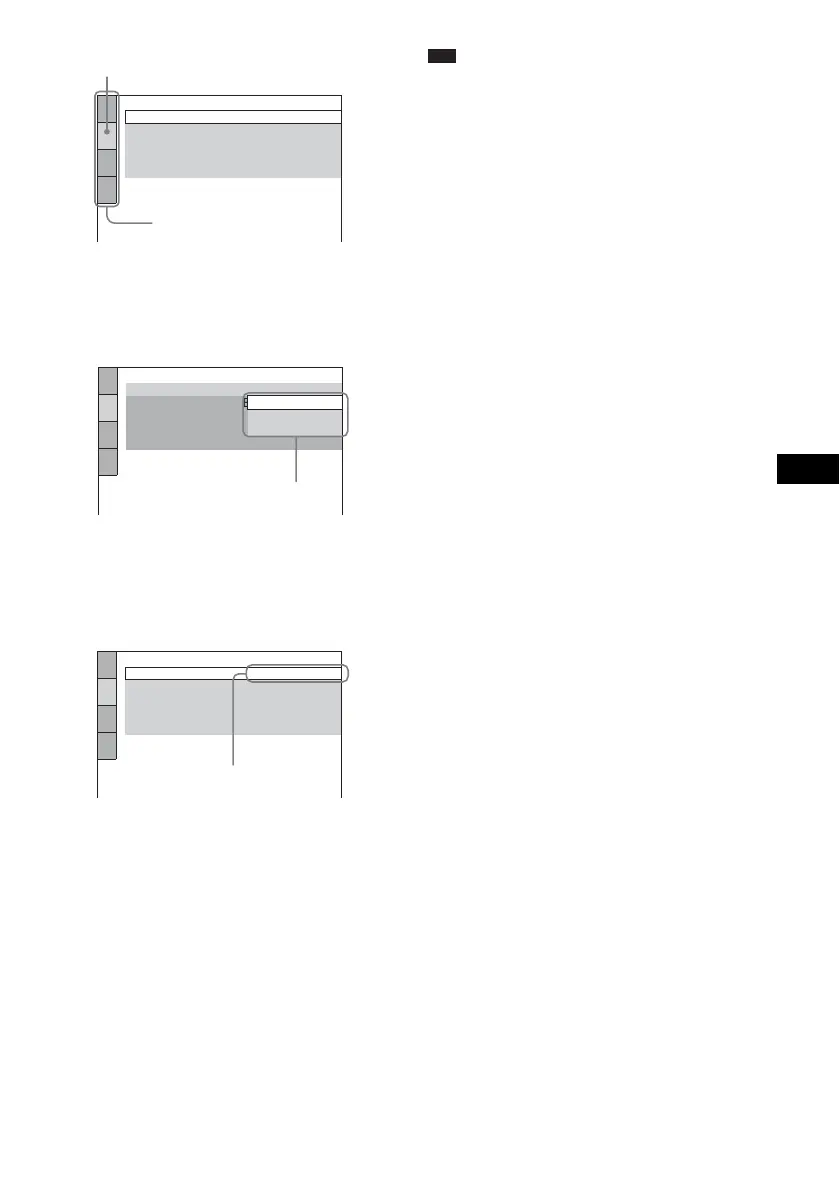
SCREEN SETUP
TV TYPE:
COLOR SYSTEM (VIDEO CD):
SCREEN SAVER:
16:9
AUTO
ON
BACKGROUND:
4:3 OUTPUT:
FULL
JACKET PICTURE
Selected item
Setup items
SCREEN SETUP
TV TYPE:
COLOR SYSTEM (VIDEO CD):
SCREEN SAVER:
16:9
16:9
4:3 LETTER BOX
4:3 PAN SCAN
BACKGROUND:
4:3 OUTPUT:
FULL
Options
SCREEN SETUP
TV TYPE:
COLOR SYSTEM (VIDEO CD):
SCREEN SAVER:
4:3 LETTER BOX
AUTO
ON
BACKGROUND:
4:3 OUTPUT:
FULL
JACKET PICTURE
Selected setting



 To Next Page