Disc
35
GB
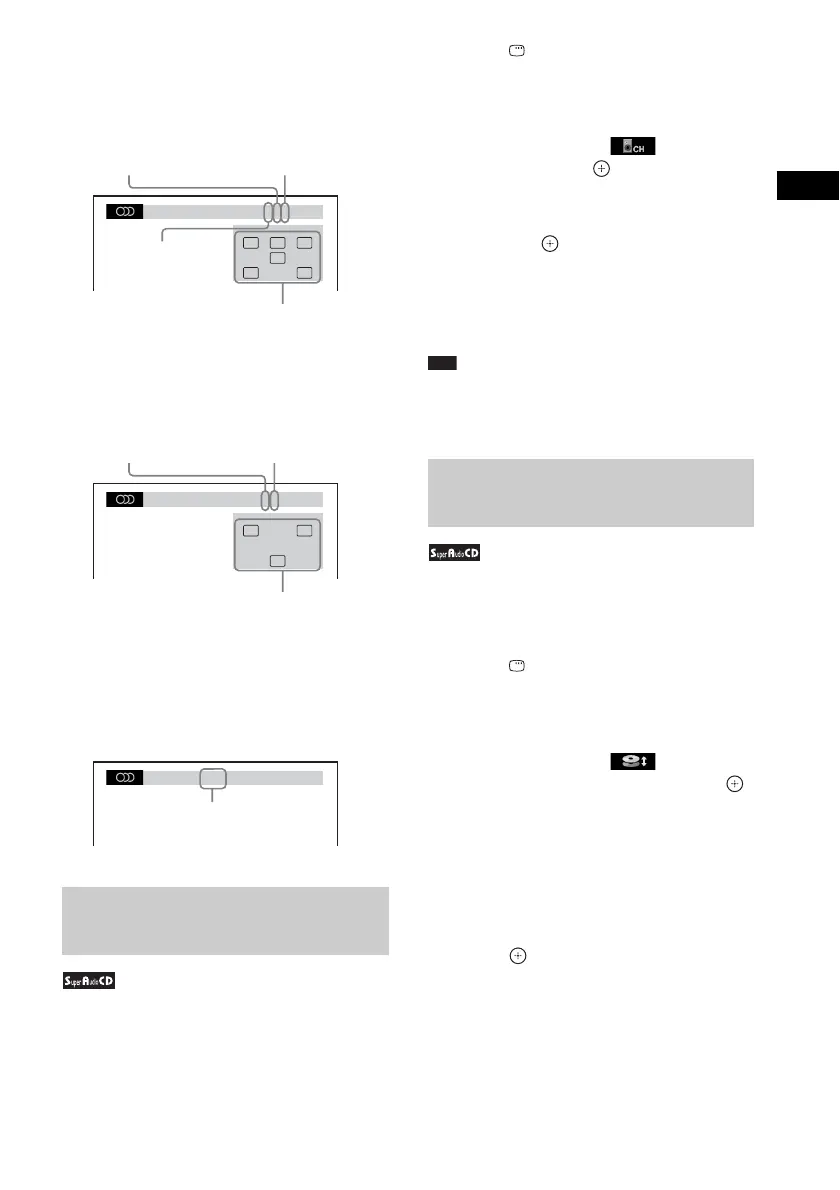
x DVD
Example:
Dolby Digital 5.1 channel
Example:
Dolby Digital 3 channel
x DATA CD (video file)/DATA DVD (video
file)
Example:
MP3 audio
Some Super Audio CDs consist of a 2 channel
playback area and a multi-channel playback
area. You can select the playback area you want
to listen to.
1 Press DISPLAY while the system is
in stop mode.
The Control Menu display appears on the
TV screen.
2 Press X/x to select [MULTI/
2CH], then press .
The options for [MULTI/2CH] appear.
3 Press X/x to select the desired setting
and press .
• [MULTI]: You can play the multi-channel
playback area.
• [2CH]: You can play the 2 channel
playback area.
Note
• When the Super Audio CD does not have a multi-
channel playback area, you cannot select the
playback area.
Some Super Audio CDs consist of a Super
Audio CD layer and a CD layer. You can change
the playback layer you want to listen to.
1 Press DISPLAY while the system is
in stop mode.
The Control Menu display appears on the
TV screen.
2 Press X/x to select [SUPER
AUDIO CD/CD LAYER], then press .
x When the current layer is the CD
layer
[SUPER AUDIO CD] appears.
x When the current layer is the Super
Audio CD layer
[CD] appears.
3 Press to change the layer.
• [SUPER AUDIO CD]: You can play the
Super Audio CD layer.
When the system is playing a Super Audio
CD layer, “SA-CD” lights up in the front
panel display.
Selecting a playback area for a
Super Audio CD
1: ENGLISH
DOLBY DIGITAL 3 / 2 .1
LFE
CL R
LS RS
Surround (L/R)
Front (L/R) +
Center
LFE (Low
Frequency Effect)
Currently playing program format
1:SPANISH
DOLBY DIGITAL 2 / 1
S
L R
Front (L/R)
Surround
(Monaural)
Currently playing program format
1:MP3 128k
Bit rate
Changing a playback layer for
a hybrid Super Audio CD



 To Next Page