72
GB
1 Load an audio CD.
2 Press DISPLAY while the system is
in stop mode.
The Control Menu display appears on the
TV screen.
3 Press X/x to select [USB
TRANSFER], then press .
4 Press .
“READING” appears in the front panel
display until the tracks recorded on the
audio CD appear on the TV screen.
Note
• It takes several minutes to display the tracks
depending on the number of tracks.
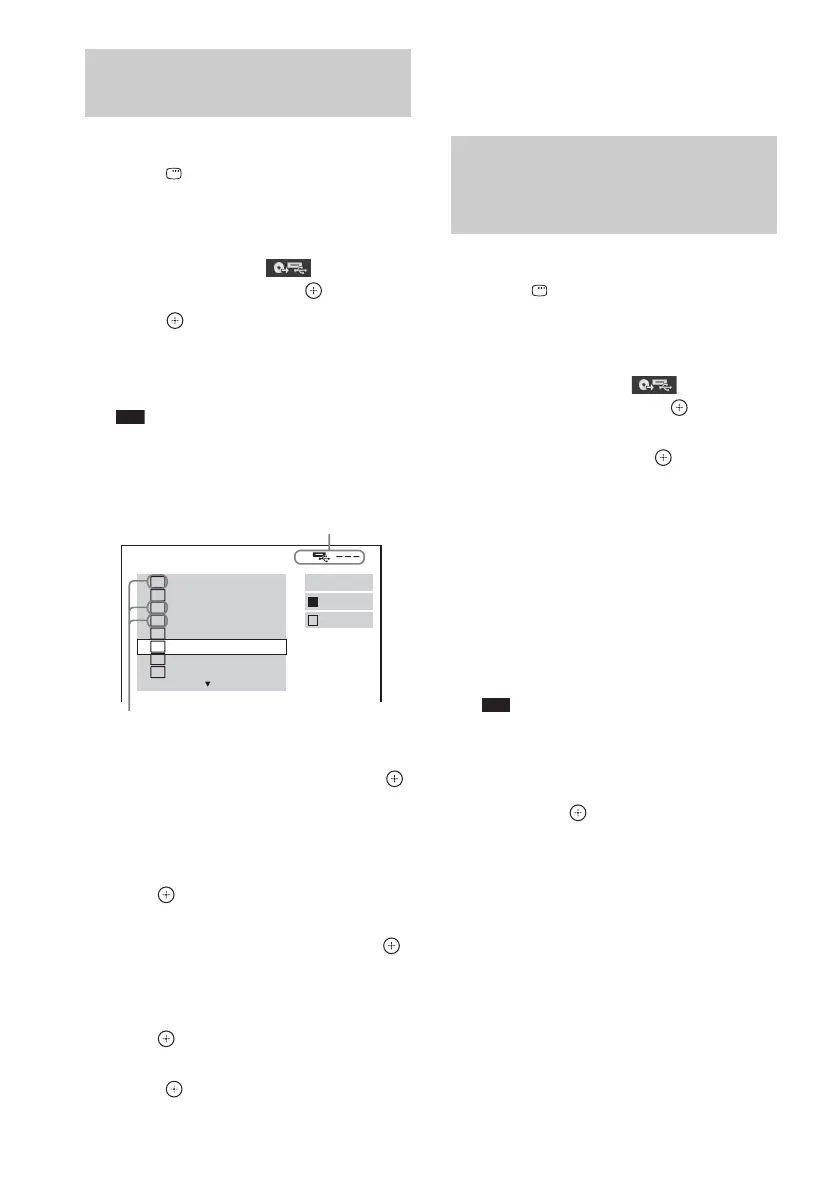
5 Select a track that you want to transfer.
x To select the desired track
Press X/x to select the track, then press .
The tracks are marked in the order that you
select.
x To select all tracks on the audio CD
Press C/X/x/c to select [x ALL], then
press .
x To cancel the track
Press X/x to select the track, then press .
The mark on the track is removed.
x To cancel all the tracks
Press C/X/x/c to select [s ALL], then
press .
6 Press C/X/x/c to select [START], then
press .
The system starts transferring and the status
of transferring appears.
To cancel transferring, press x.
1 Load a DATA CD/DATA DVD.
2 Press DISPLAY while the system is
in stop mode.
The Control Menu display appears on the
TV screen.
3 Press X/x to select [USB
TRANSFER], then press .
4 Press X/x to select [TRACK] or
[FOLDER], then press .
• [TRACK]: The tracks recorded on the
DATA CD/DATA DVD appear. You can
transfer the desired MP3 files.
• [FOLDER]: The folders recorded on the
DATA CD/DATA DVD appear. You can
transfer all MP3 files in the folder. Go to
Step 6.
“READING” appears in the front panel
display until the tracks/folders appear on
the TV screen.
Note
• It takes several minutes to display the tracks/
folders depending on the number of tracks/
folders.
5 Press X/x to select the desired folder,
then press .
The MP3 files in the selected folder appear.
6 Select an MP3 file/folder that you want
to transfer.
Transferring tracks on an
audio CD onto a USB device
USB TRANSFER
TRACK 01
1
START
ALL
TRACK 02
TRACK 03
2
TRACK 04
3
TRACK 05
TRACK 06
TRACK 07
TRACK 08
ALL
Remaining space of the USB device
Tracks to be transferred.
Transferring MP3 files on a
DATA CD/DATA DVD onto a USB
device



 To Next Page