24
GB
Getting Started
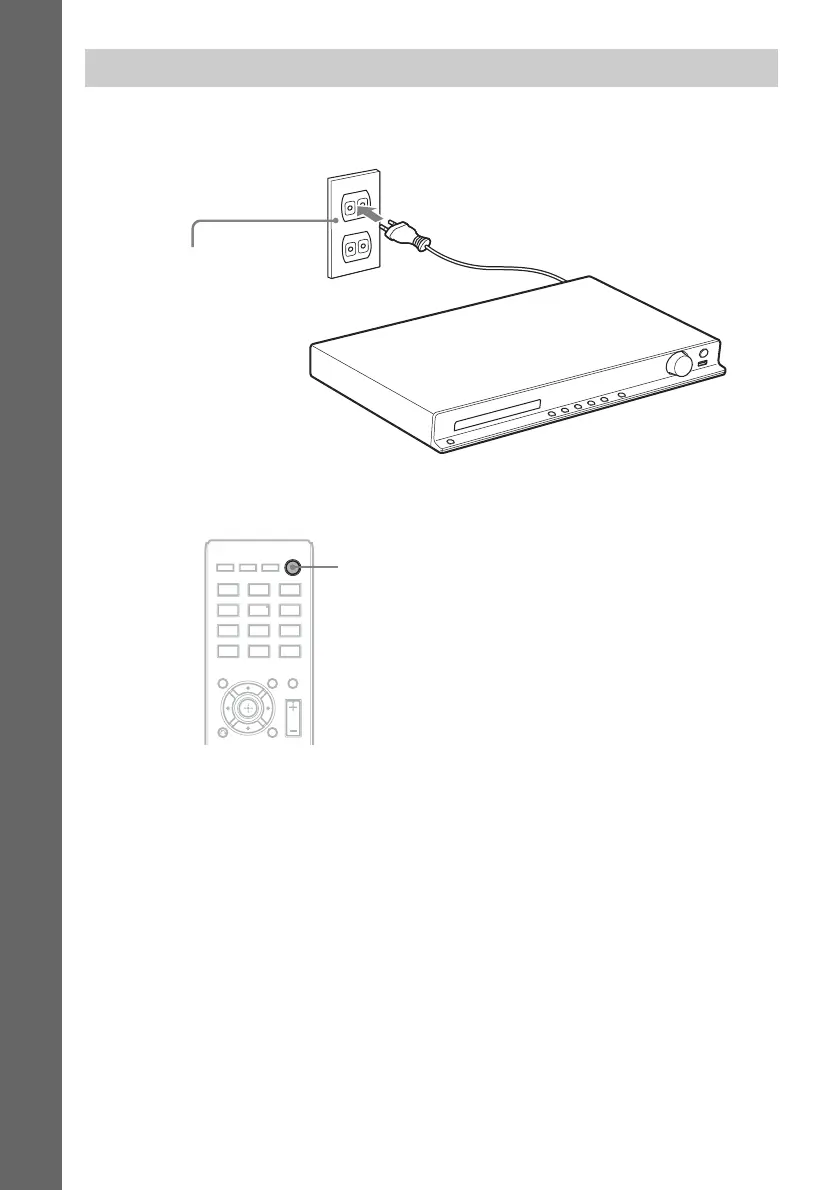
1 Connect the AC power cord (mains lead).
The demonstration appears in the front panel display.
2 Press "/1 on the remote to turn the system on, then press "/1 again to turn off the
demonstration.
Connecting the AC power cord (mains lead)
Wall outlet (mains): The shape of
the wall outlet (mains) differs
depending on the area.
"/1



 To Next Page