13
Getting Started
Selecting the Language for On-Screen Display
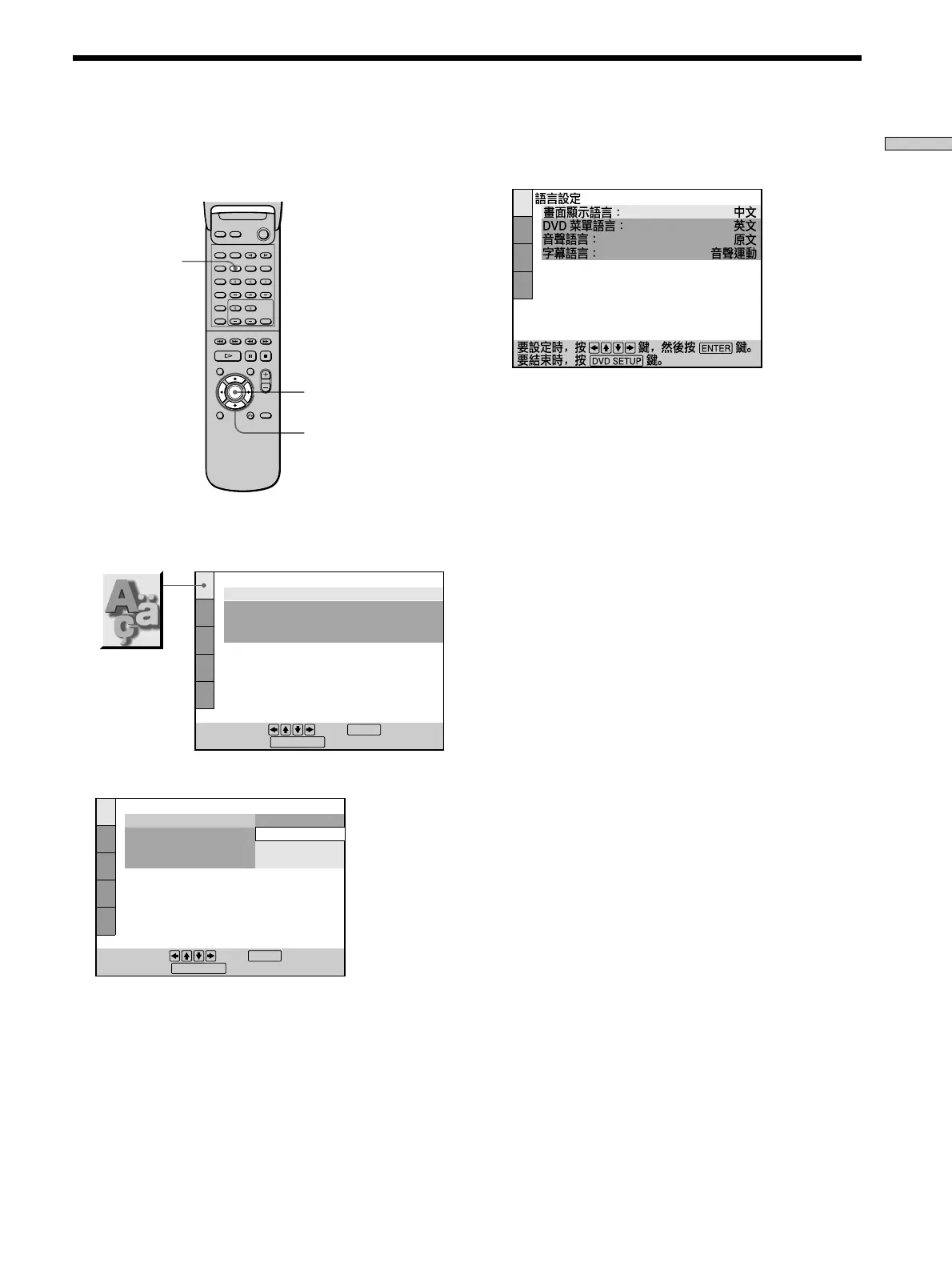
DVD SETUP
3 Select the desired language using M/m, then press
ENTER.
4 Press DVD SETUP to exit menu.
To cancel using the setup display
Press DVD SETUP again.
Note
The languages you can select are the ones displayed in Step 2.
For details, see page 44.
ENTER
You can select the language for the setup display, the
Control Menu display or the messages displayed on the
screen. The default language is “ENGLISH.”
1 Press DVD SETUP and select “LANGUAGE SETUP”
using M/m, and then press ENTER.
2 Select “OSD” using M/m, then press , or ENTER.
Open the cover.
</M/m/,
LANGUAGE SETUP
OSD:
DVD MENU:
AUDIO:
SUBTITLE:
To set, press , then .
To quit, press .
ENGLISH
ENGLISH
ORIGINAL
AUDIO FOLLOW
ENTER
SETUP
.
DVD SETUP
LANGUAGE SETUP
OSD:
DVD MENU:
AUDIO:
SUBTITLE:
To set, press , then .
To quit, press .
ENGLISH
CHINESE1
CHINESE2
ENTER
SETUP
ENGLISH
.
DVD SETUP


 To Next Page