8
Getting Started
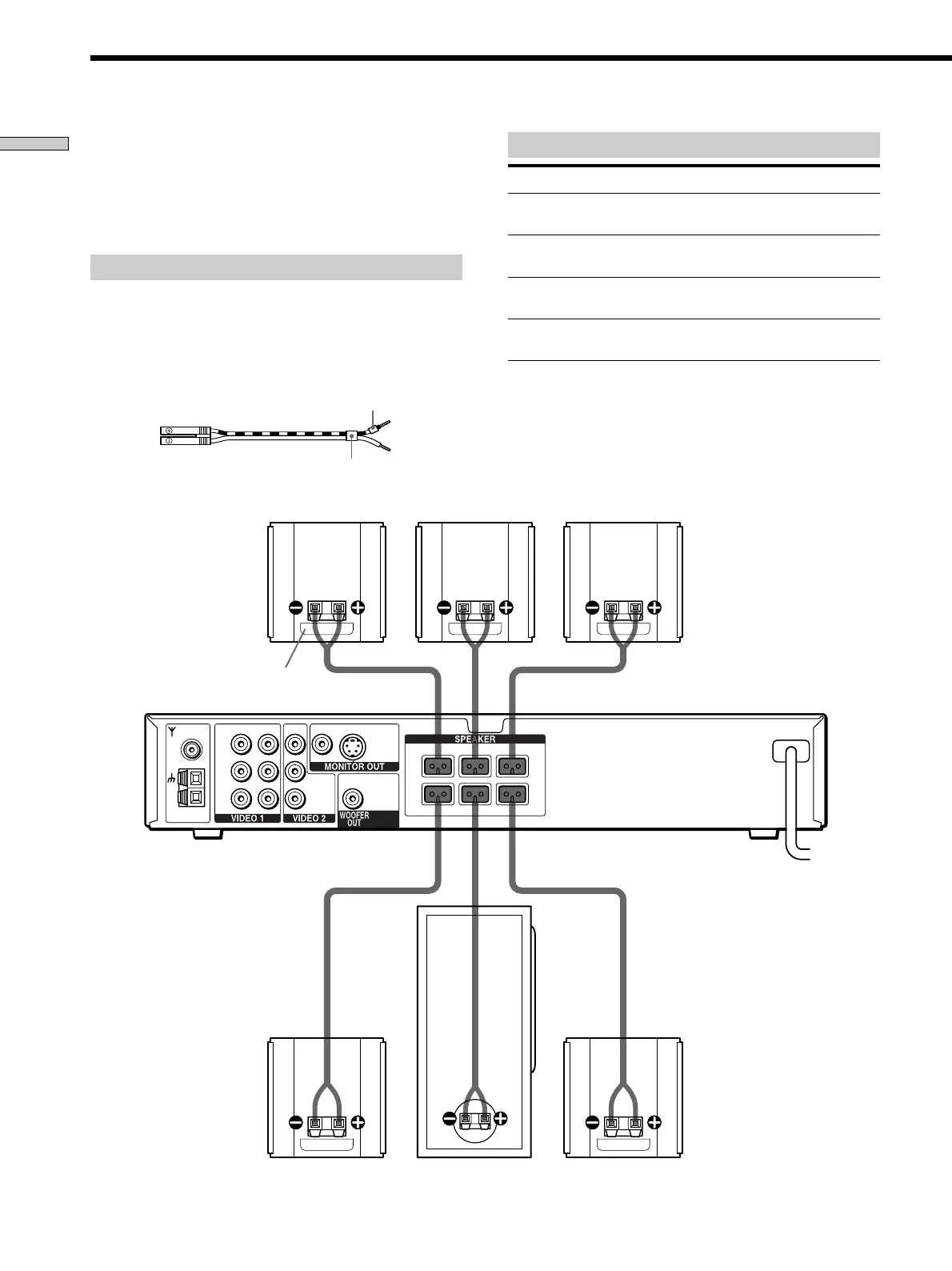
Terminals for connecting the speakers
Connect the To the
Front speakers
Rear speakers
Center speaker
Subwoofer
Front speaker (R)
Front speaker (L)Center speaker
Subwoofer
Rear speaker (R)
Rear speaker (L)
Speaker System Hookup
SPEAKER FRONT L (white) and
R (red) terminals
SPEAKER REAR L (blue) and R
(yellow) terminals
SPEAKER CENTER (green)
terminal
SPEAKER WOOFER (black)
terminal
Connect the supplied speaker system using the supplied
speaker cords by matching the colors of the terminals and
those of the cords.
To obtain the best possible surround sound, specify the
speaker parameters (distance, level, etc.) on page 14.
Required cords
Speaker cords (supplied)
The connector and the color tube of the speaker cords are the
same color as the label of the terminals to be connected.
Connect the striped cord with the + terminal tube to the +
terminal.
(+) (+)
(–) (–)
R
L
R
L
VIDEOVIDEO INVIDEO INVIDEO OUT
AUDIO INAUDIO INAUDIO OUT
FM
75Ω
COAXIAL
AM
IMPEDANCE USE 3Ω
FRONT R CENTER FRONT L
REAR R WOOFER REAR L
S VIDEO
(
DVD ONLY
)
Color tube
Color label
+ terminal tube



 To Next Page