47
Settings and Adjustments
CUSTOM SETUP
PARENTAL CONTROL
Enter password, then press
.
To return, press .
To cancel, press .
RETURN
SETUP
ENTER
.
DVD SETUP
CUSTOM SETUP
PARENTAL CONTROL
To confirm,enter password again,
then press
.
To return, press .
To cancel, press .
RETURN
SETUP
ENTER
.
DVD SETUP
CUSTOM SETUP
PARENTAL CONTROL
LEVEL:
OFF
STANDARD:
CHANGE PASSWORD
USA
To set, press , then .
To cancel, press .
ENTER
SETUP
.
DVD SETUP
CUSTOM SETUP
PARENTAL CONTROL
LEVEL:
OFF
STANDARD:
CHANGE PASSWORD
USA
To set, press , then .
To cancel, press .
ENTER
SETUP
.
DVD SETUP
CUSTOM SETUP
PARENTAL CONTROL
LEVEL:
OFF
USA
STANDARD:
CHANGE PASSWORD
USA
OTHERS
To set, press , then .
To cancel, press .
ENTER
SETUP
.
DVD SETUP
CUSTOM SETUP
PARENTAL CONTROL
LEVEL: OFF
OFF
STANDARD:
CHANGE PASSWORD
8:
7:
6:
5:
NC17
R
To set, press , then .
To cancel, press .
ENTER
SETUP
.
DVD SETUP
CUSTOM SETUP
PARENTAL CONTROL
LEVEL:
STANDARD:
CHANGE PASSWORD
USA
To set, press , then .
To cancel, press .
ENTER
SETUP
4: PG13
.
DVD SETUP
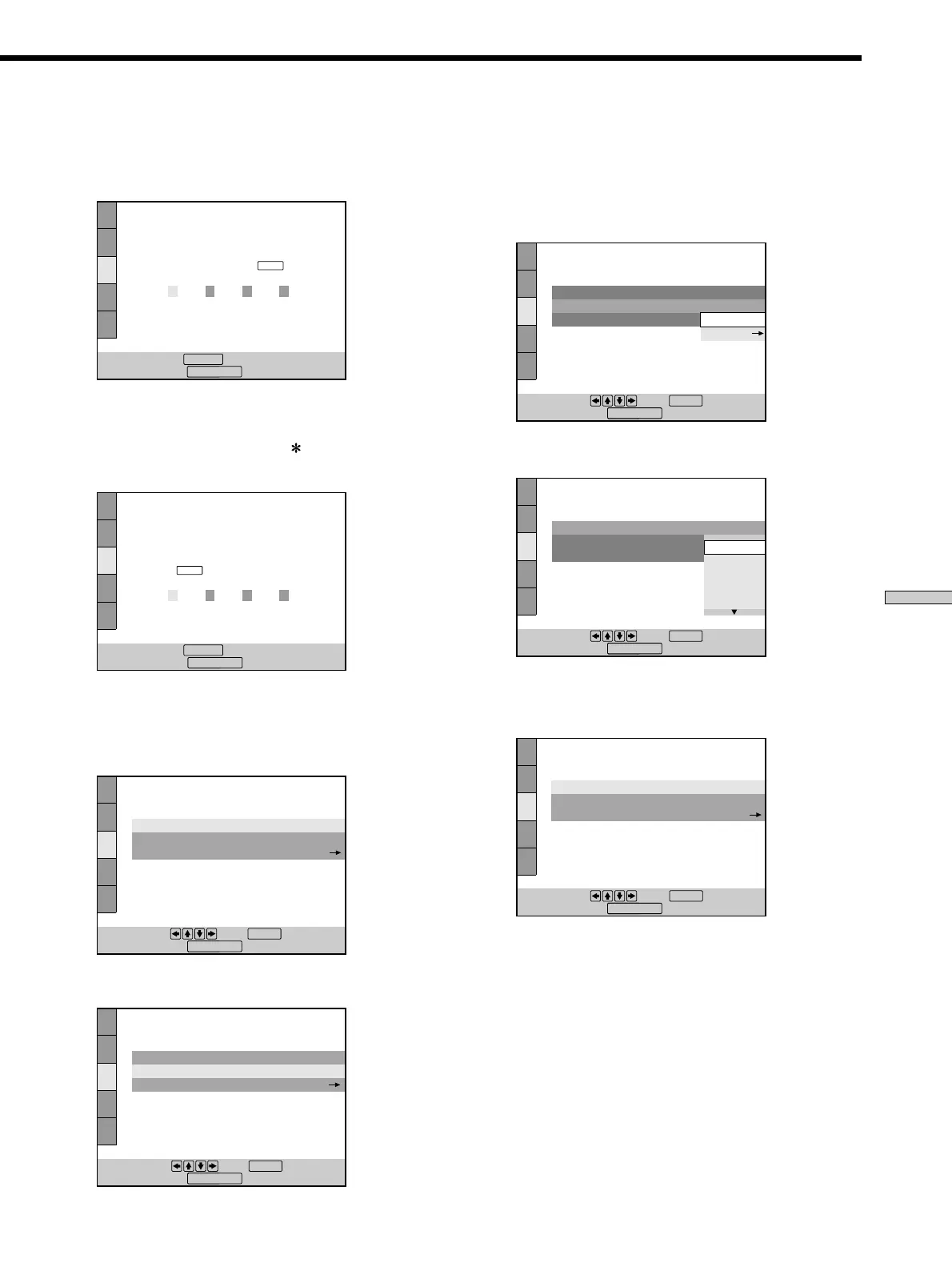
xWhen you have already entered a password
The display for confirming the password appears.
Skip Step 2.
2 Enter a password in 4 digits using the number
buttons, then press ENTER.
The digits change to asterisks (
), and the display for
confirming the password appears.
3 To confirm your password, enter it using the
number buttons, then press ENTER.
The display for setting the playback limitation level
and changing the password appears.
4 Select “STANDARD” using M/m, then press ,.
5 Select an area as the standard for playback
limitation level using M/m, then press ,.
When you select “OTHERS ,”, select and enter the
standard code in the table below using the number
buttons.
6 Select “LEVEL” using M/m, then press ,.
7 Select the level you want using M/m, then press
ENTER.
The lower the value is, the more strict the limitation.



 To Next Page