Sound Adjustments
43
GB
This system provides you with 2 types of sound
effect, simply by pressing a button. Choose the
sound to suit your needs.
DAV-SA30
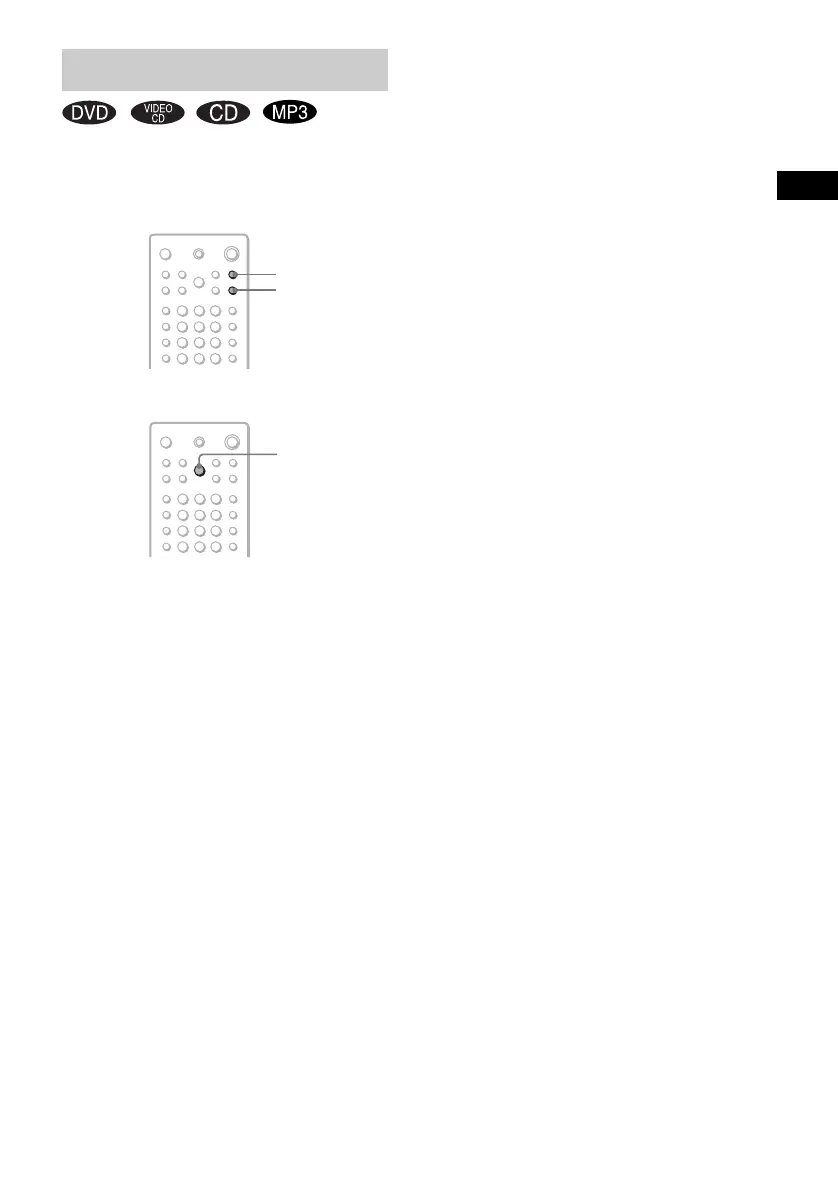
Press NIGHT MODE or DYNAMIC BASS on
the remote.
The sound effect is activated.
DAV-SA35K
Press DYNAMIC BASS/NIGHT MODE on the
remote.
“NIGHT ON” or “D.BASS ON” appears in the
front panel display. The displayed sound effect
is activated.
Each time you press DYNAMIC BASS/NIGHT
MODE, the mode changes in the following
sequence:
NIGHT ON t D.BASS ON t OFF t
NIGHT ON…
x NIGHT MODE
In this mode, you can enjoy sound effects or
dialogue in a movie, as you would a movie
theatre, even at low volume. It is useful for
watching movies at night.
x DYNAMIC BASS
With DYNAMIC BASS on, bass frequencies
are effectively reinforced.
To turn off the sound effect
DAV-SA30
Press NIGHT MODE or DYNAMIC BASS on
the remote again.
DAV-SA35K
Press DYNAMIC BASS/NIGHT MODE on the
remote repeatedly until “OFF” appears in the
front panel display.
Notes
• These two types of sound effect cannot be activated
at the same time.
• Sound effect is cancelled when selecting “KARA
PON”, “MPX L”, “MPX R”, connecting a
microphone, or KEYCON is activated.
• When playing a Super Audio CD, this function does
not work.
Using the Sound Effect
DYNAMIC
BASS/NIGHT
MODE
DAV-SA35K
DAV-SA30
DYNAMIC BASS
NIGHT MODE



 To Next Page