Recording a picture
The color of the LCD screen
You can adjust it using the LCD COLOR item in the menu settings (p. 102).
Even if you adjust the screen using LCD BRT, LCD COLOR, or the LCD screen
backlight
The recorded picture will not be affected.
The setting of the LCD BACKLIGHT switch
P
6
Normally, set it to ON. When you use the camcorder in bright conditions using the
z
battery pack, set it to OFF. This position saves battery power.
2
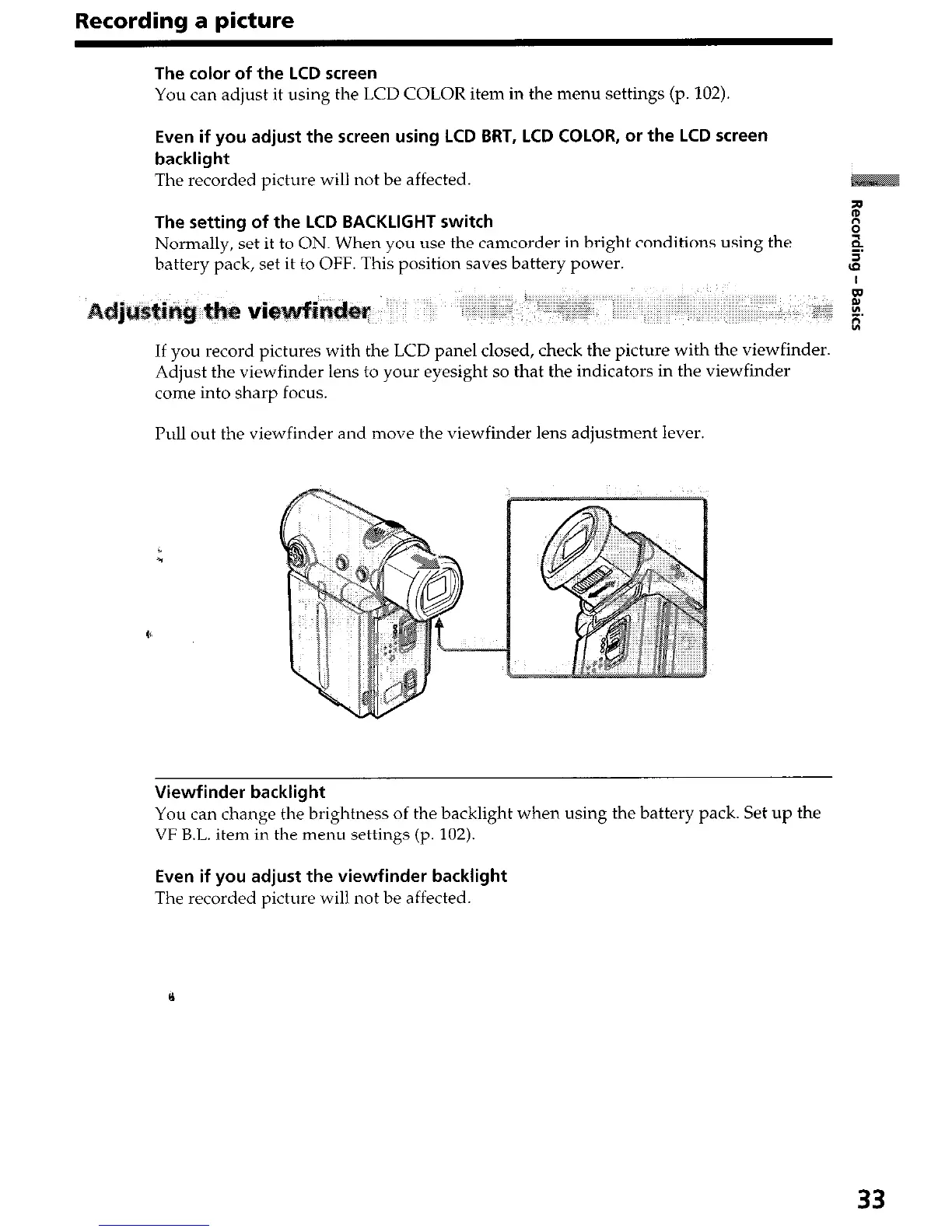
If you record pictures with the LCD panel closed, check the picture with the viewfinder.
Adjust the viewfinder lens to your eyesight so that the indicators in the viewfinder
come into sharp focus.
Pull out the viewfinder and move the viewfinder lens adjustment lever.
Viewfinder backlight
You can change the brightness of the backlight when using the battery pack. Set up the
VF B.L. item in the menu settings (p. 102).
Even if you adjust the viewfinder backlight
The recorded picture will not be affected.
33


 To Next Page
 Loading...







