Using the PROGRAM AE function
You can use the PROGRAM AE (Auto Exposure) function to suit your specific shooting
requirements.
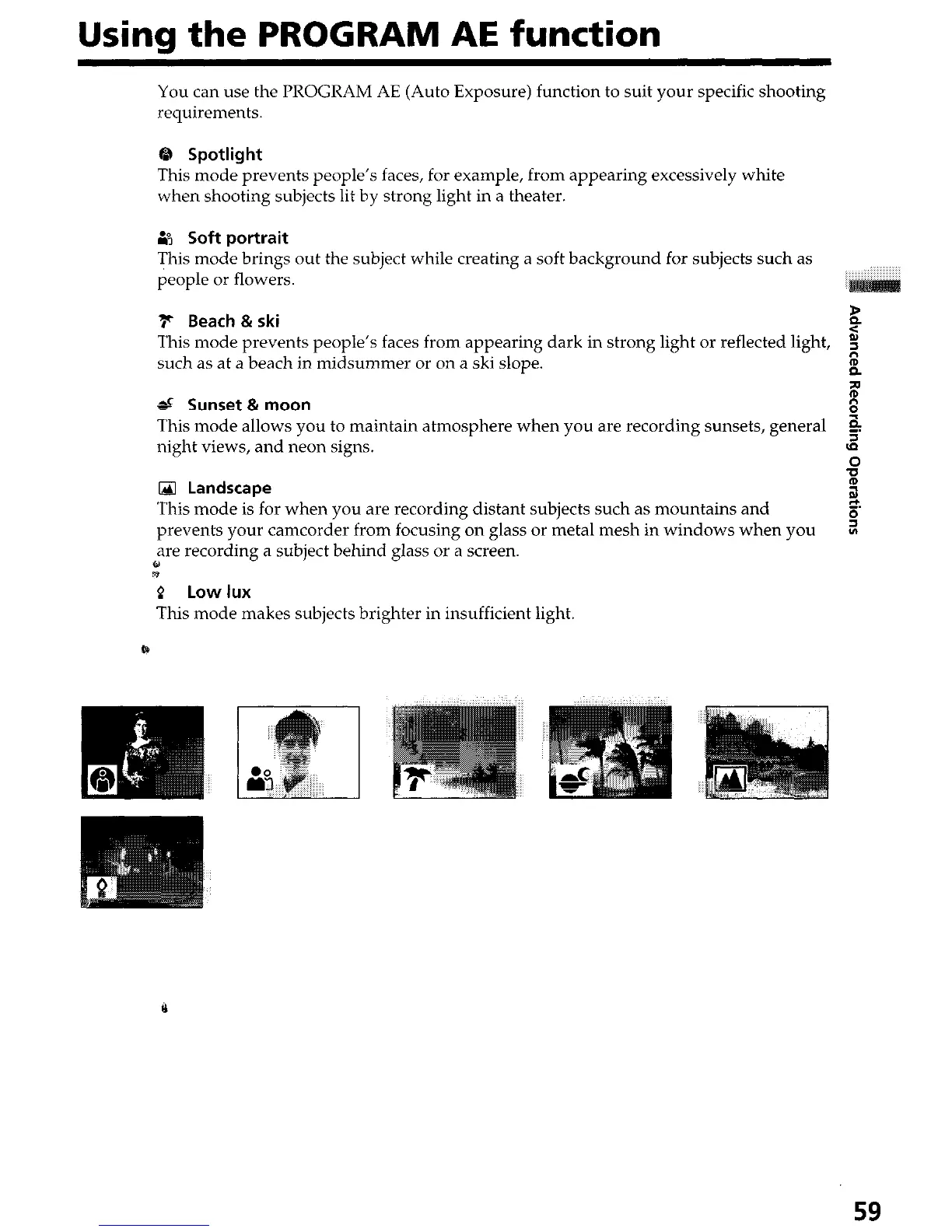
0 Spotlight
This mode prevents people’s faces, for example, from appearing excessively white
when shooting subjects lit by strong light in a theater.
B Soft portrait
This mode brings out the subject while creating a soft background for subjects such as
people or flowers.
F Beach & ski
z
This mode prevents people’s faces from appearing dark in strong light or reflected light,
s
such as at a beach in midsummer or on a ski slope.
g
P
d Sunset & moon
8
8
This mode allows you to maintain atmosphere when you are recording sunsets, general 5
night views, and neon signs.
3
,o
0 Landscape
2
This mode is for when you are recording distant subjects such as mountains and
Ei
prevents your camcorder from focusing on glass or metal mesh in windows when you
s
are recording a subject behind glass or a screen.
z
P Low lux
This mode makes subjects brighter in insufficient light.
59




 To Next Page