150
English
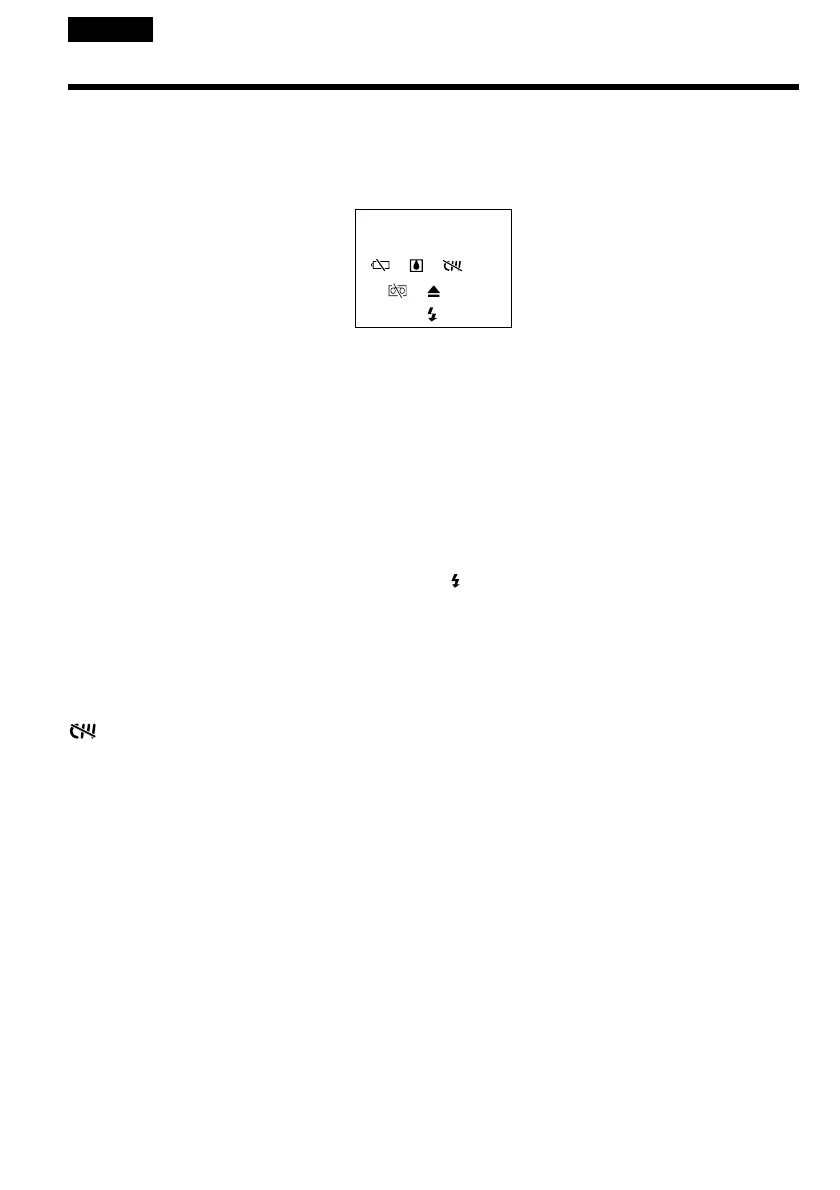
Warning indicators and messages
C:21:00 Self-diagnosis display (p. 149).
E The battery is dead or nearly dead
Slow flashing:
•The battery is nearly dead.
Depending on the operating conditions,
environment and battery condition, the E
indicator may flash, even if there are
approximately 5 to 10 minutes remaining.
Fast flashing:
•The battery is dead (p. 19).
% Moisture condensation has occurred*
Fast flashing:
•Eject the cassette, turn off your camcorder, and
leave it for about 1 hour with the cassette
compartment open (p. 169).
Warning indicator as to cassette
memory*
Slow flashing:
•No tape with cassette memory is inserted
(p. 161).
Q Warning indicator as to tape
Slow flashing:
•The tape is near the end.
•No tape is inserted.*
•The write-protect tab on the cassette is out (red)
(p. 26).*
Fast flashing:
•The tape has run out.*
If indicators and messages appear on the screen, check the following:
See the page in parentheses “()” for more information.
Warning indicators
C:21:00
Z You need to eject the cassette*
Slow flashing:
•The write-protect tab on the cassette is out (red)
(p. 26).
Fast flashing:
•Moisture condensation has occurred (p. 169).
•The tape has run out.
•The self-diagnosis display function is activated
(p. 149).
Warning indicator as to the flash (optional)
Slow flashing:
•During charging.
Fast flashing:
•There is something wrong with the external
flash (optional).
* You hear the melody or beep sound.















 To Next Page