Interval recording
3
o
o
g
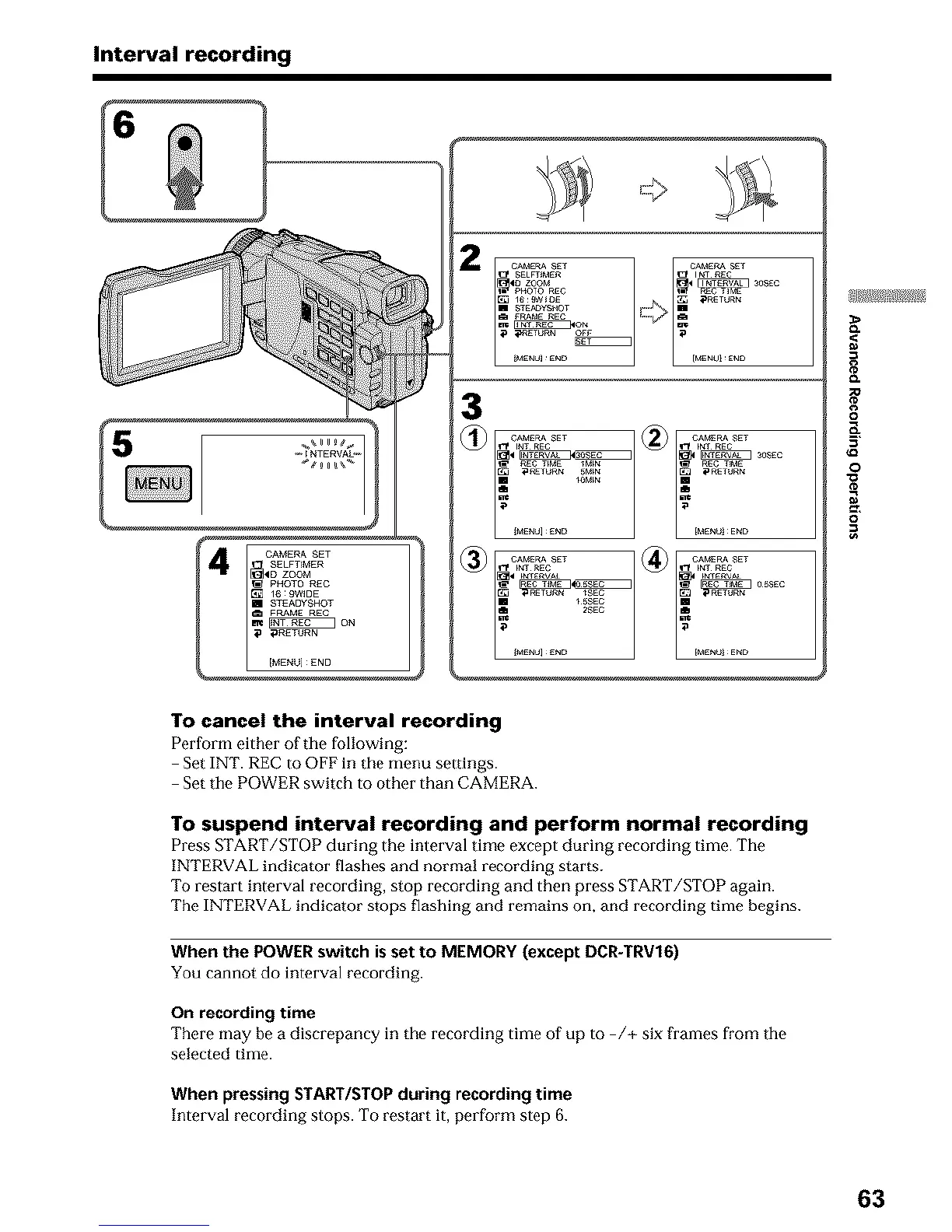
To cancel the interval recording
Perfurm either of the following:
Set INT. REC to OFE in the menu settings.
Set the POWER switch to other than CAMERA.
To suspend interval recording and perform normal recording
Press START/STOP during the interval time except during recording time. The
INTERVAL indicator flashes and normal recording starts.
To restart interval recording, stop recording and then press START/STOP again.
The INTERVAL indicator stops flashing and remains on, and recording time begins.
When the POWER switch is set to MEMORY (except DCR-TRV16)
You cannot do interval recording.
On recording time
There may be a discrepancy in the recording time of up to /+ six frames from the
selected time.
When pressing START/STOP during recording time
Interval recording stops. To restart it, perform step 6.
63



 To Next Page