13
Setup
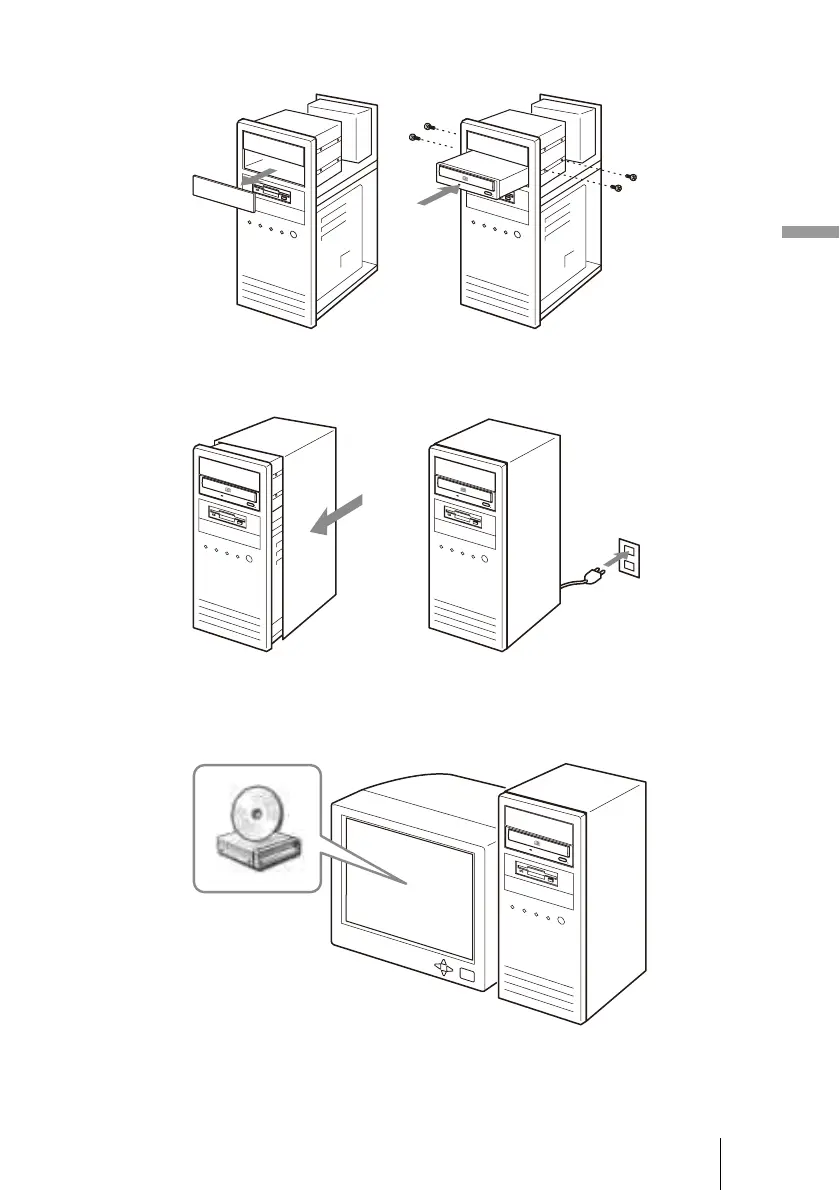
4 Install the drive into a 5-inch drive bay with the supplied screws.
5 Replace the computer cover, and then reconnect the power
cable to the outlet.
6 Start your computer, and make sure that the drive is detected.
On the Windows desktop, open [My Computer], and verify that a new drive
icon is displayed.



 To Next Page