Help Guide
Digital Still Camera
DSC-RX0
Switching the screen display (Shooting)
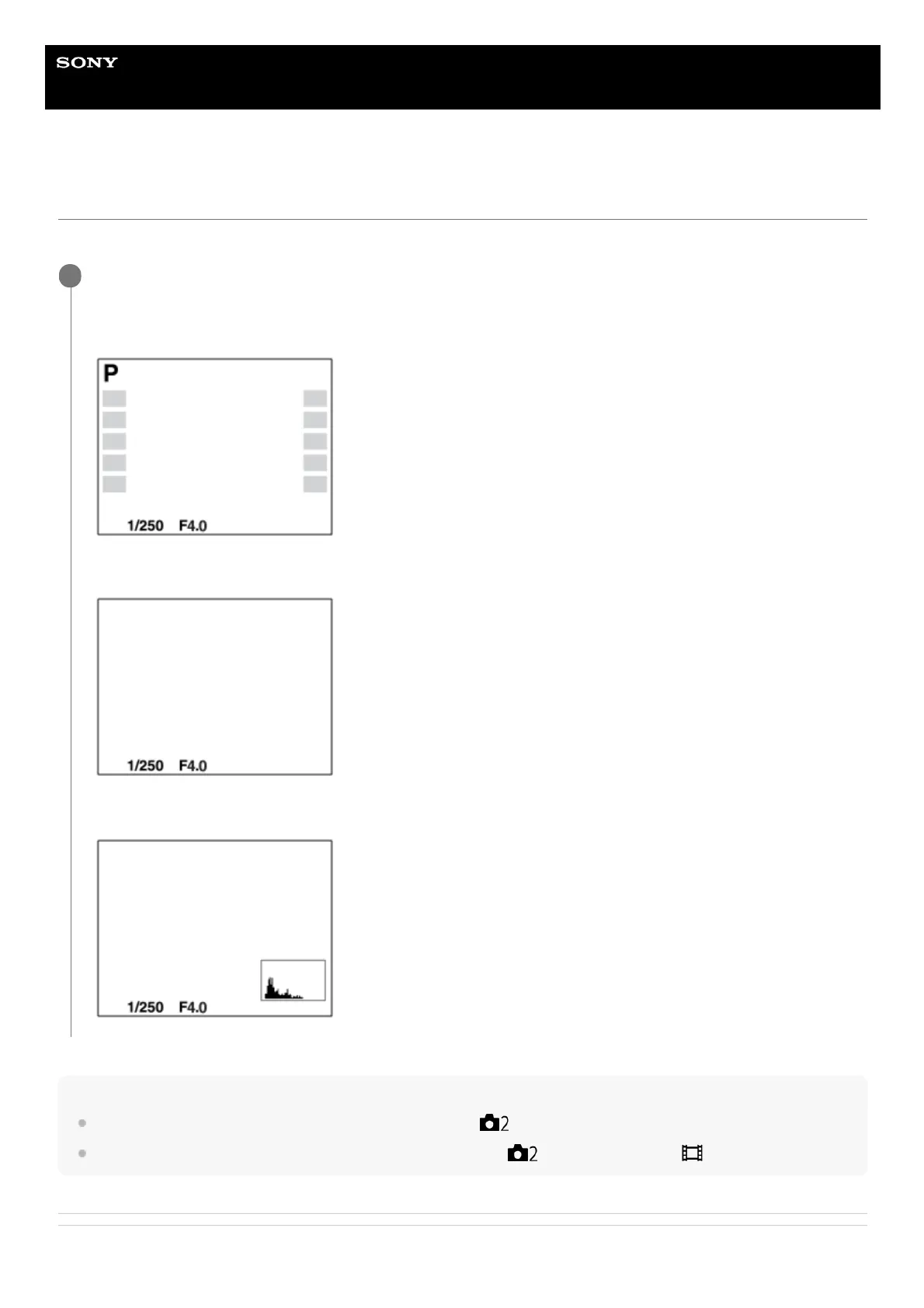
You can change the display contents on the screen.
Hint
To hide the grid lines displayed during shooting, select MENU →
(Camera Settings2) → [Grid Line] → [Off].
To hide the marker displayed during movie recording, select MENU →
(Camera Settings2) → [ Marker Display] → [Off].
Related Topic
Press the DISP (Display Setting) button.
Each time you press the DISP button, the screen display changes.
Display All Info.
No Disp. Info.
Histogram
1












 To Next Page