23
Learning the various functions – HOME/Menu
Using the HOME screen
The HOME screen is the gateway screen for all the functions of the camera, and can be called
up regardless of the mode setting (shooting/viewing).
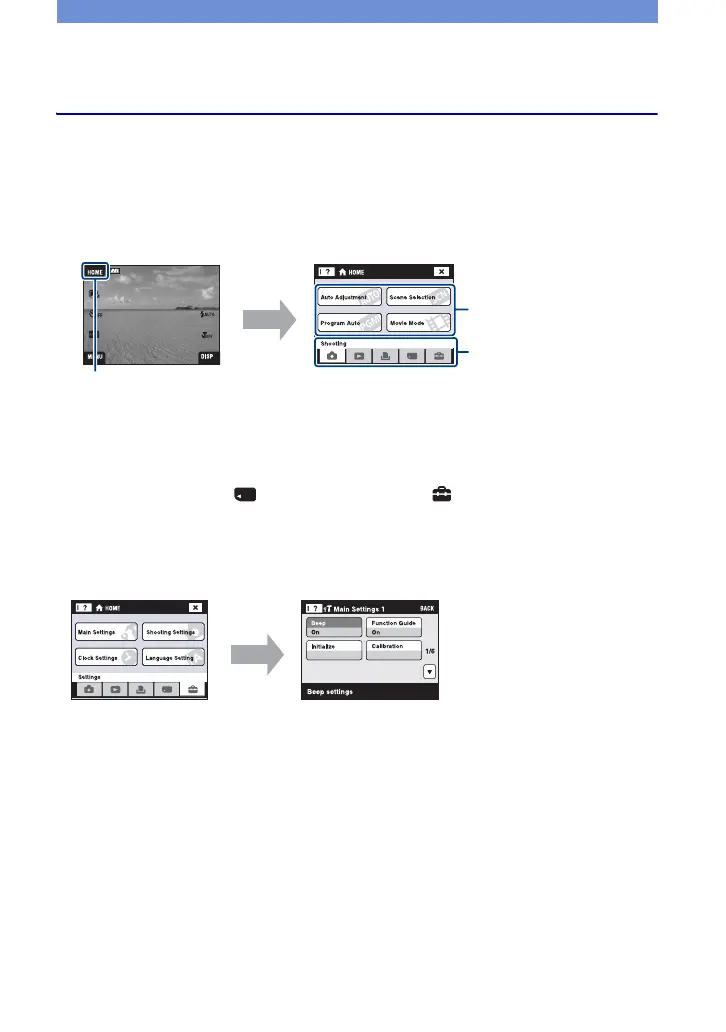
1Touch [HOME] to display the HOME screen.
2Touch the category you want to set.
3Touch the item in the category you want to set.
[ When you select the (Manage Memory) or (Settings) category
1 Touch the category you want to change the settings.
2 Touch the desired setting item. Touch v/V to display the other setting items.
3 Touch the setting item that you want to change, and then touch the desired setting value to
set it.
• Touch [×] or [BACK] to return to the previous screen.
Category
[HOME]
Item



 To Next Page