GB
12
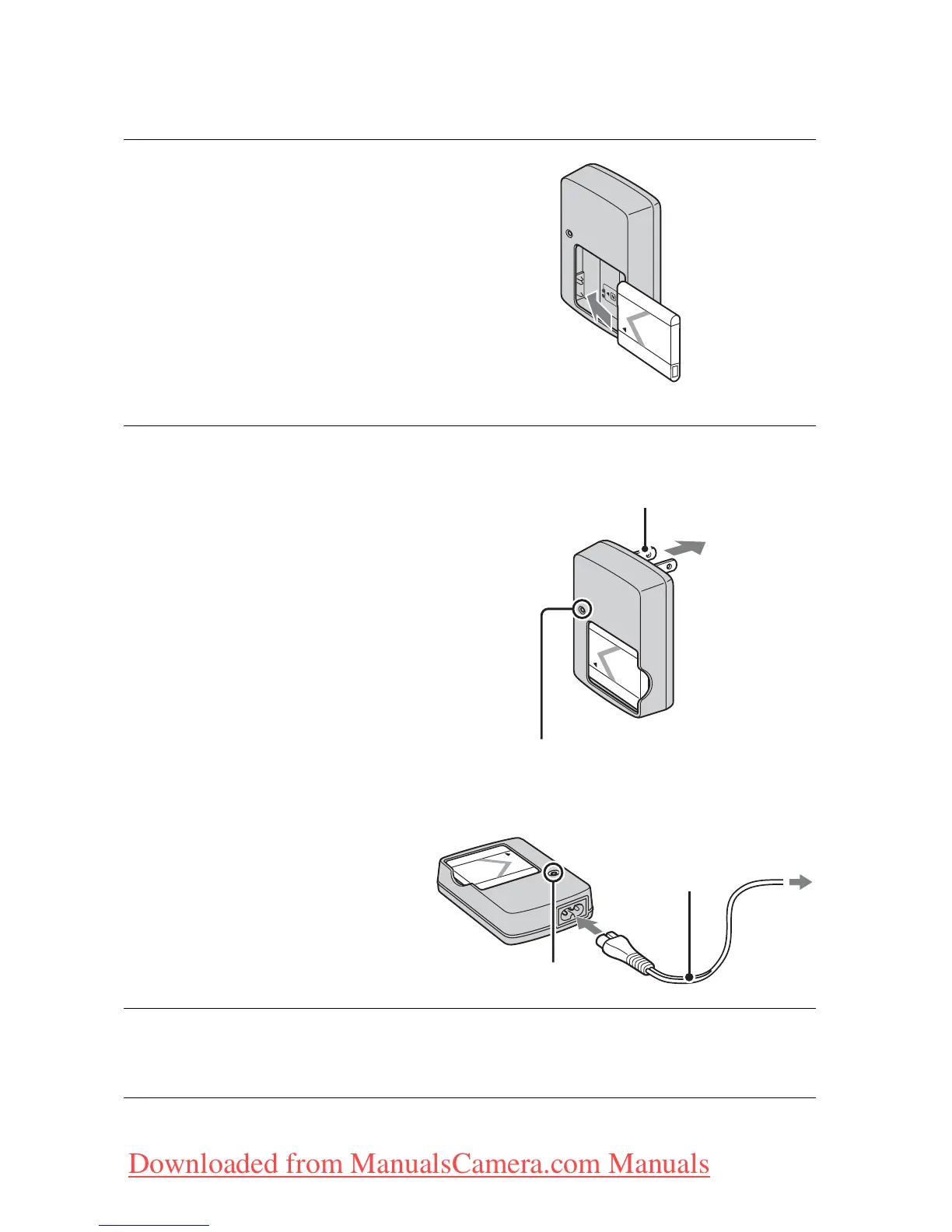
Charging the battery pack
1
Insert the battery pack into
the battery charger.
• You can charge the battery even when
it is partially charged.
2
Connect the
battery charger to
the wall outlet (wall
socket).
If you continue charging
the battery pack for about
one more hour after the
CHARGE lamp turns off,
the charge will last slightly
longer (full charge).
CHARGE lamp
Lit: Charging
Off: Charging finished
(normal charge)
3
When charging is finished, disconnect the battery
charger.
Battery
pack
CHARGE lamp
Plug
Power cord
(Mains lead)
For customers in countries/regions
other than the USA and Canada
For customers in the USA and Canada
CHARGE lamp
Downloaded from ManualsCamera.com Manuals







 To Next Page