GB
14
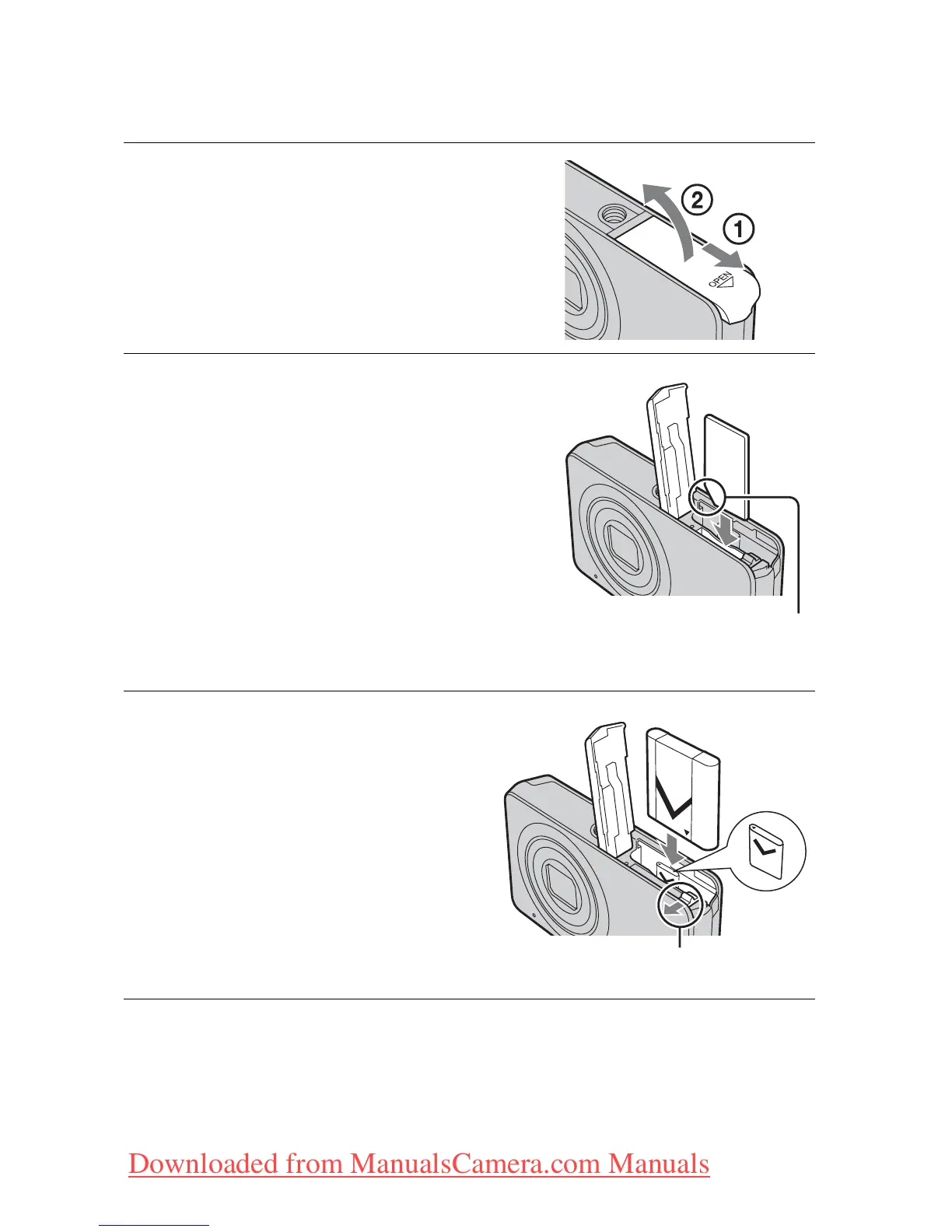
Inserting the battery pack/a memory card
(sold separately)
1
Open the cover.
2
Insert a memory card (sold
separately).
With the notched corner down as
illustrated, insert the memory card
until it clicks into place.
3
Insert the battery pack.
Align the battery pack with the
guide arrow inside the battery
insertion slot. Then, insert the
battery pack until the battery eject
lever locks into place.
Note the notched corner
facing the correct direction
Battery eject lever
Downloaded from ManualsCamera.com Manuals







 To Next Page