GB
17
GB
Setting the clock
x
Setting the date and time again
Press the MENU button, then select (Settings) t (Clock Settings).
1
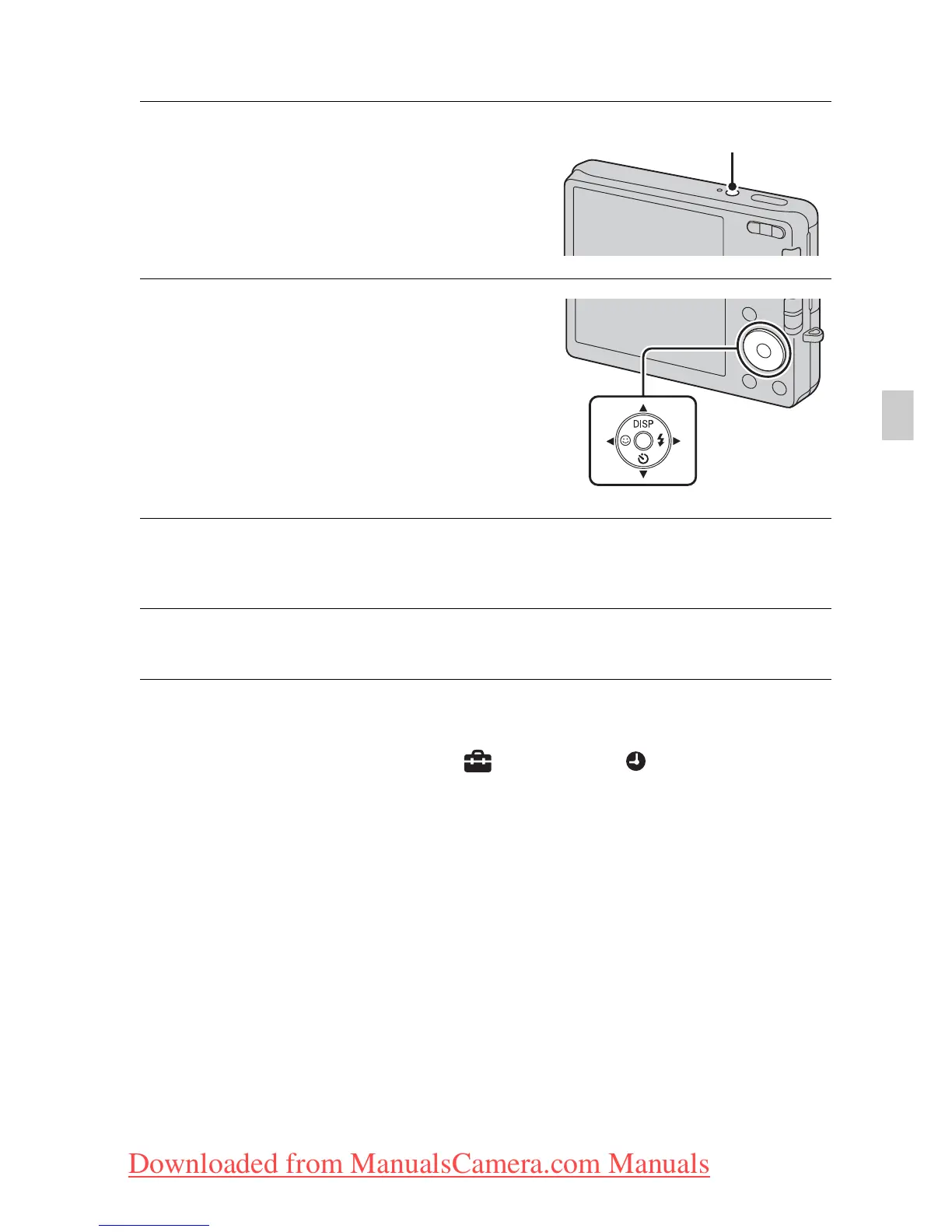
Press the ON/OFF (Power)
button.
The camera is turned on.
• It may take time for the power to
turn on and allow operation.
2
Select a setting item with
v/V on the control button,
then press z.
Date & Time Format: Selects the
date and time display format.
Date & Time: Sets the date and time.
3
Set the numeric value with v/V/b/B, then press z.
• Midnight is indicated as 12:00 AM, and noon as 12:00 PM.
4
Select [OK], then press z.
ON/OFF (Power) button
Control
button
Downloaded from ManualsCamera.com Manuals












 To Next Page