17
AF illuminator
When you press the shutter button halfway down with the built-in flash pulled up in dark
surroundings, the flash may be triggered. This is an AF illuminator allowing the camera to
focus more easily on a subject.
• The range of the AF illuminator is approximately 1 to 5 m (39 3/8 to 196 7/8 inches).
• AF illuminator does not operate when [AF mode] is set to (Continuous AF) or the subject is moving.
(The (focus) indicator lights)
• The AF illuminator may not operate with focal lengths of 300 mm or longer.
• When an external flash is attached, the AF illuminator of the external flash is used.
• The AF illuminator does not operate when [AF illuminator] in the Custom menu is set to [Off].
t “User’s Guide/Troubleshooting” (page 95)
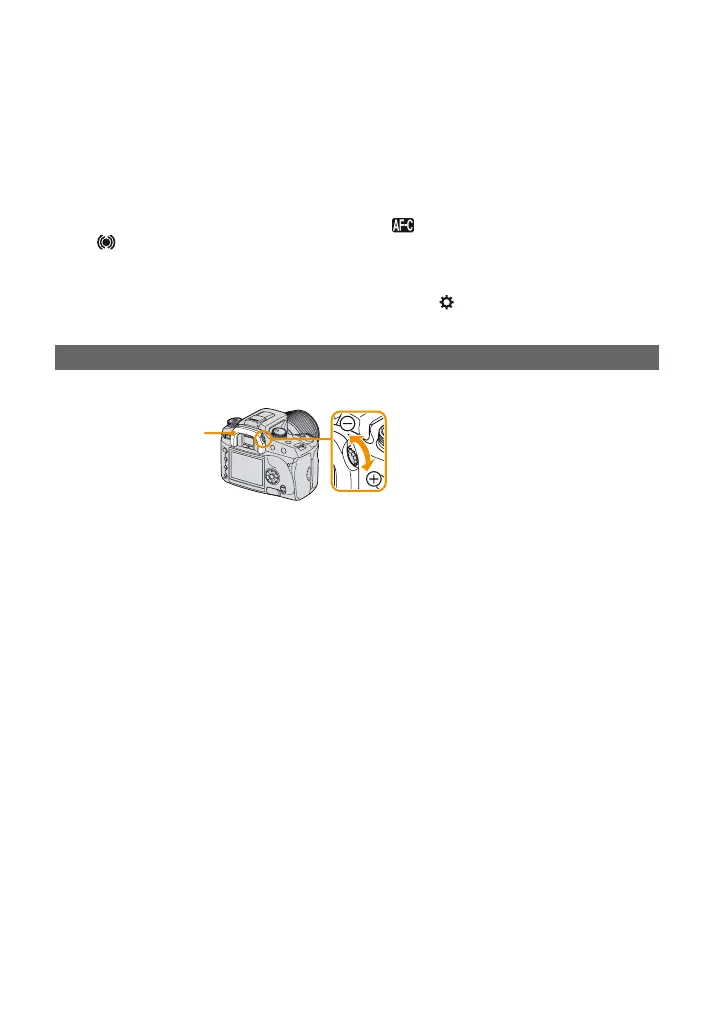
Adjust the diopter-adjustment dial to your eyesight until the indicators appear clearly in the
viewfinder.
• Turn the dial toward + when you are far-sighted, toward – when you are near-sighted. The direction is
indicated on the dial if you remove the eyecup. t “User’s Guide/Troubleshooting” (page 41)
• Training the camera on the light allows you to adjust the diopter easily.
Adjusting the diopter
Eyecup
Diopter-adjustment dial



 To Next Page
 Loading...












