74 Chapter 4 Time Data and Sub LCD Menu
Chapter 4 Time Data and Sub LCD Menu
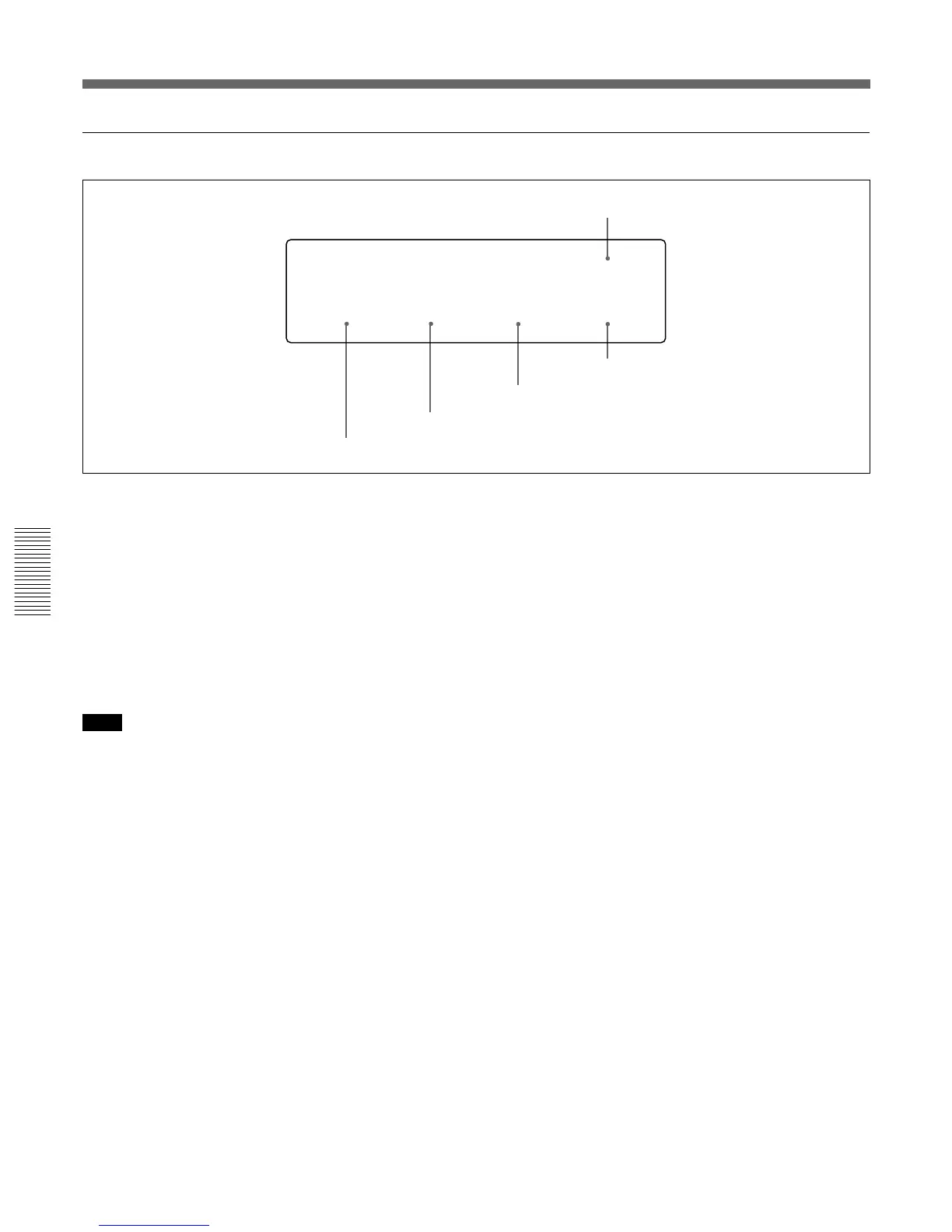
LIGHTSW
SUB
BAT–END
11.0
BAT–TYP
AUTO
BAT–NE
11.3
BACKLGT
NORMAL
General settings page (2)
3 BAT-END setting
4 BAT-NE setting
5 LIGHTSW setting
1 BACKLGT (back light) setting
Set to HIGH to increase the brightness of the LCD
monitor back light.
2 BAT-TYP (battery type) setting
Set the type of the battery used.
AUTO: The battery type is automatically checked.
Ni: BP-90/90A
Li: BP-L60/L60A/L90/L90A
ANTON: Anton Bauer Magnum battery
Note
To use the Anton Bauer Magnum battery, you require
a special battery mount to be attached to this unit.
For more information about the special battery mount,
contact an Anton Bauer agent or your Sony dealer.
2 BAT-TYP setting
1 BACKLGT setting
3 BAT-END (battery end) setting
Set a voltage value to indicate the shutdown voltage of
this unit.
4 BAT-NE (battery near end) setting
For alarms that alert you when the end of power as
specified in the battery end setting 3 is near, specify a
voltage that at which to begin the alarm display.
5 LIGHTSW (backlight control switch) setting
Controls back light power of the LCD monitor and sub
LCD.
SUBMAIN: The both are controlled by the LIGHT
switch.
MAIN: The LCD monitor backlight power is
controlled by the LIGHT switch. The sub LCD
backlight power is continually on.
SUB: The sub LCD backlight power is controlled by
the LIGHT switch. The LCD monitor backlight
power is continually on.
General Settings Pages of the Sub LCD Menu



 To Next Page