35GB
E:\Works\5003283211\5003283211DSXB700WUC\01GB-DSX-B700Wxx\030CD.fm masterpage: Right
DSX-B700W/DSX-B700
5-003-283-00(1)
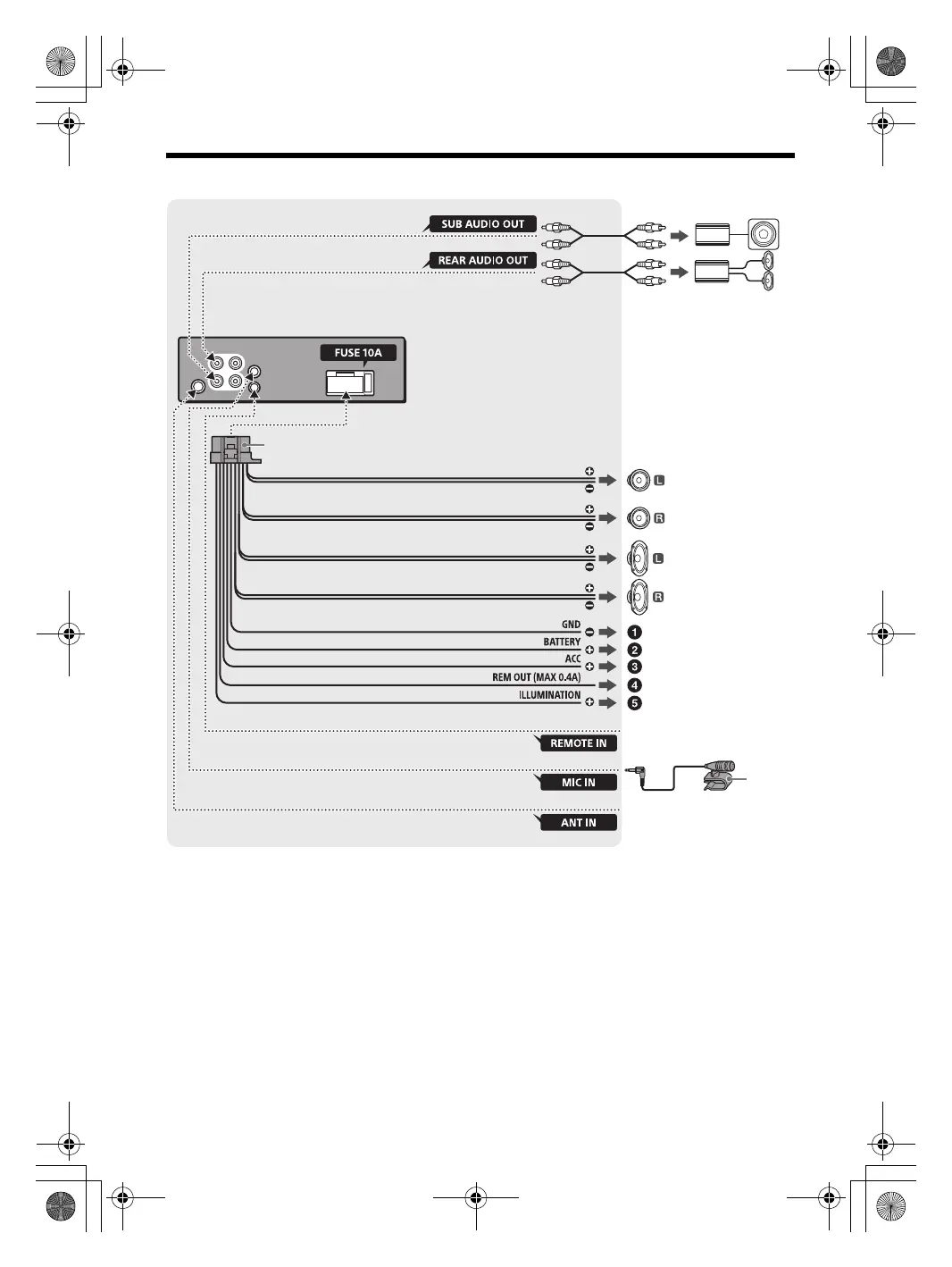
Connection (for Walmart models)
*1 Not supplied
*2 Speaker impedance: 4 to 8 × 4
*3 RCA pin cord (not supplied)
*4 Depending on the type of car, use an adaptor for a
wired remote control (not supplied).
For details on using the wired remote control, see
“Using the wired remote control” (page 40).
*5 Whether in use or not, route the microphone input
cord such that it does not interfere with driving
operations. Secure the cord with a clamp, etc., if it is
installed around your feet.
For details on installing the microphone, see
“Installing the microphone” (page 39).
*6 Depending on the type of car, use an adaptor (not
supplied) if the antenna (aerial) connector does not
fit.
White
White/black striped
Gray
Black
Yel low
from a car antenna (aerial)*
6
Front speaker*
1
*
2
Rear speaker*
1
*
2
Gray/black striped
Green
Green/black striped
Purple
Purple/black striped
Red
*
3
*
3
Subwoofer*
1
For details, see “Making
connections” (page 38).
*
5
from a wired remote control
(not supplied)*
4
Blue/white striped
Orange/white striped
010COV.book Page 35 Monday, February 4, 2019 2:03 PM



 To Next Page