6GB
E:\Works\5003283211\5003283211DSXB700WUC\01GB-DSX-B700Wxx\030CD.fm masterpage: Left
DSX-B700W/DSX-B700
5-003-283-00(1)
Guide to Parts and Controls
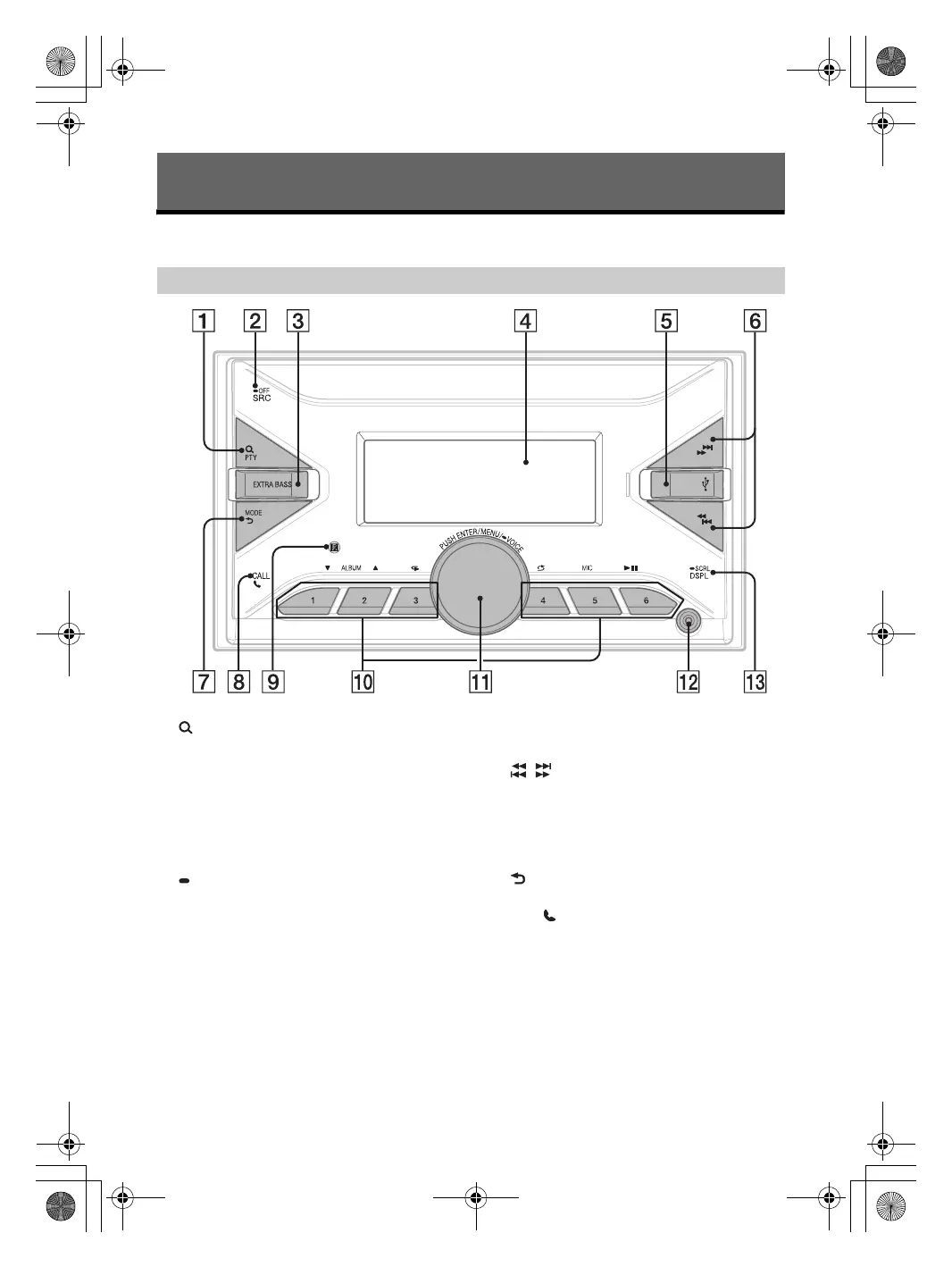
(browse) (page 13, 15, 16)
Enter the browse mode during playback.
(Not available when a USB device in Android
mode or iPod is connected.)
PTY (program type)
Select PTY in RDS.
SRC (source)
Turn on the power.
Change the source.
OFF
Press and hold for 1 second to turn the source
off and display the clock.
Press and hold for more than 2 seconds to turn
off the power and the display.
If the unit is turned off and the display
disappears, operation by the remote
commander is not available (except for Europe
models).
EXTRA BASS
Reinforce bass sound in synchronization with
the volume level. Press to change the EXTRA
BASS setting: [1], [2], [OFF].
Display window
USB port
/ (SEEK –/+)
Tune in radio stations automatically. Press and
hold to tune manually.
/ (prev/next)
/ (fast-reverse/fast-forward)
MODE (page 11, 13, 16, 18)
(back)
Return to the previous display.
CALL
Enter the call menu. Receive/end a call.
Press and hold for more than 2 seconds to
switch the BLUETOOTH signal.
Receptor for the remote commander
Getting Started
Main unit
010COV.book Page 6 Monday, February 4, 2019 2:03 PM



 To Next Page