EasyManua.ls Logo

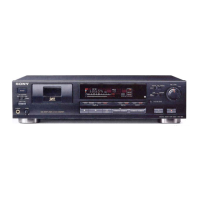
Sony DTC-1000ES - SECTION 1 OUTLINE; Front Panel Controls and Indicators

Sony DTC-1000ES
96 pages
Print Icon
To Next Page IconTo Next Page
To Previous Page IconTo Previous Page
Loading...
DTC-|O(XIES
SEGTION
1
OUTLINE
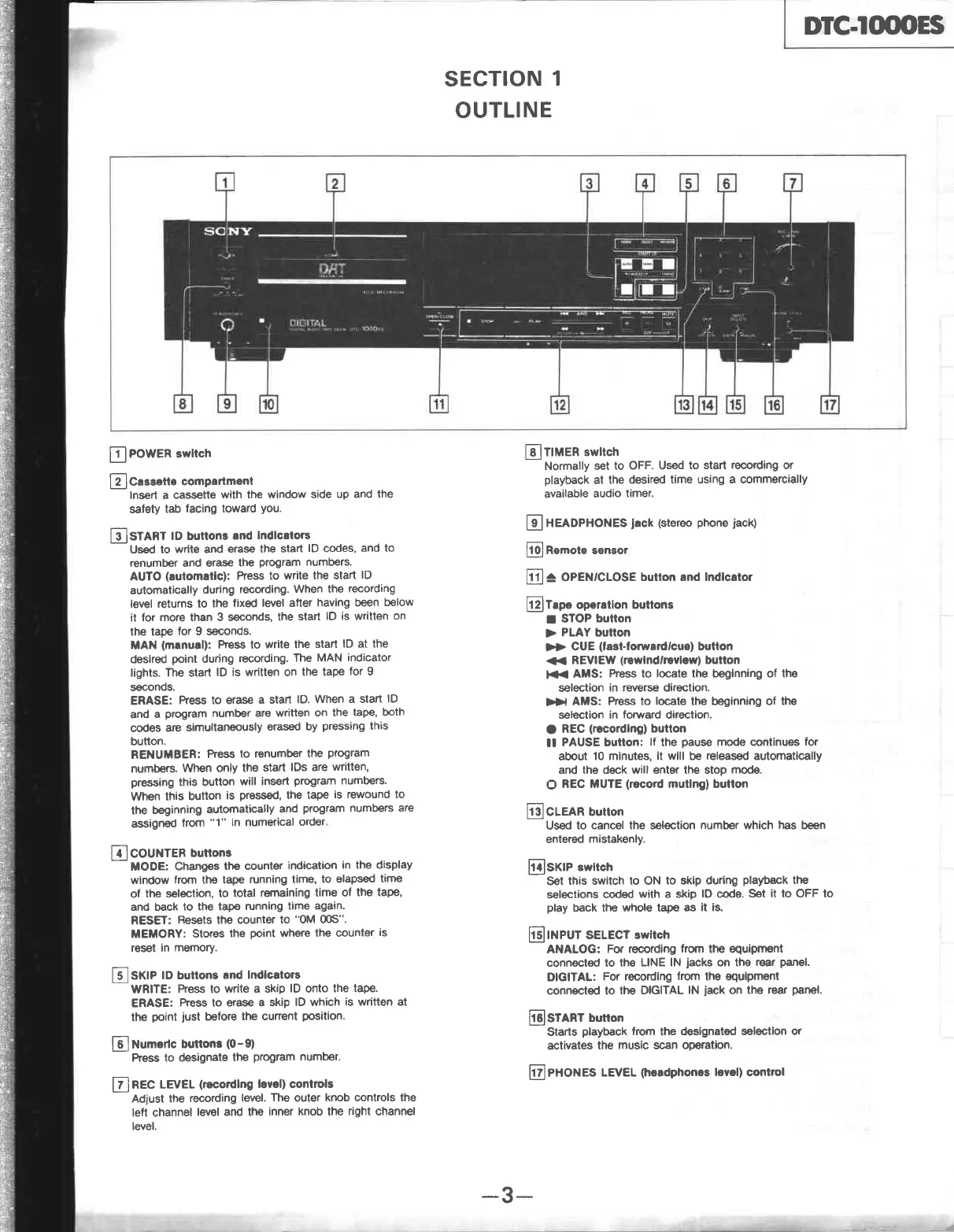
EPowER
swltch
El
cags"tt"
comparlmont
Insert a cassette
with the window side
up and the
satety
tab
facing toward
you.
E]sflnr
lD button3
end
Indlcetors
Us€d to
wrlte and
erase the start
lD
codes,
and
to
renumber and erase
the
program
numbers.
AUTO
(automrtlc):
Ress to
write the start
lD
automatically
during
recording.
When the
recorcling
level returns to
the
tixed level atter
having been
below
it tor
more than 3 seconds,
the
start
lD is written
on
the tape
for 9 seconds.
MAN
(mrnual):
Pr€ss to
write the
start
lD
at
the
desired
point
during
recording.
The MAN
indicator
lights.
The
start
lD is written on
the tape
for
9
seconds.
ERASE:
Press to erase
a start
lD. when
a start
lD
and
a
program
number
are written
on the
tape, both
codes
are
simultan€ously
erased by
pressing
this
button.
RENUMBER:
Press
to r€number
the
program
numbers.
When
only th€
start
lDs are
written,
pressing
this button
will ins€rt
program
numbers.
When this
butlon
is
pressed,
the tape
is rewound to
the
b€ginning
automatically
and
program
numbers are
assign€d
from
"1" in numerical
order
I l lcouwen
buflons
-
IIODE:
Changps
the counter
indication
in the display
window
lrom th€ tape running
time,
to elaps€d
time
ot
the selection,
to
toial remaining
time of
the iape,
ancl back
to th€ tap€
running
lime again.
RESET:
Resets thê counter
to
"0M
æS".
MEMORY:
Stores
the
point
where the counter
is
reset in
memory.
[slsxtP
lD buttons
and Indlcators
-WRITE:
Press to
write a skip
lD
onto
the tape.
ERASE:
Press to erase a skip
lD which
is written at
th€
point
just
before
the cunent
position.
@fumeac
buttons
(O-9)
ftess
to designate
th€
program
numb€r.
fl
nec
LEVEL
(recordlng
loyel) controls
Adiust
the
recording
le\rel.
The
outer
knob controls the
left channel
level and the
inner knob the
right
channel
level.
ITITIMER
swltch
Normally
set
to OFF. Used
to start
r€cording
or
playback
at
the desired
time using a commercially
available audio
timer.
@
xenoexonEs
Jack
(stereo
phone
jack)
F6-l
Remote sensor
fl:
oeenlclosE
button and Indlcalol
Ef"p"
oporatlon
buttons
t
STOP
button
>
PLAY
button
>>
CUE
(fast-forwardrcue)
button
<{
REVIEW
(rtwlndrr€Ylewl
buiton
Fl{
AllS:
Press to læate the bêglnning of the
s€lection
in re\rerse direction.
1r;
AMS: Pr€ss to
locat€
the beginning ol ihe
sebction in
foruard
di.ection.
O
REC
(recordlng)
button
ll
PAUSE button:
lf
the
pause
mode continues
for
about
10 minutes, it will be
released
automatically
and the d€ck will enter the stop
mode.
O
REC MUTE
(rocord
mutlng) bullon
@cteln
bunon
Used
to cancel the sel€ction
number
which
has
been
entered
mistak€nly.
@sxtr
swncl
Set
this switch to ON
to skip during
playback
the
selections
cod€d
with a skip
lO
code.
S€t
it
to OFF
to
play
back
the whole tapê as
it is.
@tneur
sELECl swlrch
ANALOG:
For recording
frorn
the equipment
connecl€d to the
LINE lN
lacks
on the
rear
panel.
DIGITAL:
For recording
from
the equlpmenl
connect€d to the
DIGITAL
lN
lack
on
th€ rea.
pan€|.
lielstlnl
unon
Starts
playback
trom
the
d€signated selectlon or
aclivates
the
music
scen op€ration.
@exones
LEVEL
(headphones
level) control
-3-
*r!
';:
'
--
:
r'