EasyManua.ls Logo

Sony DTC-700 - Selection Management Functions; Designating Selections by Program Number; Skipping Unwanted Portions with Skip ID

Sony DTC-700
56 pages
Print Icon
To Next Page IconTo Next Page
To Previous Page IconTo Previous Page
Loading...
46
Using
Program
Numbers)
bt
ae
2%
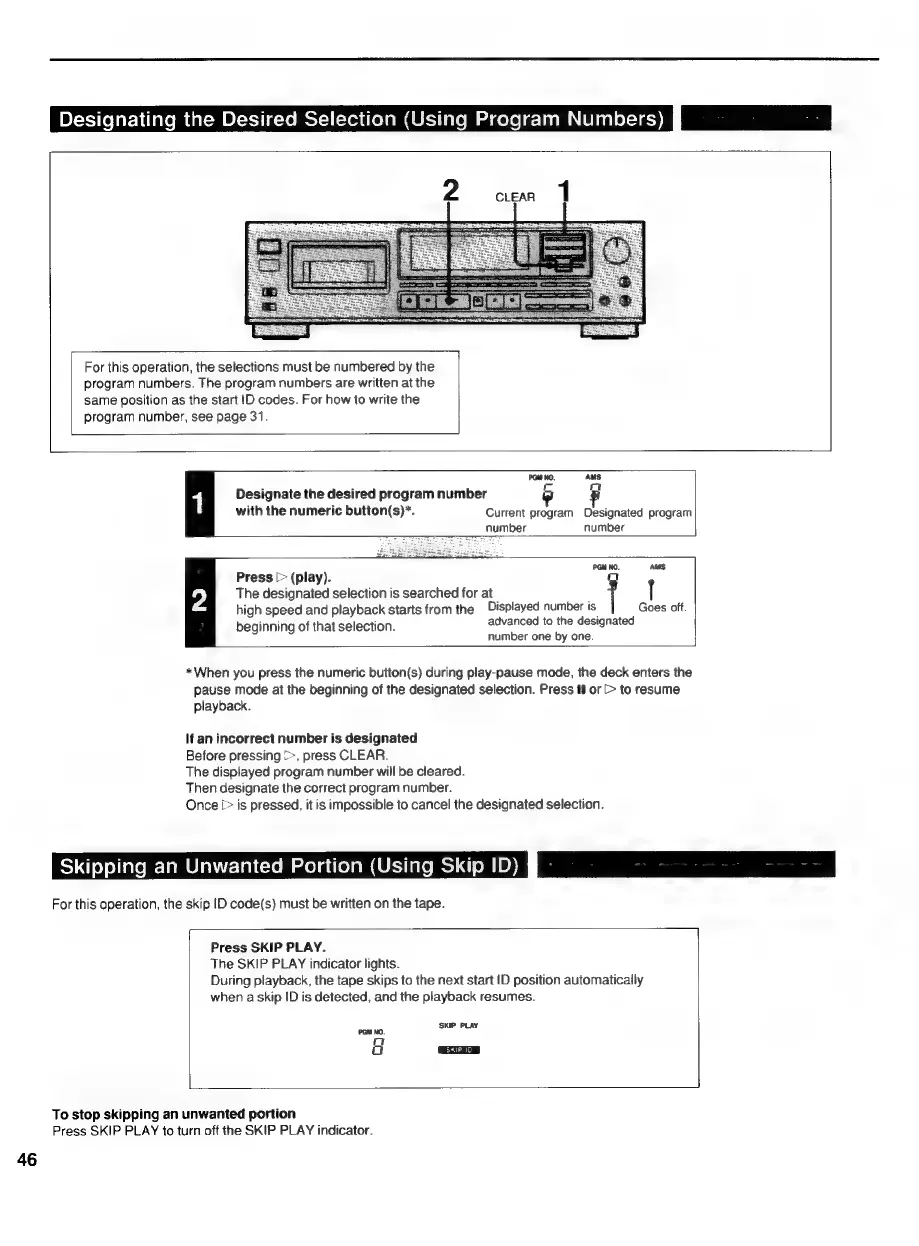
Designating
the
Desired
Selection
(
For
this
operation,
the
selections
must
be
numbered
by
the
program
numbers.
The
program
numbers
are
written
at
the
same
position
as
the
start
|D
codes.
For
how
to
write
the
program
number,
see
page
31.
PGM
Wo.
AMS
1
Designate
the
desired
program
number
b
with
the
numeric
button(s)*.
Current
program
Designated
program
number
number
Press
[>
(play).
PGM
NO.
Aus.
The
designated
selection
is
searched
for
at
t
high
speed
and
playback
starts
from
the
Displayed
number
is
Goes
off.
beginning
of
that
selection.
advanced
to
the
designated
number
one
by
one.
*When
you
press
the
numeric
button(s)
during
play-pause
mode,
the
deck
enters
the
pause
mode
at
the
beginning
of
the
designated
selection.
Press
iI
or
[>
to
resume
playback.
If
an
incorrect
number
is
designated
Before
pressing
>>,
press
CLEAR.
The
displayed
program
number
will
be
cleared.
Then
designate
the
correct
program
number.
Once
[>
is
pressed,
it
is
impossible
to
cancel
the
designated
selection.
Skipping
an
Unwanted
Portion
(Using
Skip
ID)
Ps
For
this
operation,
the
skip
ID
code(s)
must
be
written
on
the
tape.
Press
SKIP
PLAY.
The
SKIP
PLAY
indicator
lights.
During
playback,
the
tape
skips
to
the
next
start
D
position
automatically
when
a
skip
ID
is
detected,
and
the
playback
resumes.
SKIP
PLAY
PGM
NO.
a
a
To
stop
skipping
an
unwanted
portion
Press
SKIP
PLAY
to
turn
off
the
SKIP
PLAY
indicator.

Related product manuals