EasyManua.ls Logo

Sony DVP-S330 - Getting Started; Inserting Batteries into the Remote

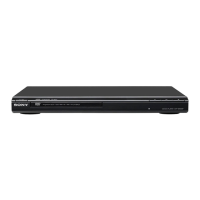
Sony DVP-S330
62 pages
Print Icon
To Next Page IconTo Next Page
To Previous Page IconTo Previous Page
Loading...
Getting
started
This
s
gettion
isata
how
to
hook
ap
:
the
CD/
DVD;
slayer
toa
TV.
(with...
_
audio/video
input
jacks)
and/
or
an
AV
receiver
(amplifier).
You
cannot
connect
this
player
to
a
TV
which
does
not
have
a
video
input
|
connector.
Be
sure
to
turn
off
the
power
of
each
component
before
making
the
connections.
EE
eee
ee
ee
aes
Unpacking
Check
that
you
have
the
following
items:
*
Audio/video/S-link
connecting
cord
(1)
¢
S
video
cord
(1)
e
Remote
commander
(remote)
RMT-D109A
(1)
*
Size
AA
(R6)
batteries
(2)
Inserting
batteries
into
the
remote
You
can
control
the
player
using
the
supplied
remote.
Insert
two
Size
AA
(R6)
batteries
by
matching
the
+
and
-
on
the
batteries.
When
using
the
remote,
point
it
at
the
remote
sensor
E
on
the
player.
Œ
You
can
control
TVs
and
AV
receivers
using
the
supplied
remote
See
page
49.
Notes
*
Do
not
leave
the
remote
in
an
extremely
hot
or
humid
place.
*
Do
not
drop
any
foreign
object
into
the
remote
casing,
particularly
when
replacing
the
batteries.
*
Do
not
expose
the
remote
sensor
to
direct
sunlight
or
lighting
apparatuses.
Doing
so
may
cause
a
malfunction.
*
If
you
will
not
use
the
remote
for
an
extended
period
of
time,
remove
the
batteries
to
avoid
possible
damage
from
battery
leakage
and
corrosion.
payezs
Gunaan
l