EasyManua.ls Logo

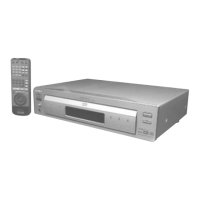
Sony DVP-S7700 - Service Manual

Sony DVP-S7700
129 pages
Print Icon
To Next Page IconTo Next Page
Loading...
MICROFILM
SERVICE MANUAL
AEP Model
Hong Kong Model
UK Model
CD/DVD PLAYER
DVP-S7700
RMT-D107E/D107P
SPECIFICATIONS

Table of Contents

Other manuals for Sony DVP-S7700

Question and Answer IconNeed help?

Do you have a question about the Sony DVP-S7700 and is the answer not in the manual?

Summary

Specifications

Safety Check-Out

Safety-Related Component Warning!

Identifies critical safety components.

SECTION 2 DISASSEMBLY

SECTION 3 BLOCK DIAGRAMS

3-1. OVERALL BLOCK DIAGRAM

High-level overview of the player's functional blocks.

3-2. RF;SERVO BLOCK DIAGRAM

Diagram illustrating the RF and servo signal paths.

3-5. SYSTEM CONTROL BLOCK DIAGRAM

Diagram illustrating the system control signals and logic.

SECTION 4 PRINTED WIRING BOARDS AND SCHEMATIC DIAGRAMS

4-2. PRINTED WIRING BOARDS AND SCHEMATIC DIAGRAMS

Printed wiring boards and schematic diagrams.

SECTION 6 TEST MODE

6-1. Starting up Test Mode

Procedure to enter the test mode.

6-2. Selection of Check Item

How to select diagnostic test items.

SECTION 7 ELECTRICAL ADJUSTMENT

7-1. Power Supply Check

Verifies the output voltages of the power supply.

7-2. Adjustment of System Control

Adjustments related to system control.

7-3. Adjustment of Video System

Adjustments for the video system.

SECTION 8 REPAIR PARTS LIST

8-2. ELECTRICAL PARTS LIST

Comprehensive list of electrical components and their part numbers.

2. DISK REMOVAL PROCEDURE

5. REPLACING OPTICAL PICK-UP

6. NOTE ON ASSEMBLING MECHANICAL DECK

Settings and Adjustments

2-12. OPTICAL PICK-UP REMOVAL

SECTION 5 IC PIN FUNCTION DESCRIPTION

5-2. SYSTEM CONTROL PIN FUNCTION (IC805 on MB-84 Board (13;14))

6-3. Error Display

6-4. General Description of Checking Method

g Error Codes in Diagnostic Test

6-5. Drive Auto Adjustment

6-6. Drive Manual Operation

6-6-7. Manual Adjust 2

6-6-8. Auto Adjust

6-6-10. EEPROM Data Screen Display

6-8. Emergency History

6-9. Error Code

4. Checking Component Video Output R-Y (MB-84 board)

6. Checking RGB Output R (MB-84 board) (AEP, UK model)

8. Checking RGB Output B (MB-84 board) (AEP, UK model)

10. Checking S Video Output DC Level (MB-84 board)

7-4. Adjustment Related Parts Arrangement

Summary

Specifications

Safety Check-Out

Safety-Related Component Warning!

Identifies critical safety components.

SECTION 2 DISASSEMBLY

SECTION 3 BLOCK DIAGRAMS

3-1. OVERALL BLOCK DIAGRAM

High-level overview of the player's functional blocks.

3-2. RF;SERVO BLOCK DIAGRAM

Diagram illustrating the RF and servo signal paths.

3-5. SYSTEM CONTROL BLOCK DIAGRAM

Diagram illustrating the system control signals and logic.

SECTION 4 PRINTED WIRING BOARDS AND SCHEMATIC DIAGRAMS

4-2. PRINTED WIRING BOARDS AND SCHEMATIC DIAGRAMS

Printed wiring boards and schematic diagrams.

SECTION 6 TEST MODE

6-1. Starting up Test Mode

Procedure to enter the test mode.

6-2. Selection of Check Item

How to select diagnostic test items.

SECTION 7 ELECTRICAL ADJUSTMENT

7-1. Power Supply Check

Verifies the output voltages of the power supply.

7-2. Adjustment of System Control

Adjustments related to system control.

7-3. Adjustment of Video System

Adjustments for the video system.

SECTION 8 REPAIR PARTS LIST

8-2. ELECTRICAL PARTS LIST

Comprehensive list of electrical components and their part numbers.

2. DISK REMOVAL PROCEDURE

5. REPLACING OPTICAL PICK-UP

6. NOTE ON ASSEMBLING MECHANICAL DECK

Settings and Adjustments

2-12. OPTICAL PICK-UP REMOVAL

SECTION 5 IC PIN FUNCTION DESCRIPTION

5-2. SYSTEM CONTROL PIN FUNCTION (IC805 on MB-84 Board (13;14))

6-3. Error Display

6-4. General Description of Checking Method

g Error Codes in Diagnostic Test

6-5. Drive Auto Adjustment

6-6. Drive Manual Operation

6-6-7. Manual Adjust 2

6-6-8. Auto Adjust

6-6-10. EEPROM Data Screen Display

6-8. Emergency History

6-9. Error Code

4. Checking Component Video Output R-Y (MB-84 board)

6. Checking RGB Output R (MB-84 board) (AEP, UK model)

8. Checking RGB Output B (MB-84 board) (AEP, UK model)

10. Checking S Video Output DC Level (MB-84 board)

7-4. Adjustment Related Parts Arrangement

Sony DVP-S7700 Specifications

General IconGeneral
TypeDVD player
Video OutputComposite, S-Video, Component
Digital OutputCoaxial, Optical
Signal-to-Noise Ratio115 dB
Audio FormatDolby Digital, DTS
Disc formatsCD, CD-R, CD-RW
Output Resolution480p
Audio OutputStereo
Output Level2.0 Vrms
Dimensions430 x 98 x 360 mm
DAC24-bit/96kHz
Channels2

Related product manuals