EasyManua.ls Logo

Sony DVP-S330 - Page 9

Sony DVP-S330
62 pages
Print Icon
To Next Page IconTo Next Page
To Previous Page IconTo Previous Page
Loading...
Notes
*
Refer
to
the
instructions
supplied
with
the
component
to
be
connected.
e
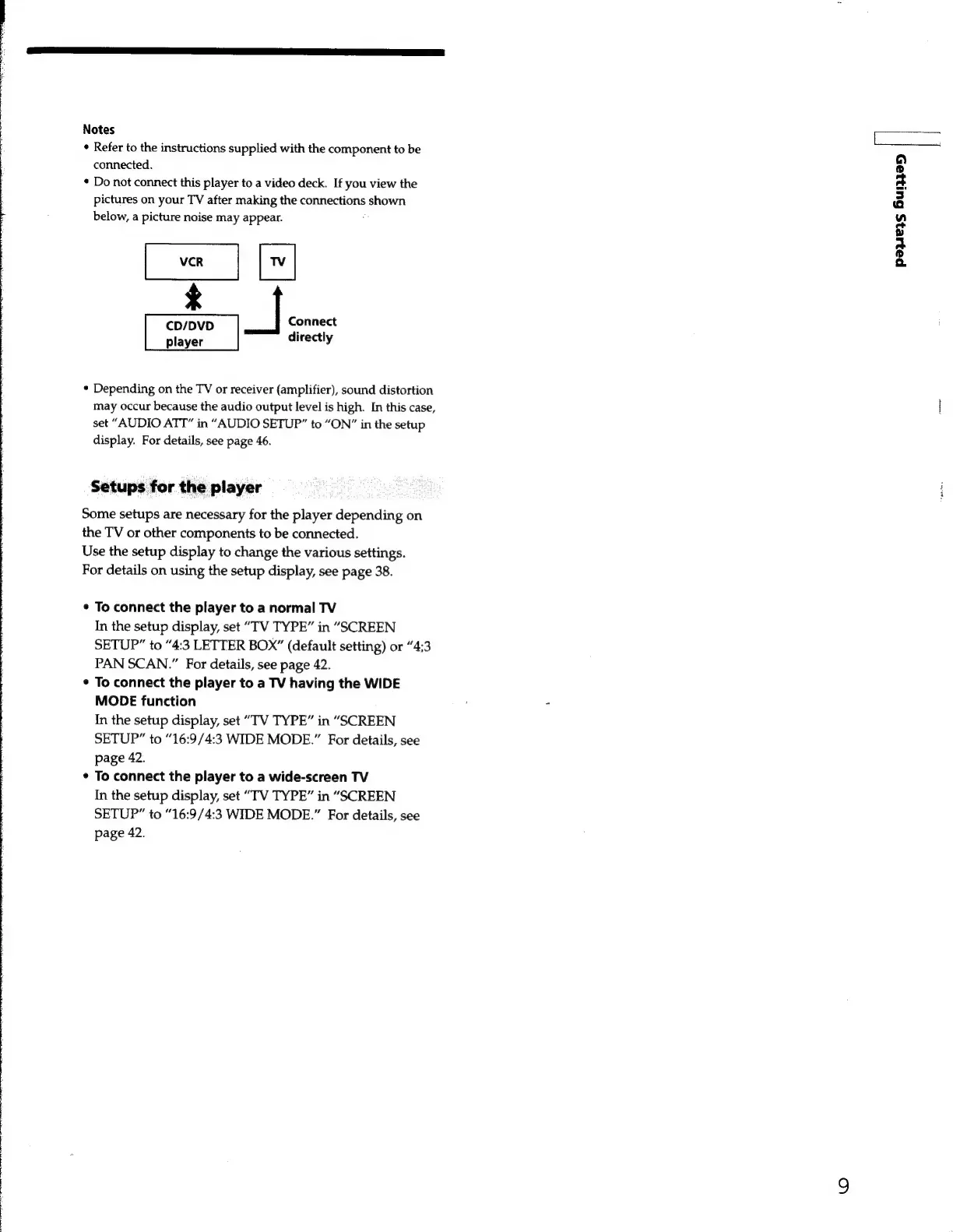
Do
not
connect
this
player
to
a
video
deck.
If
you
view
the
pictures
on
your
TV
after
making
the
connections
shown
below,
a
picture
noise
may
appear.
CD/DVD
|
Connect
player
directly
e
Depending
on
the
TV
or
receiver
(amplifier),
sound
distortion
may
occur
because
the
audio
output
level
is
high.
In
this
case,
set
“AUDIO
ATT”
in
“AUDIO
SETUP”
to
“ON”
in
the
setup
display.
For
details,
see
page
46.
Setups
for
the
player
Some
setups
are
necessary
for
the
player
depending
on
the
TV
or
other
components
to
be
connected.
Use
the
setup
display
to
change
the
various
settings.
For
details
on
using
the
setup
display,
see
page
38.
e
To
connect
the
player
to
a
normal
TV
In
the
setup
display,
set
“TV
TYPE”
in
“SCREEN
SETUP”
to
“4:3
LETTER
BOX”
(default
setting)
or
“4:3
PAN
SCAN.”
For
details,
see
page
42.
*
To
connect
the
player
to
a
TV
having
the
WIDE
MODE
function
In
the
setup
display,
set
“TV
TYPE”
in
“SCREEN
SETUP”
to
“16:9/4:3
WIDE
MODE.”
For
details,
see
page
42.
*
To
connect
the
player
to
a
wide-screen
TV
In
the
setup
display,
set
“TV
TYPE”
in
“SCREEN
SETUP”
to
“16:9/4:3
WIDE
MODE.”
For
details,
see
page
42.
payers
Gunaan
|