50
Using Various Functions with the Control Menu
Adjusting the Playback Picture (Video Equalizer)
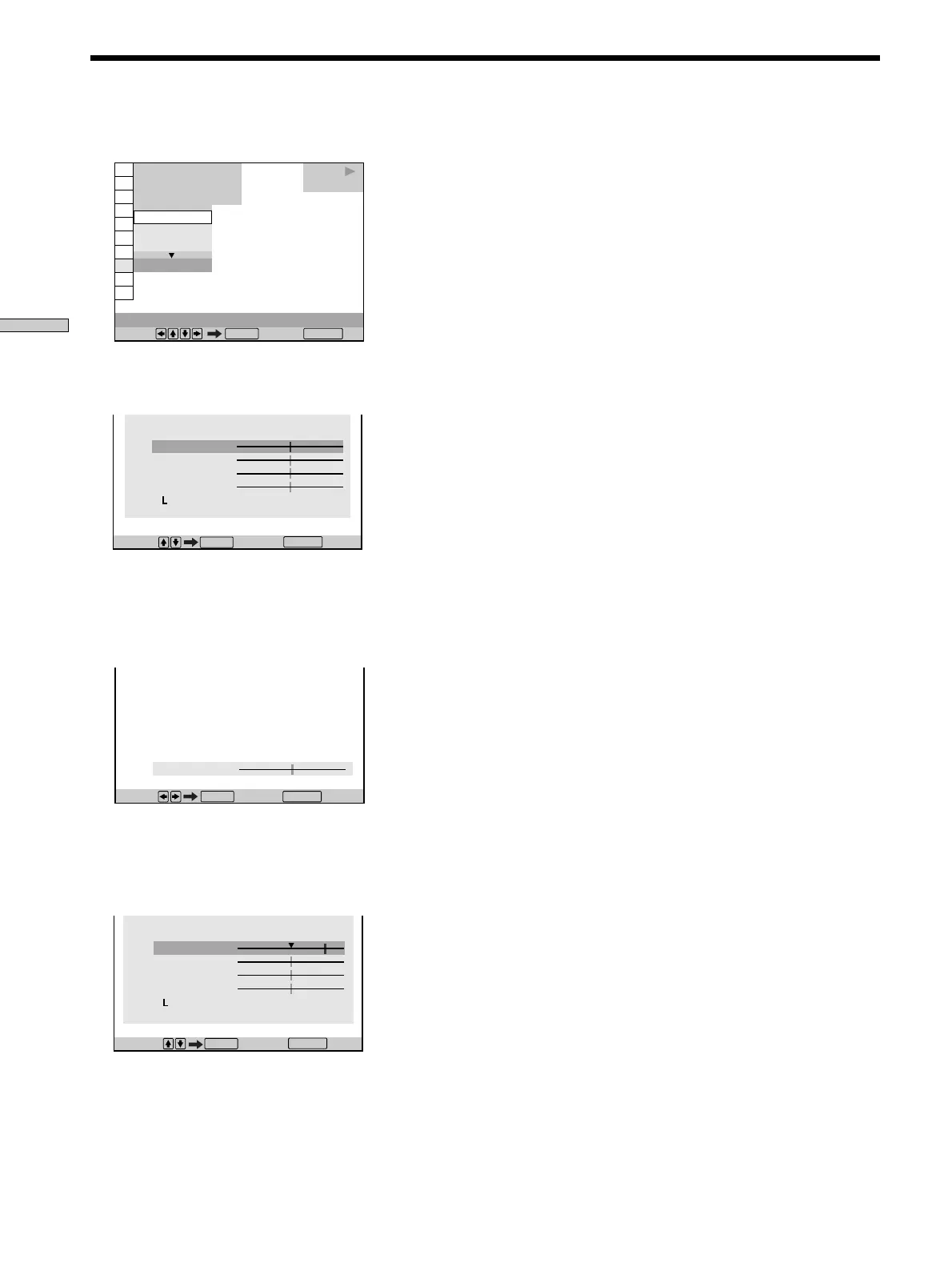
1 Select “VIDEO EQUALIZER” and press ENTER.
2 Select “MEMORY,” and press ENTER.
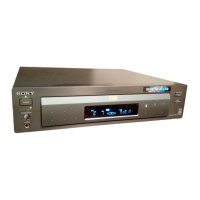
The video equalizer display appears.
3 Select the picture item you want to adjust using
M/m, then press ENTER.
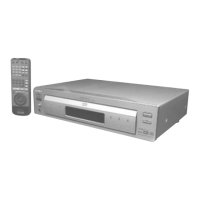
The adjustment bar of the selected item appears.
To cancel adjusting the picture, press ˆRETURN.
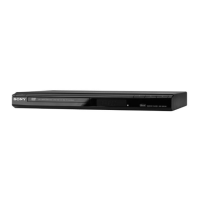
4 Adjust the selected picture item using </,, then
press ENTER.
The setting is stored in memory.
1 8
(
3 4
)
1 2
(
2 7
)
C
0 1 : 3 2 : 5 5
DVD
DYNAMIC 1
DYNAMIC 2
STANDARD
STANDARD
Select: Cancel:
ENTER RETURN
VIDEO EQUALIZER
Adjust: Cancel:
:
:
PICTURE
ENTER
RETURN
VIDEO EQUALIZER
PICTURE
BRIGHTNESS
COLOR
HUE
RESET
Cancel : Select :
ENTER
RETURN
PICTURE
VIDEO EQUALIZER
Select : Cancel :
ENTER
BRIGHTNESS
COLOR
HUE
RESET
RETURN
5 To adjust other items, repeat Steps 3 and 4.
To exit the video equalizer display
Press ˆRETURN.
zTo reset the picture items
Select “RESET” in “MEMORY,.”
Note
Only one set of “MEMORY,” adjustments can be stored. When
you adjust the items again, the new setting erases the previous
setting.



 To Next Page