1-20
HDW-2000/M2000/M2000P/S2000/S2000P/M2100/M2100P, DVW-2000/2000P/M2000/M2000P
MSW-2000/A2000/A2000P/M2000/M2000P/M2000E/M2000EP/M2100/M2100P/M2100E/M2100EP
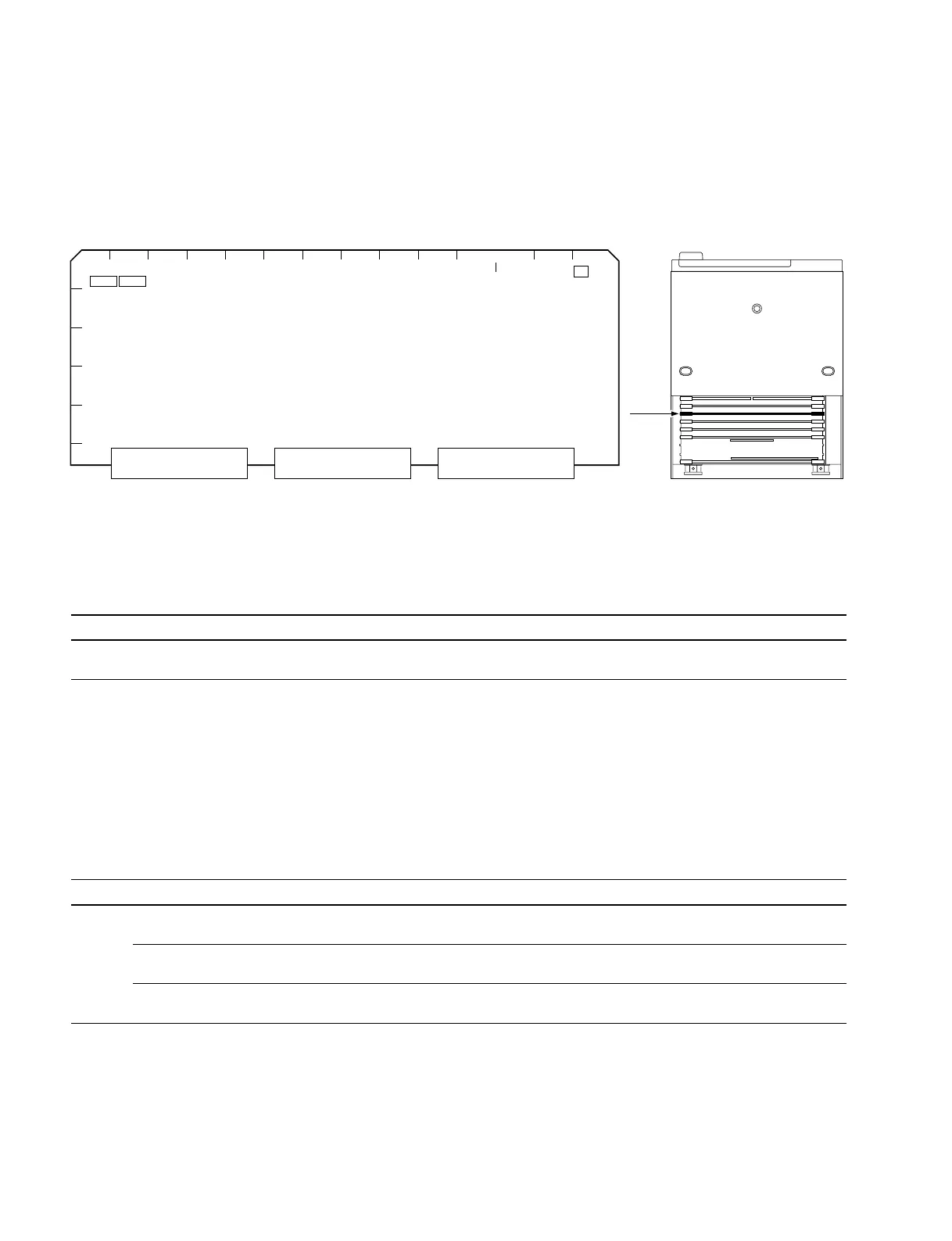
1-10-4. SS-89 Board
n
If necessary, perform the following settings for DVW/MSW series. They are not required for HDW
series.
Operation mode settings (for MSW-2000 only)
n
Refer to Section 1-11 for the DVW series settings.
Ref. No. Bit Name Description Factory setting
S1501 8 525/625 OFF: 525 mode ON
ON: 625 mode
m
. To use MSW-2000 in 525 mode, please turn this switch to OFF.
In the case of models other than MSW-2000, setting change is not required because the switch is set up
by the NTSC model or PAL model.
. Although “ERROR 96” is displayed in MSW-2000 after the above settings are switched, it will disap-
pear by turning the power off then on.
Menu display settings (for DVW/MSW series)
Ref. No. Bit Name Description Factory setting
S1502 1 EXTENDED MENU OFF: Not display extended menu of setup menu OFF (DVW/MSW series)
ON: Displays extended menu of setup menu ON (HDW series)
2 MAINTENANCE MODE OFF: Not enter into maintenance mode from lower control panel OFF (DVW/MSW series)
ACCESS ENABLE ON: Enters into maintenance mode from lower control panel ON (HDW series)
6 CUSTOMIZE MENU OFF: Disables access to Setup menu customize mode OFF
ON: Enables access to Setup menu customize mode
n
Refer to the operation manual for the details of ITEM-H00 through ITEM-900 and ITEM-B00 series.
Refer to Section 1 of the maintenance manual volume 1 for the details of ITEM-F series.
1-10. Switch Settings on Circuit Boards
< Top View >SS-89 Board (Side A)
A
A
BCDEFGHJK
L
SS-89
M
NP
1
2
3
4
5
6
S1502S1501
S101



 To Next Page