To dismiss a notification from the lock screen
•
Place your finger on the notification and flick left or right.
To expand a notification on the Notification panel
•
Drag the notification downwards.
Not all notifications are expandable.
To expand a notification on the lock screen
•
Drag the notification downwards.
Not all notifications are expandable.
Quick settings for interruptions
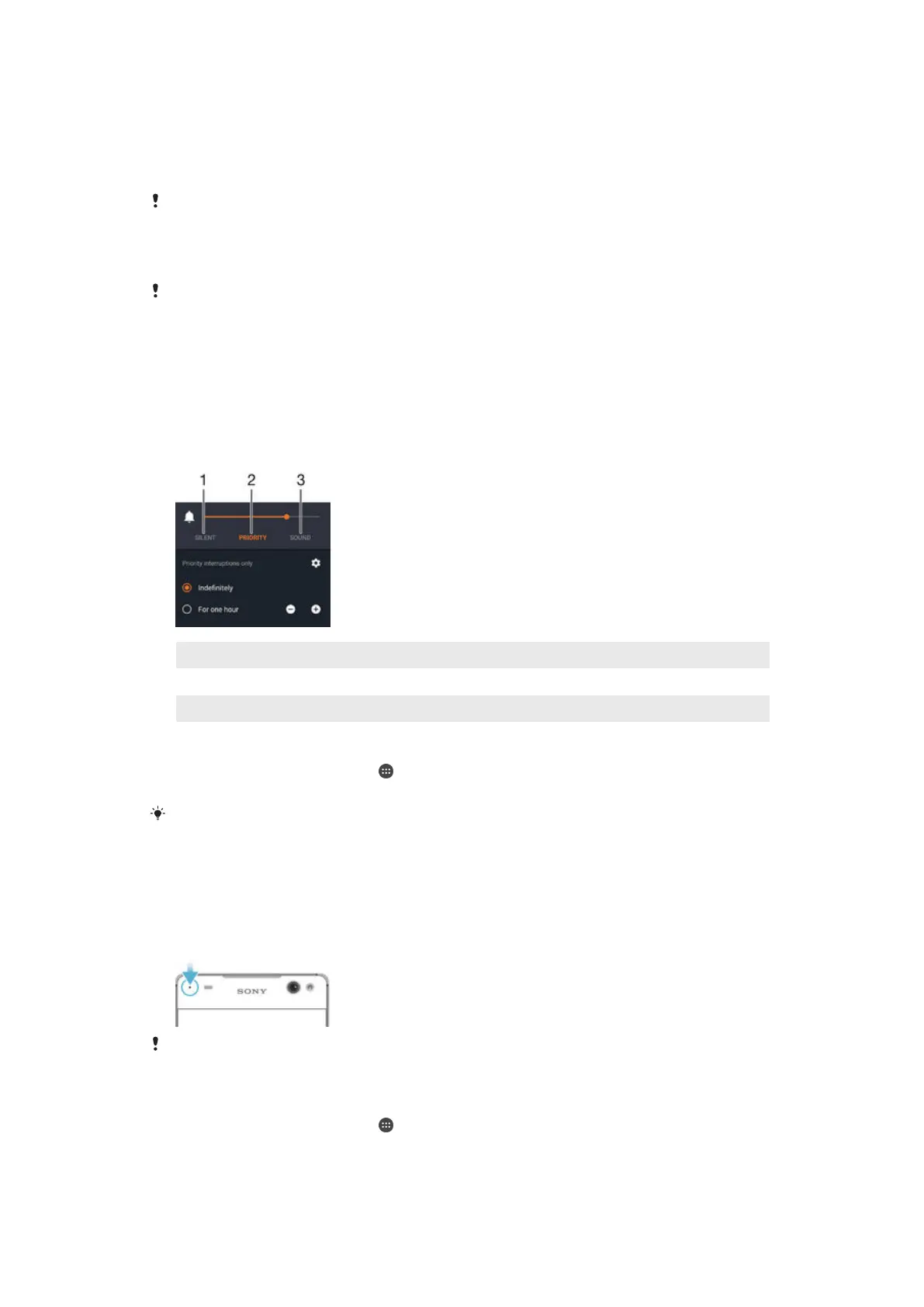
There are three modes available for interruptions on your device: Silent, Priority and
Sound. Within each mode, you can determine how and when notifications can
interrupt you, if at all. For example, you can set your device to only show you priority
notifications during the hours you’re at work or block all notifications while you’re
taking a nap. You can get quick access to the basic interruption and sound settings
by pressing the volume key up or down.
1 Silent – All interruptions get blocked, excluding alarms. There is still sound when alarms go off
2 Priority – Only allow priority interruptions
3 Sound – Allow all interruptions
To set priority interruptions
1
From your Home screen, tap .
2
Find and tap Settings > Sound & notification > Interruptions.
For more information about settings for notifications and interruptions, see
Managing
notifications
on page 41 .
Notification light
The notification light informs you about battery status and some other events. For
example, a flashing white light means there is a new message or a missed call. The
notification light is enabled by default but can be disabled manually.
When the notification light is disabled, it only lights up when there is a battery status warning,
for example, when the battery level goes below 15 percent.
To enable the notification light
1
From your Home screen, tap .
2
Find and tap Settings > Sound & notification .
3
Drag the slider beside Notification light to the right.
24
This is an Internet version of this publication. © Print only for private use.







 To Next Page