To zoom the calendar view
• When the Week or the Day view is selected, pinch the screen to zoom in.
To display national holidays in the Calendar application
1 From your Homescreen, tap , then tap Calendar.
2 Tap
, then tap Settings.
3 Tap National holidays.
4 Select an option, or a combination of options, then tap OK.
To Display Birthdays in the Calendar Application
1 From your Homescreen, tap
, then tap Calendar.
2 Tap , then tap Settings > Birthdays.
3 Drag the slider beside Birthdays to the right.
To Display Weather Forecasts in the Calendar Application
1 From your Homescreen, tap
, then tap Calendar.
2 Tap
, then tap Settings.
3 Tap Weather forecast, then drag the slider beside Weather forecast to the right.
4 If location services are disabled, tap Home location, then search for the city
you want to add.
For more information about how to enable location services, see
Using Location Services
on
the 121 page.
To change weather forecast settings in the Calendar application
1 From your Homescreen, tap
, then tap Calendar.
2 Tap , then tap Settings.
3 Tap Weather forecast.
4 Adjust the settings as desired.
Alarm and clock
You can set one or several alarms and use any sound saved on your device as the
alarm signal. The alarm does not sound if your device is turned off. But it does sound
when the device is set to silent mode.
The alarm time format displayed is the same as the format you select for your general
time settings, for example, 12-hour or 24-hour.
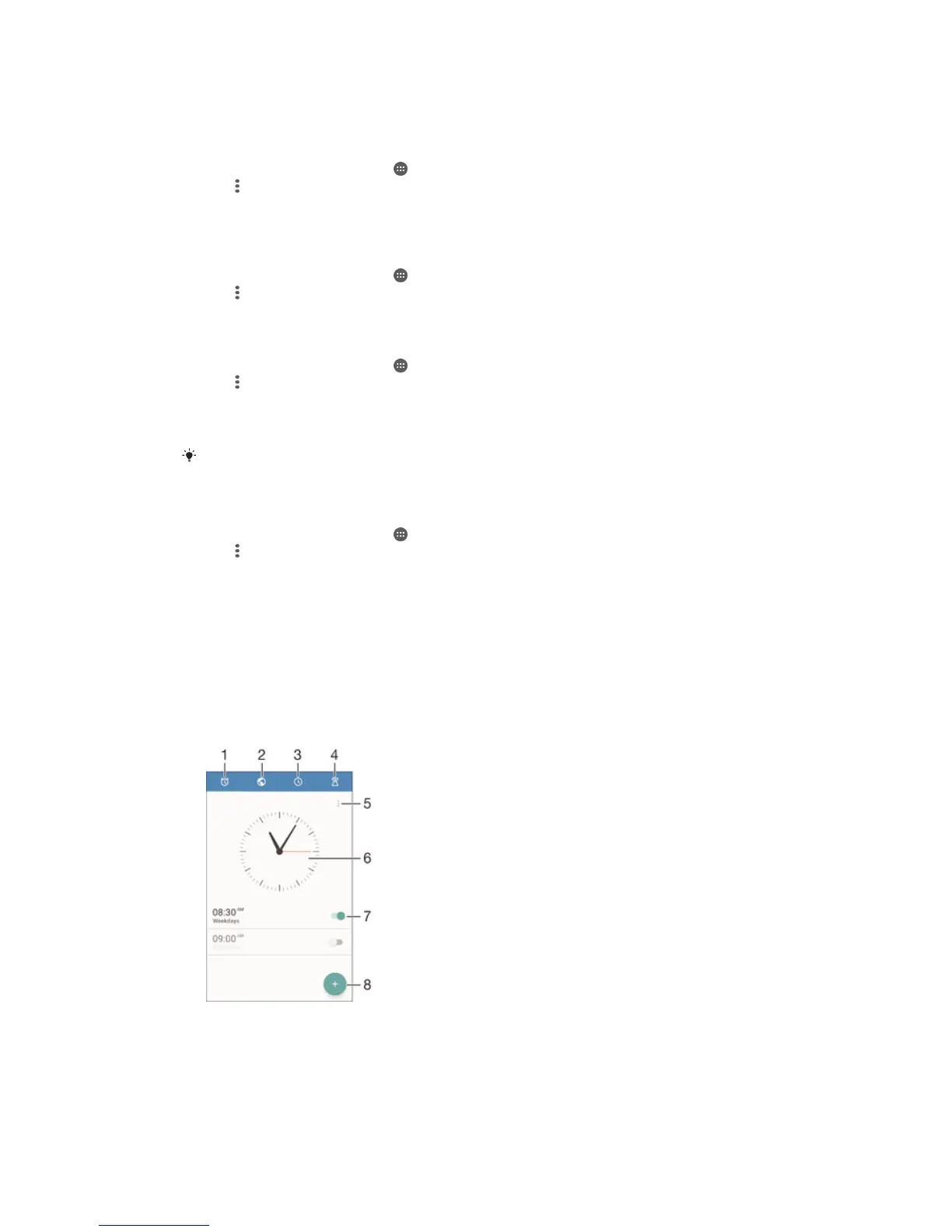
1 Access the alarm homescreen
2 View a world clock and adjust settings
3 Access the stopwatch function
4 Access the timer function
125
This is an Internet version of this publication. © Print only for private use.









 To Next Page