To remove a Google™ account
1
From your Home screen, tap .
2
Tap Settings > Accounts > Google.
3
Select the Google™ account that you want to remove.
4
Tap > Remove account.
5
Tap Remove account again to confirm.
If you remove your Google™ account, any security features that are linked to your Google™
account will no longer be available.
If you are lending your device to someone to use for an extended period, it is recommended
to remove your Google™ account from the device.
Charging Your Device
Your device has an embedded, rechargeable battery that should only be replaced by
Sony or an authorized Sony repair center. You should never try to open or take apart the
device yourself. Opening the device can cause damage that voids your warranty.
The battery is partly charged when the device is shipped from the factory. Depending on
how long your device was in the box before you purchased it, the battery level may be
quite low. It is therefore recommended that you charge the battery for at least 30
minutes before starting up your device for the first time. You can still use your device
while it is charging. To read more about how to improve the battery performance, see
Battery and power management
on the 31page.
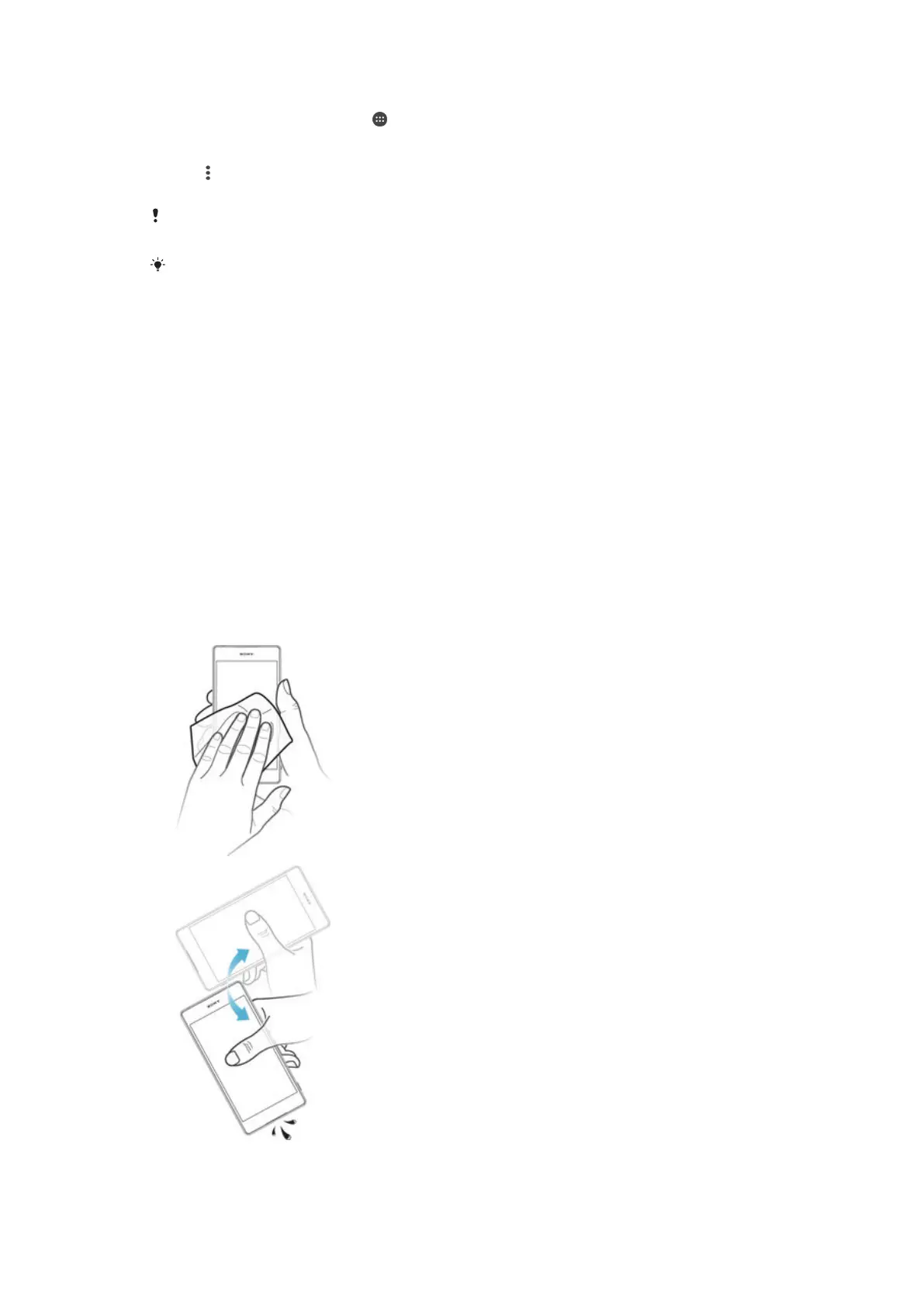
If your device gets exposed to water, wipe it dry with a microfiber cloth and shake the
device at least 15 times with the USB port facing downward. Repeat the procedure if
moisture is still visible in the USB port. Only insert the USB cable into the USB port after
the port has completely dried.
To dry the USB port
11
This is an Internet version of this publication. © Print only for private use.










 To Next Page