1. Charging light/Notification light
2. Front camera lens
3. Ear speaker
4. Proximity/Light sensor
5. Power key/Fingerprint Sensor*
6. Volume/Zoom key
7. Camera key
8. Main microphone/Speaker
9. Charger/USB cable port
10. Strap hole
11. Main Wi-Fi/Bluetooth antenna area
12. Main camera lens
13. Camera light
14. GPS antenna area
15. Second microphone
16. Headset jack
17. Second Wi-Fi antenna area
18. Nano SIM/Memory card slot cover
19. NFC™ detection area
Assembly
Your device supports genuine nano SIM cards only. Inserting an unsupported SIM card
(including larger SIM cards or SIM cards cut to nano SIM card size) may permanently damage
your SIM card or device. Sony does not warrant and will not be responsible for any damage
caused by use of unsupported or modified SIM cards.
Make sure you place the nano SIM card (or cards) in the nano SIM card holder before inserting
the nano SIM card (or cards) into the device. Also, don't confuse the nano SIM card slot with
the memory card slot.
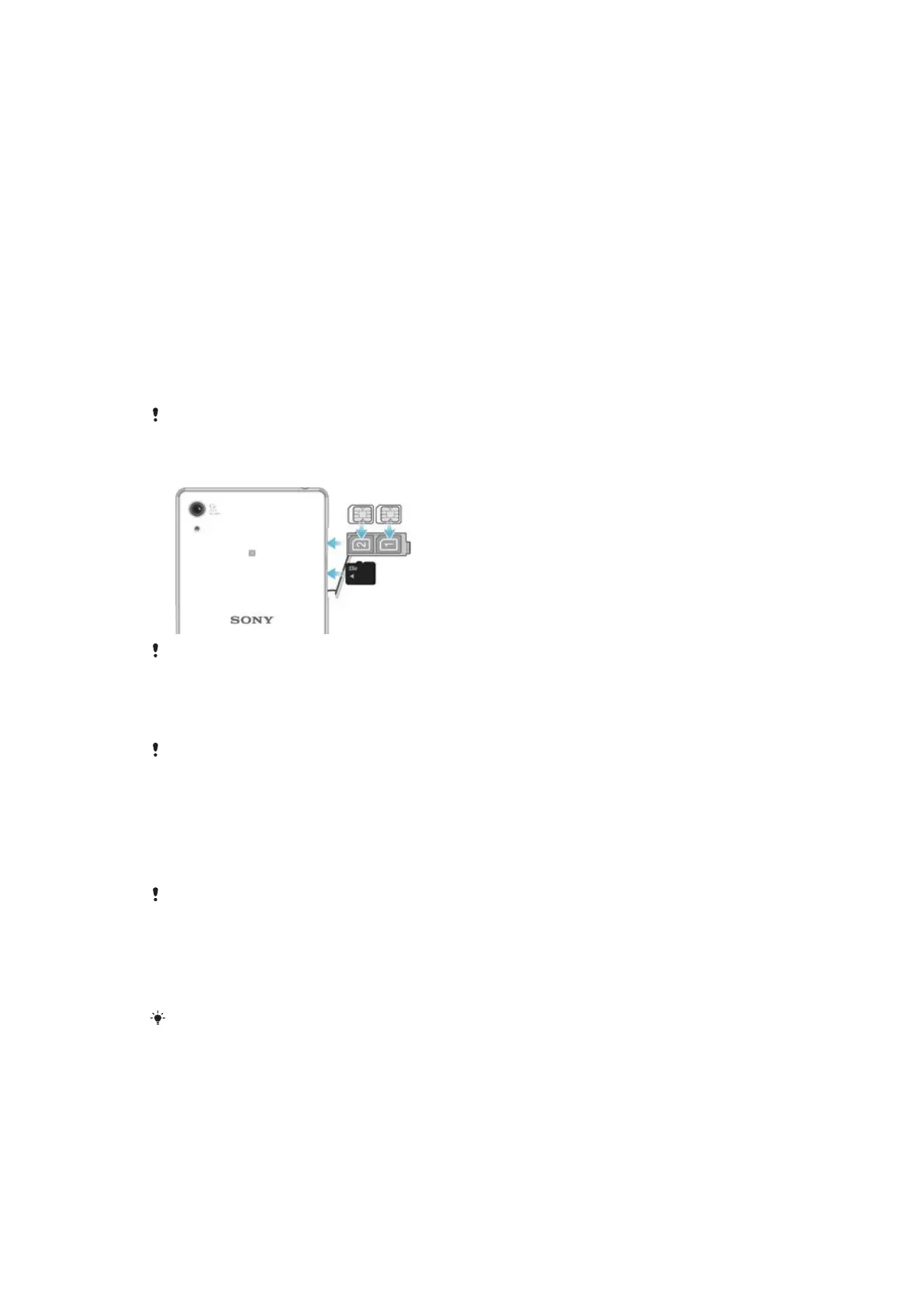
To Insert the Nano SIM Cards
If you insert the nano SIM card while the device is powered on, the device restarts
automatically.
1
Open the cover for the nano SIM card and memory card slots.
2
Using a fingernail or other similar object, drag the nano SIM card holder out.
3
Place the nano SIM card (or cards) in the relevant nano SIM card slot (or slots) in
the holder, then re-insert the holder.
4
Close the cover.
Be sure to re-insert the nano SIM card holder in the correct orientation. When you drag the
holder out to insert the nano SIM card, do not turn the holder around.
To Insert a Memory Card
1
Open the cover for the nano SIM card and memory card slots.
2
Insert the memory card into the memory card slot, then close the cover.
Be sure to insert the memory card in the correct orientation.
8
This is an Internet version of this publication. © Print only for private use.










 To Next Page