you can also add geotags to photos, perform basic editing tasks, and use methods such
as Bluetooth® wireless technology and email to share content.
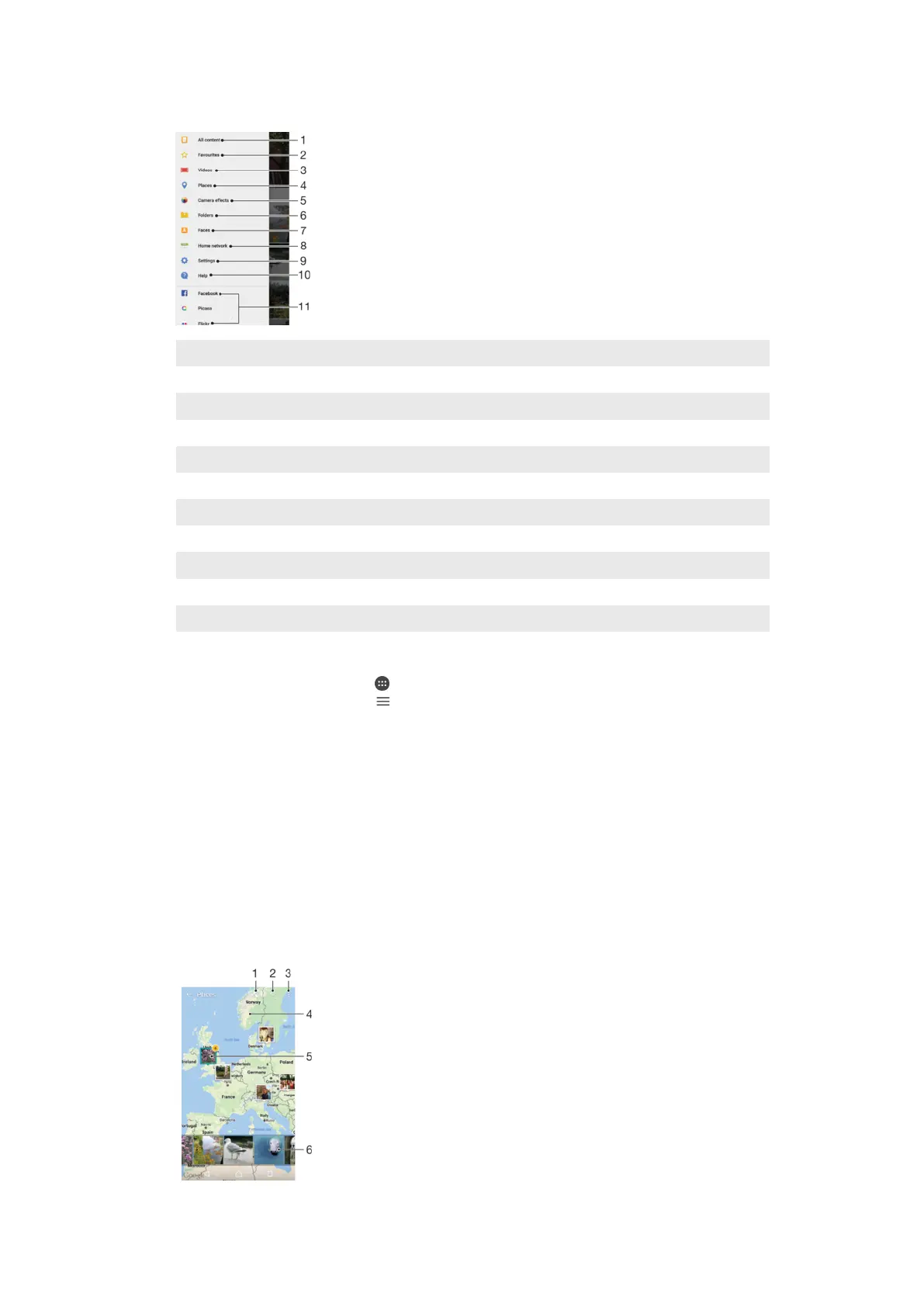
1 Return to the Album application homescreen to view all content
2 View your favorite photos and videos
3 View all videos saved on your device
4 View your photos on a map or in Globe view
5 View all photos and videos taken with your device's camera using special effects
6 View all photos and videos saved on your device in different folders
7 View all photos with faces
8 View photos and videos on other devices in the same network
9 Open the Settings menu for the Album application
10 Open web support
11 View photos from online services
To View Photos from Online Services in Album
1
From your Home screen, tap .
2
Find and tap
Album
, then tap .
3
Tap the desired online service, and then follow the on-screen instructions to get
started. All available online albums that you have uploaded to the service are
displayed.
4
Tap any album to view its content, and then tap a photo in the album.
5
Flick left to view the next photo or video. Flick right to view the previous photo or
video.
Viewing Your Photos on a Map
Adding location information to photos is referred to as geotagging. You can view and tag
your photos on a map and show friends and family where you were when you took a
particular photo. See
Saving a Photo’s Geographic Location
on page 105 for more
information.
117
This is an internet version of this publication. © Print only for private use.










 To Next Page