Help Guide
Wireless Microphone
ECM-W3 / ECM-W3S
Recording with an external microphone
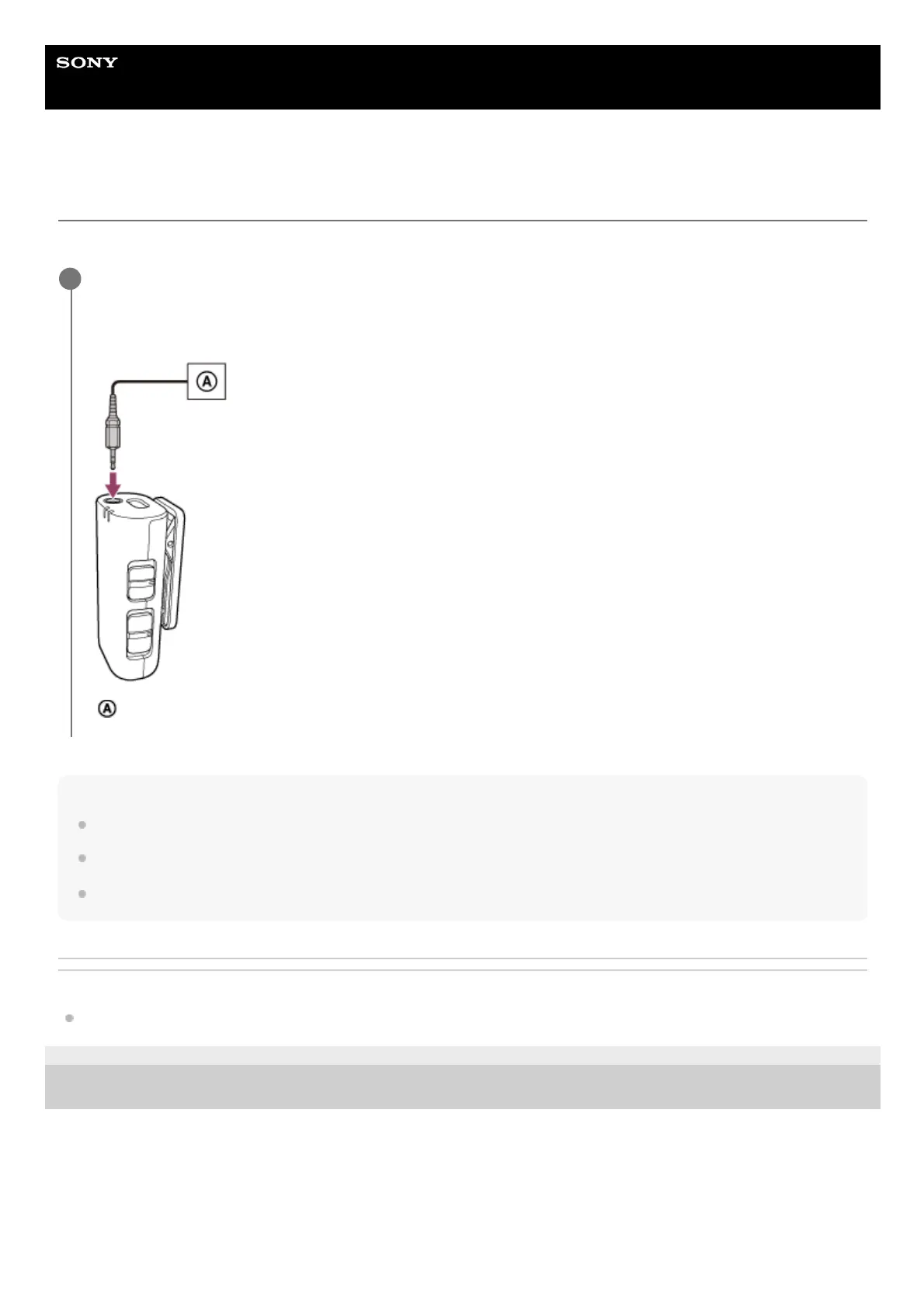
Connect an external microphone (not supplied) to the microphone for audio recording. Audio is recorded in monaural.
Note
When the wind screen is attached to the microphone, remove it from the microphone.
While an external stereo microphone is connected, only the left channel audio is recorded in monaural.
The external microphone input jack on the microphone is compatible with the plug-in power microphone.
Related Topic
About the mode switch (ECM-W3)
5-055-395-11(1) Copyright 2023 Sony Corporation
Make sure that the microphone is turned off, and then connect the external microphone to the external
microphone input jack on the microphone.
The internal microphone automatically turns off and the sound picked up by the external microphone is recorded.
External microphone
1



 To Next Page