Help Guide
Wireless Microphone
ECM-W3 / ECM-W3S
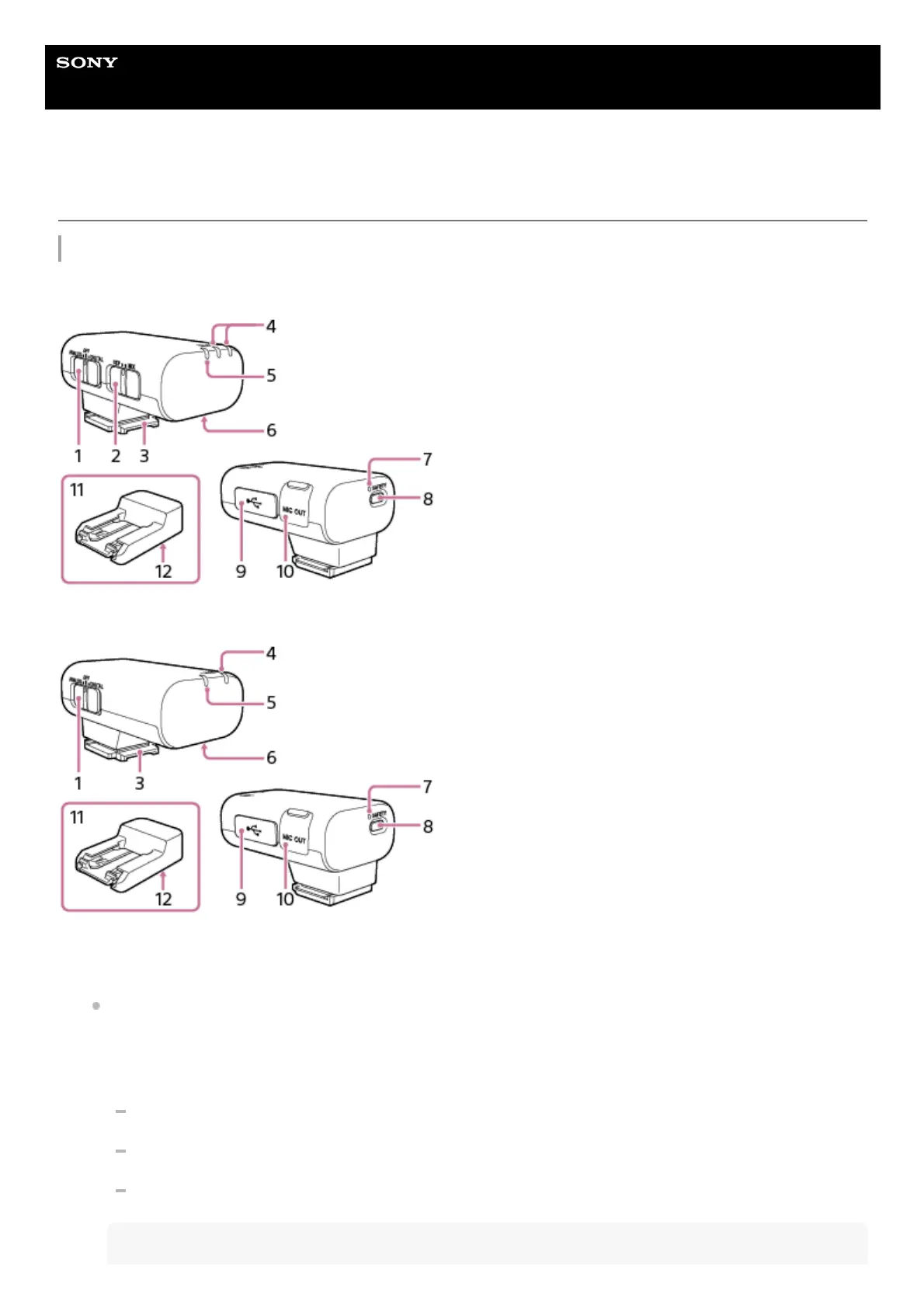
Locating parts and controls
Receiver
ECM-W3
ECM-W3S
Slide switch (ANALOG/OFF/DIGITAL)
Select “ANALOG” (analog audio output), “OFF” (power off), or “DIGITAL” (digital audio output).
If your camera is compatible with the digital audio interface of the Multi Interface Shoe, set the switch to
“DIGITAL.”
Digital signal transmission from the receiver to the camera has the following merits over analog signal
transmission that is enabled by the switch being set to “ANALOG.”
Audio recording with less noises
Less audio delay during recording
Recording with 24-bit audio (only available in combination with the compatible camera)
Note
1.



 To Next Page