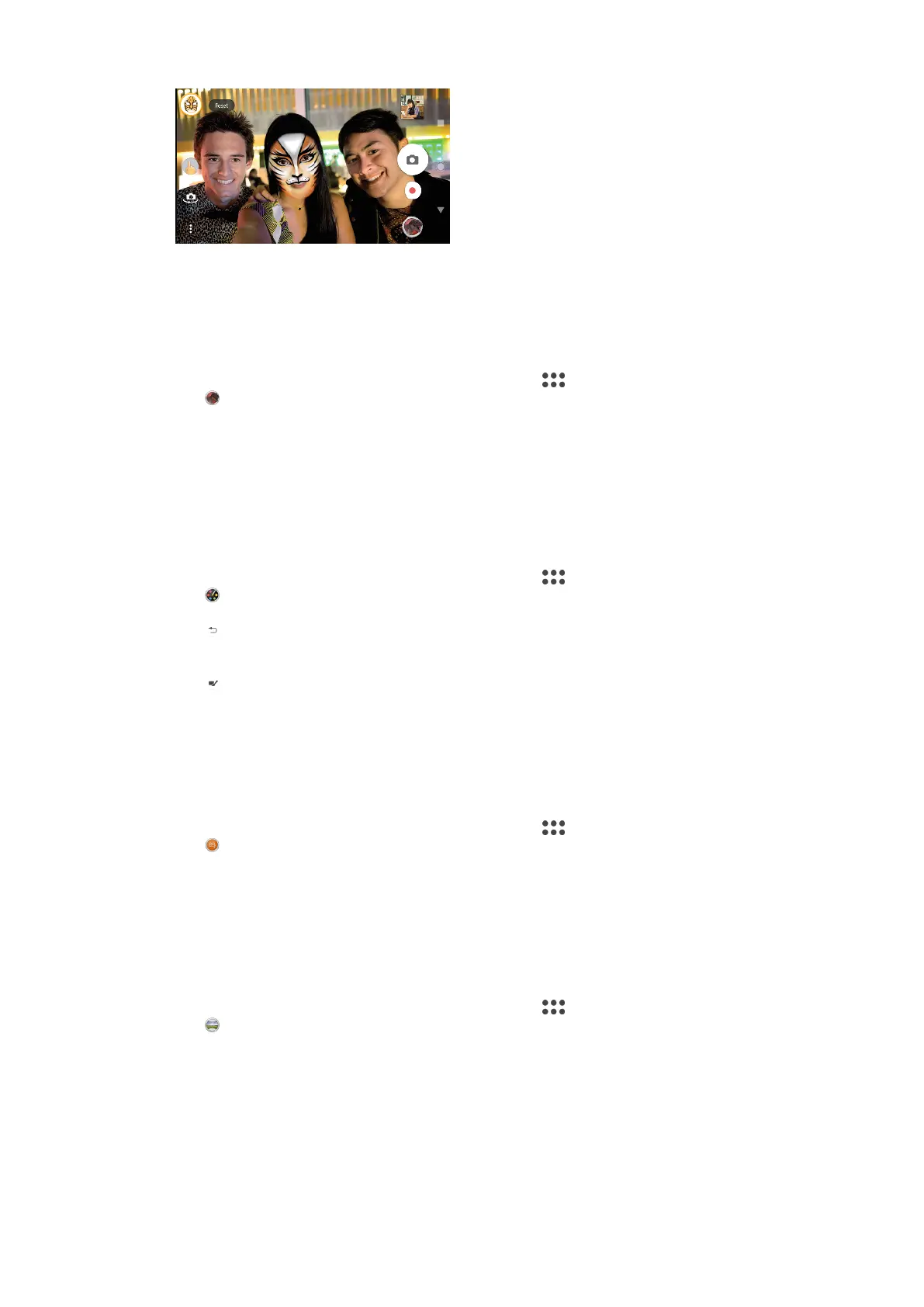
AR eect
AR eect is the augmented reality app that lets you apply fantastical worlds to
your photos or videos. You can add smileys, paper puppets, dinosaurs and more.
To take a photo or record a video with an AR eect
1 When using the camera, swipe the screen to select
.
2 Tap
and select a scene.
3 Press the camera key or tap the shutter button to take a photo or record a
video.
Creative eect
With the Creative eect app you can preset eects and colour filters before taking
a photo or recording a video.
To take a photo or record a video with a creative eect
1 When using the camera, swipe the screen to select
.
2 Tap
.
3 Swipe to browse filters, or tap a filter to preview the eect.
4 Tap to apply the filter and return to the camera screen.
5 Press the camera key or tap the shutter button to take a photo or record a
video.
6 Tap
to switch filters.
Sound Photo
Record a background sound and take a photo at the same time with the Sound
Photo app.
To record a background sound with a photo
1 When using the camera, swipe the screen to select
.
2 Tap .
3 Press the camera key or tap the shutter button to start recording and take a
photo. The recording stops automatically.
Sweep Panorama
Use the Sweep Panorama app to take wide-angle and panoramic photos.
To take a panoramic photo
1 When using the camera, swipe the screen to select
.
2 Tap
.
3 Press the camera key or tap the shutter button.
4 Move the camera slowly and steadily in the direction of movement indicated
on the screen.
Sticker creator
With the Sticker creator app you can create unique stickers from your favourite
photos or viewfinder.
86
This is an internet version of this publication. © Print only for private use.















 To Next Page