EasyManua.ls Logo

Sony FD-42A - Adjustments; Hold Down Circuit Check; Horizontal Adjustment; Centering Adjustment

Sony FD-42A
19 pages
Print Icon
To Next Page IconTo Next Page
To Previous Page IconTo Previous Page
Loading...
FD-42A
SECTION
1
ADJUSTMENTS
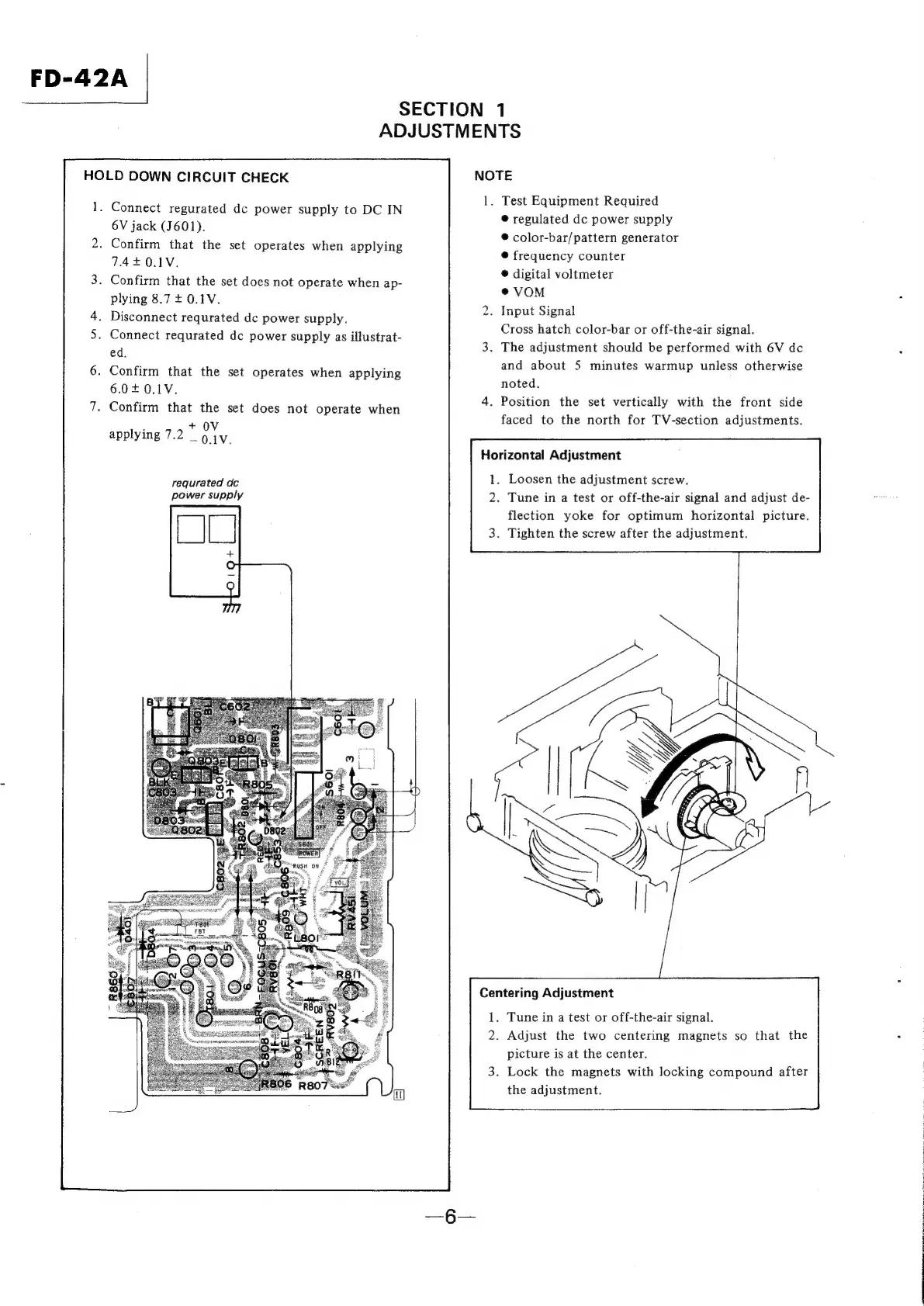
HOLD
DOWN
CIRCUIT
CHECK
1.
Connect
regurated
dc
power
supply
to
DC
IN
6V
jack
(J601).
.
Confirm
that
the
set
operates
when
applying
7420.1V.
.
Confirm
that
the
set
does
not
operate
when
ap-
plying
8.7
+
0.1V.
Disconnect
requrated
dc
power
supply.
Connect
requrated
dc
power
supply
as
illustrat-
ed.
Confirm
that
the
set
operates
when
applying
6.0+0.1V.
.
Confirm
that
the
set
does
not
operate
when
F
+
OV
applying
7.2
_
0.1V.
requrated
dc
power
supply
NOTE
1.
Test
Equipment
Required
®
regulated
dc
power
supply
®
color-bar/pattern
generator
®@
frequency
counter
®
digital
voltmeter
@VOM
.
Input
Signal
Cross
hatch
color-bar
or
off-the-air
signal.
3.
The
adjustment
should
be
performed
with
6V
dc
and
about
5
minutes
warmup
unless
otherwise
noted.
4.
Position
the
set
vertically
with
the
front
side
faced
to
the
north
for
TV-section
adjustments.
to
Horizontal
Adjustment
.
Loosen
the
adjustment
screw.
.
Tune
in
a
test
or
off-the-air
signal
and
adjust
de-
flection
yoke
for
optimum
horizontal
picture.
.
Tighten
the
screw
after
the
adjustment.
Centering
Adjustment
.
Tune
in
a
test
or
off-the-air
signal.
.
Adjust
the
two
centering
magnets
so
that
the
picture
is
at
the
center.
.
Lock
the
magnets
with
locking
compound
after
the
adjustment.

Related product manuals