EasyManua.ls Logo

Sony FH-E737CD - Page 10

Sony FH-E737CD
70 pages
Print Icon
To Next Page IconTo Next Page
To Previous Page IconTo Previous Page
Loading...
Connections
mea
A
|
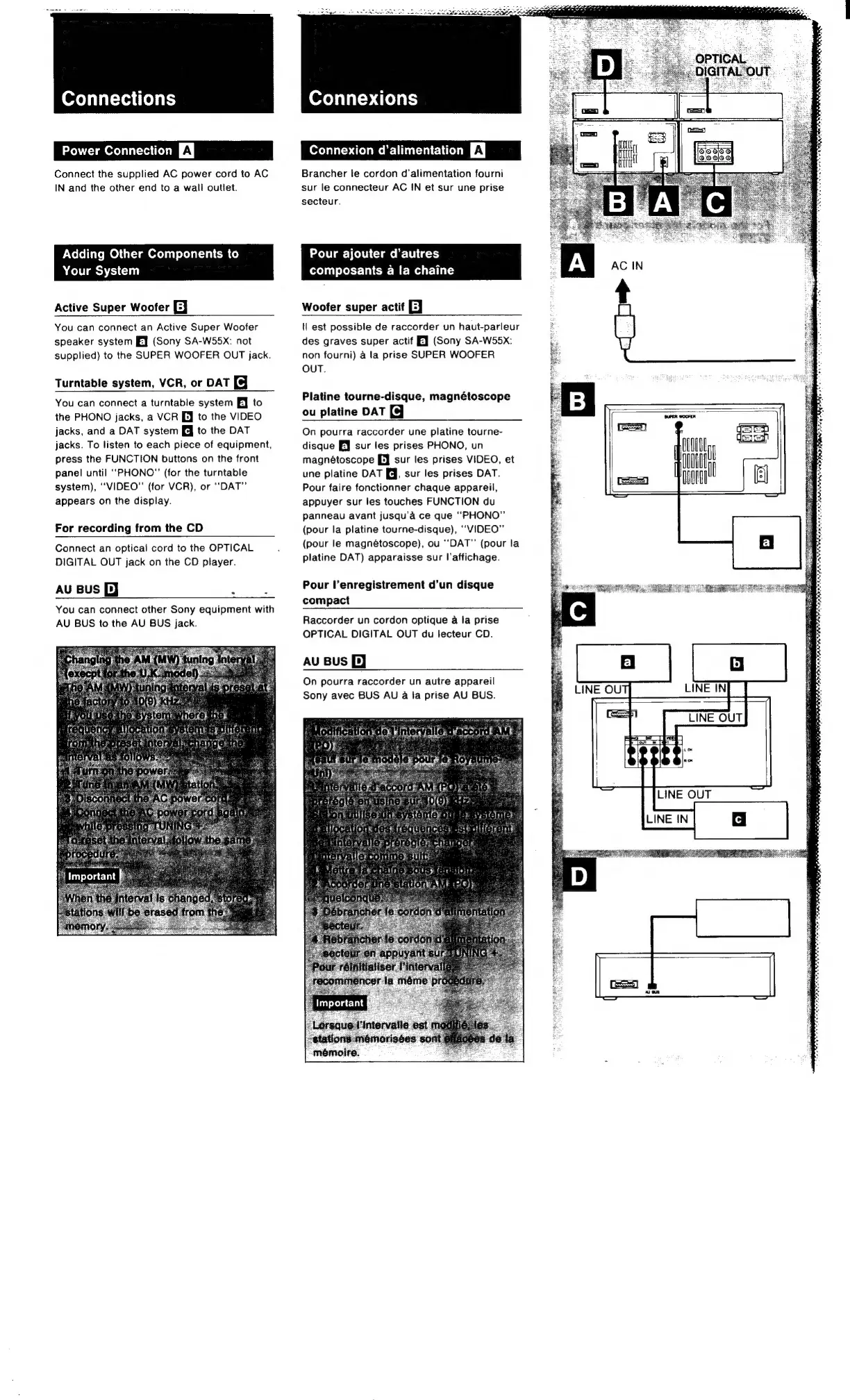
Connect
the
supplied
AC
power
cord
to
AC
IN
and
the
other
end
to
a
wall
outlet.
Adding
Other
Components
to
Your
System
Active
Super
Woofer
[J
Connexions
CR
UCC
A
|
Brancher
te
cordon
d’alimentation
fourni
sur
le
connecteur
AC
IN
et
sur
une
prise
secteur.
Pour
ajouter
d’autres
composants
a
la
chaine
Woofer
super
actif
EJ
You
can
connect
an
Active
Super
Woofer
speaker
system
EJ
(Sony
SA-W55xX:
not
supplied)
to
the
SUPER
WOOFER
OUT
jack.
Turntable
system,
VCR,
or
DAT
You
can
connect
a
turntable
system
EJ
to
the
PHONO
jacks,
a
VCR
[J
to
the
VIDEO
jacks,
and
a
DAT
system
[J
to
the
DAT
jacks.
To
listen
to
each
piece
of
equipment,
press
the
FUNCTION
buttons
on
the
front
panel
until
“PHONO”
(for
the
turntable
system),
“VIDEO”
(for
VCR),
or
“DAT”
appears
on
the
display.
For
recording
from
the
CD
Connect
an
optical
cord
to
the
OPTICAL
DIGITAL
OUT
jack
on
the
CD
player.
AU
Bus
[J
:
You
can
connect
other
Sony
equipment
with
AU
BUS
to
the
AU
BUS
jack.
tl
est
possible
de
raccorder
un
haut-parleur
des
graves
super
actif
EJ
(Sony
SA-W55x:
non
fourni)
a
la
prise
SUPER
WOOFER
OUT.
Platine
tourne-disque,
magnétoscope
ou
platine
DAT
On
pourra
raccorder
une
platine
tourne-
disque
[J
sur
les
prises
PHONO,
un
magnétoscope
[J
sur
les
prises
VIDEO,
et
une
platine
DAT
J,
sur
les
prises
DAT.
Pour
faire
fonctionner
chaque
appareil,
appuyer
sur
les
touches
FUNCTION
du
panneau
avant
jusqu’a
ce
que
‘‘PHONO”
(pour
la
platine
tourne-disque),
‘“VIDEO”’
(pour
le
magnétoscope),
ou
“DAT”
(pour
la
platine
DAT)
apparaisse
sur
I'affichage.
Pour
l’enregistrement
d’un
disque
compact
Raccorder
un
cordon
optique
a
la
prise
OPTICAL
DIGITAL
OUT
du
lecteur
CD.
AU
Bus
Pp)
On
pourra
raccorder
un
autre
appareil
Sony
avec
BUS
AU
4a
la
prise
AU
BUS.
LINE
OUT

Other manuals for Sony FH-E737CD

Related product manuals