EasyManua.ls Logo

Sony FH-E737CD - Storing and Tuning Preset Stations

Sony FH-E737CD
70 pages
Print Icon
To Next Page IconTo Next Page
To Previous Page IconTo Previous Page
Loading...
Radio
Storing
Stations
You
can
store
FM
stations
and
AM
or
MW/LW
(SW)
stations
in
a
desired
sequence,
so
that
you
can
tune
in
the
stored
station
directly
by
entering
the
preset
station
number.
For
the
modeis
for
U.S.A.
and
Canada:
You
can
store
20
FM
stations,
and
10
AM
stations.
For
the
models
for
U.K.
and
Australia:
You
can
store
20
FM
stations,
10
MW
stations,
and
10
LW
or
SW
stations.
This
operation
is
not
possible
with
the
remote
commander.
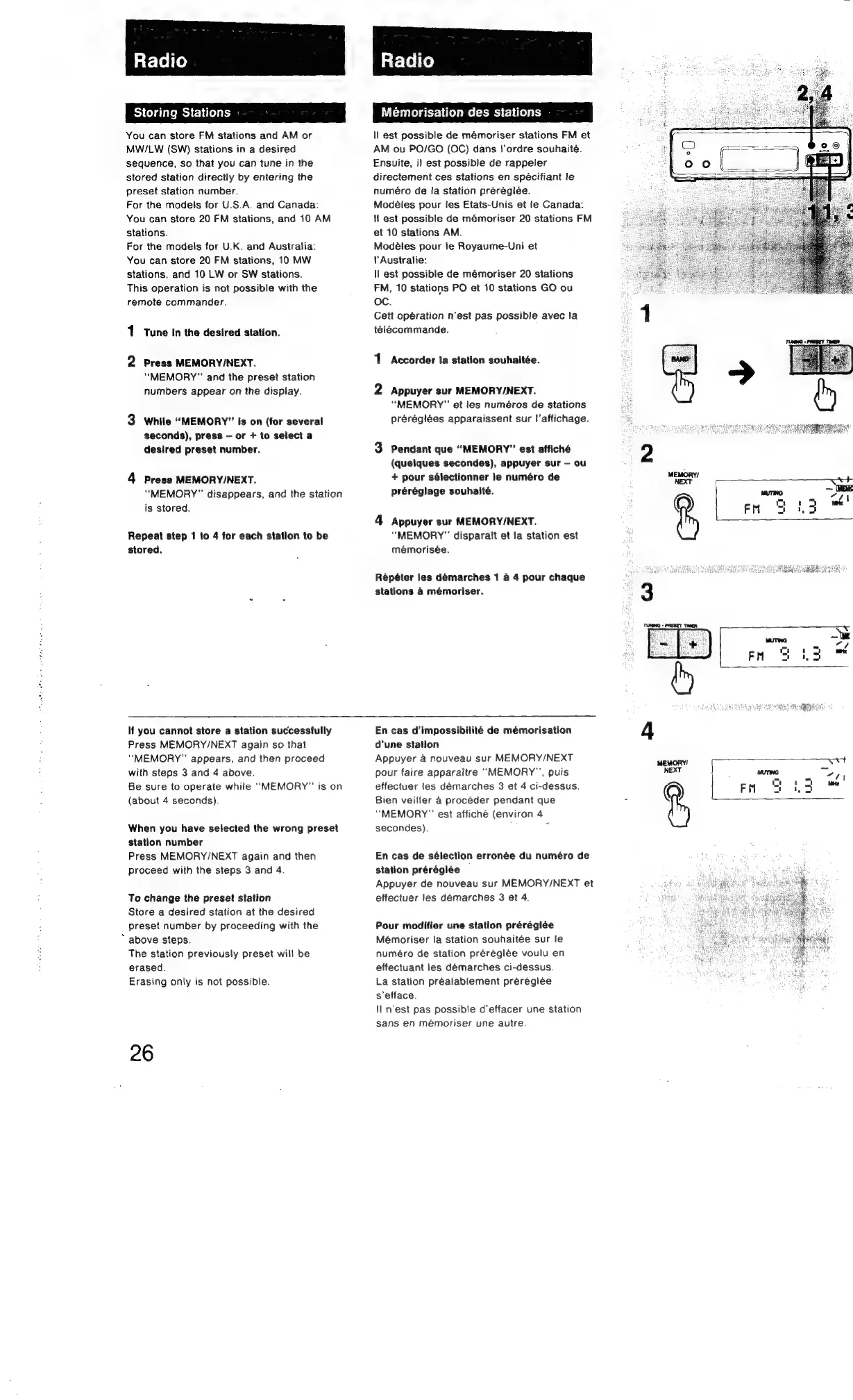
1
Tune
In
the
desired
station.
2
Press
MEMORY/NEXT.
“MEMORY”
and
the
preset
station
numbers
appear
on
the
display.
While
“MEMORY”
Is
on
(for
several
seconds),
press
or
+
to
select
a
desired
preset
number.
4
Press
MEMORY/NEXT.
“MEMORY”
disappears,
and
the
station
is
stored.
Repeat
step
1
to
4
for
each
station
to
be
stored.
Radio
Mémorisation
des
stations
ll
est
possible
de
mémoriser
stations
FM
et
AM
ou
PO/GO
(OC)
dans
|’ordre
souhaite.
Ensuite,
i)
est
possible
de
rappeler
directement
ces
stations
en
spécifiant
le
numéro
de
la
station
préréglée.
Modéles
pour
les
Etats-Unis
et
le
Canada:
If
est
possible
de
mémoriser
20
stations
FM
et
10
stations
AM.
Modéles
pour
le
Royaume-Uni
et
!'Australie:
ll
est
possible
de
mémoriser
20
stations
FM,
10
stations
PO
et
10
stations
GO
ou
oc.
Cett
opération
n'est
pas
possible
avec
la
télécommande.
1
Accorder
Ia
station
souhaitée.
2
Appuyer
sur
MEMORY/NEXT.
“MEMORY”
et
les
numéros
de
stations
préréglées
apparaissent
sur
!'affichage.
3
Pendant
que
“MEMORY”
est
affiché
(quelques
secondes),
appuyer
sur
ou
+
pour
sélectionner
le
numéro
de
préréglage
souhaité.
4
Appuyer
sur
MEMORY/NEXT.
“MEMORY”
disparait
et
!a
station
est
mémorisée.
Répéter
les
démarches
1
a
4
pour
chaque
stations
4
mémoriser.
If
you
cannot
store
a
station
successfully
Press
MEMORY/NEXT
again
so
that
"MEMORY"
appears,
and
then
proceed
with
steps
3
and
4
above.
Be
sure
to
operate
while
“MEMORY”
is
on
(about
4
seconds).
When
you
have
selected
the
wrong
preset
station
number
Press
MEMORY/NEXT
again
and
then
proceed
with
the
steps
3
and
4.
To
change
the
preset
station
Store
a
desired
station
at
the
desired
preset
number
by
proceeding
with
the
*
above
steps.
The
station
previously
preset
will
be
erased.
Erasing
only
is
not
possible.
26
En
cas
d’impossibilité
de
mémorisation
d’une
station
Appuyer
a
nouveau
sur
MEMORY/NEXT
pour
faire
apparaitre
“MEMORY”,
puis
effectuer
les
démarches
3
et
4
ci-dessus.
Bien
veilfer
a
procéder
pendant
que
“MEMORY”
est
affiché
(environ
4
secondes).
.
En
cas
de
sélection
erronée
du
numéro
de
station
préréglée
Appuyer
de
nouveau
sur
MEMORY/NEXT
et
effectuer
les
demarches
3
et
4.
Pour
modifier
une
station
prérégiée
Mémoriser
la
station
souhaitée
sur
le
numéro
de
station
préréglée
voulu
en
effectuant
les
démarches
ci-dessus.
La
station
prealablement
préreglée
s'efface.
\Il
n'est
pas
possible
d’effacer
une
station
sans
en
mémoriser
une
autre.
4
MEMORY!
NEXT
oO

Other manuals for Sony FH-E737CD

Related product manuals