EasyManua.ls Logo

Sony FH-E737CD - Page 27

Sony FH-E737CD
70 pages
Print Icon
To Next Page IconTo Next Page
To Previous Page IconTo Previous Page
Loading...
a
ETel
te)
Tune
in
a
Preset
Station
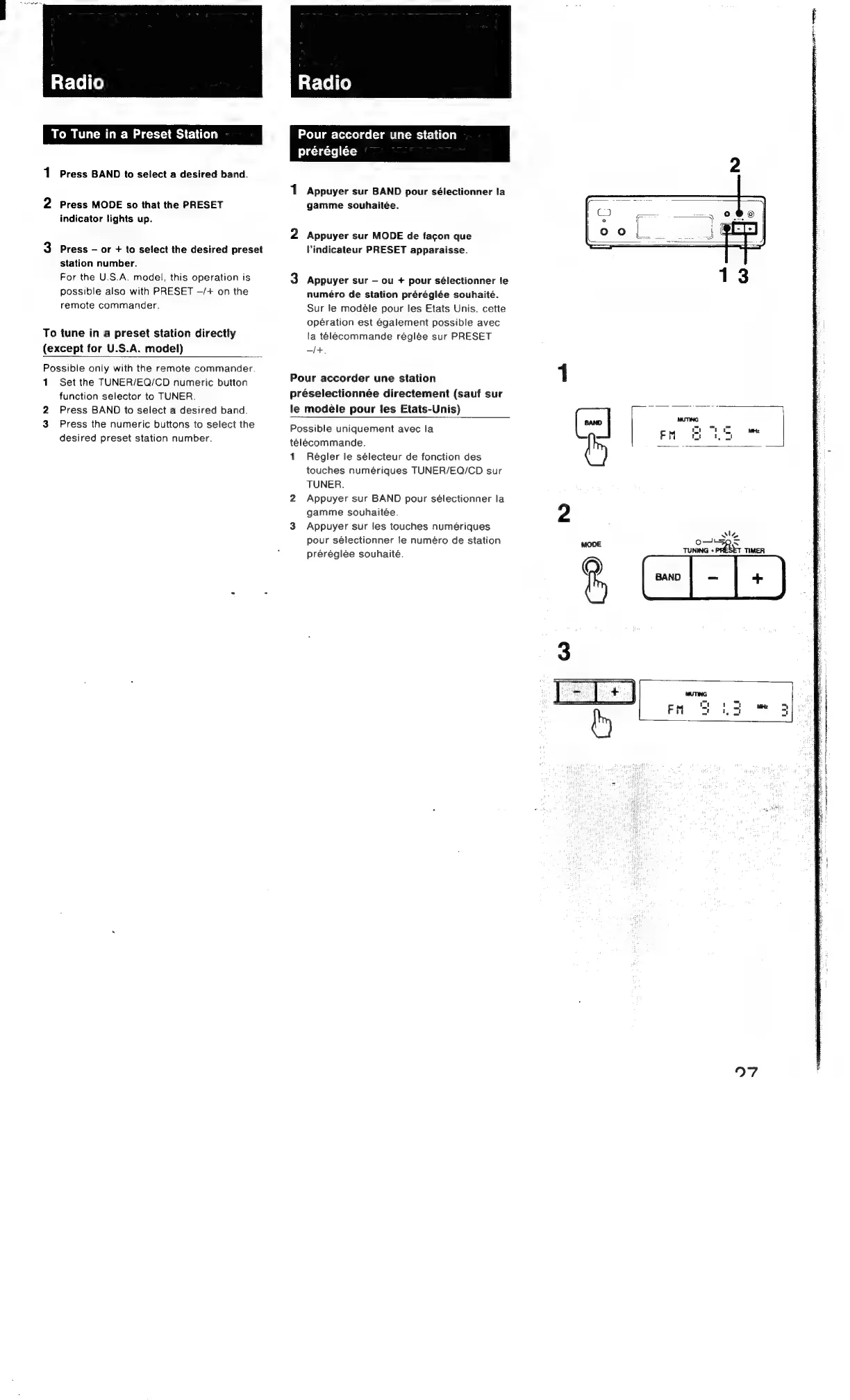
Press
BAND
to
select
a
desired
band.
Press
MODE
so
that
the
PRESET
indicator
lights
up.
Press
or
+
to
select
the
desired
preset
station
number.
For
the
U.S.A.
model,
this
operation
is
possible
also
with
PRESET
—/+
on
the
remote
commander.
To
tune
in
a
preset
station
directly
(except
for
U.S.A.
model)
Possible
only
with
the
remote
commander.
1
Set
the
TUNER/EQ/CD
numeric
button
function
selector
to
TUNER.
Press
BAND
to
select
a
desired
band.
Press
the
numeric
buttons
to
select
the
desired
preset
station
number.
Pour
accorder
une
station
préréglée
Appuyer
sur
BAND
pour
sélectionner
la
gamme
souhaitée.
Appuyer
sur
MODE
de
facon
que
Vindicateur
PRESET
apparaisse.
Appuyer
sur
ou
+
pour
sélectionner
le
numéro
de
station
prérégiée
souhaité.
Sur
je
modéle
pour
les
Etats
Unis,
cette
opération
est
également
possible
avec
la
telecommande
réglée
sur
PRESET
—/+.
Pour
accorder
une
station
préselectionnée
directement
(sauf
sur
le
modéle
pour
les
Etats-Unis)
Possible
uniquement
avec
la
télécommande.
1
Régler
le
sélecteur
de
fonction
des
touches
numériques
TUNER/EQ/CD
sur
TUNER.
Appuyer
sur
BAND
pour
sélectionner
la
gamme
souhaitée.
Appuyer
sur
les
touches
numériques
pour
sélectionner
fe
numéro
de
station
préréglée
souhaité.

Other manuals for Sony FH-E737CD

Related product manuals