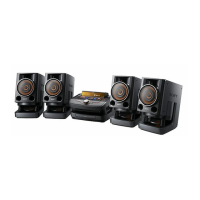
model name [FST-SH2000/LBT-SH2000]
[4-273-674-11(2)] GB
6
GB
filename[D:\NORM'S JOB\SONY HA\SO0159\FST_LBT-SH2000_PMRF
01\4273674112_GB\GB04PLA.fm]
masterpage:Left
I
Unit: NX (play/pause)
Remote control: N (play),
X (pause)
Start or pause playback.
To resume playback of the USB device,
press NX or N.
x (stop)
Stop playback.
Press x twice to cancel resume play of the
USB device.
J
Unit: PC
Select the PC function.
Unit: TV
Select the TV function.
Unit: DVD/SAT
Select the DVD/SAT function.
Unit: GAME
Select the GAME function.
Remote control: FUNCTION
Select a function.
K
TV L/R jacks
Use an audio cord (not supplied) to
connect to the audio output jacks of a TV.
The TV sound is output through this
system.
L
PC L/R jacks
Use an audio cord (not supplied) to
connect to the audio output jacks of an
audio equipment. The audio is output
through this system.
M
B (PLAY/REC) port
Connect and transfer to an optional USB
device.
B indicator
Lights up in red when transferring to the
connected optional USB device.
N
A (PLAY) port
Connect an optional USB device.
A indicator
O
MIC IN jack
Connect a microphone.
MIC LEVEL
Adjust the microphone volume.
P
Unit: FLANGER, ISOLATOR,
SOUND FLASH, PHASER
Activate or select the DJ EFFECT type.
Q
Unit: SEARCH
Enter or exit search mode.
Unit: GROOVE
Reinforce the bass.
Unit: PRESET EQ
Remote control: EQ
Select the sound effect (page 19).
REC TO USB B
Transfer onto the optional USB device
which is connected to the B port.
R
RETURN
Return to previous selection.
S
ENTER
Enter the settings.
T
CLOCK/TIMER SELECT (page 21)
CLOCK/TIMER SET (page 10, 21)
Set the clock and the timers.


 To Next Page