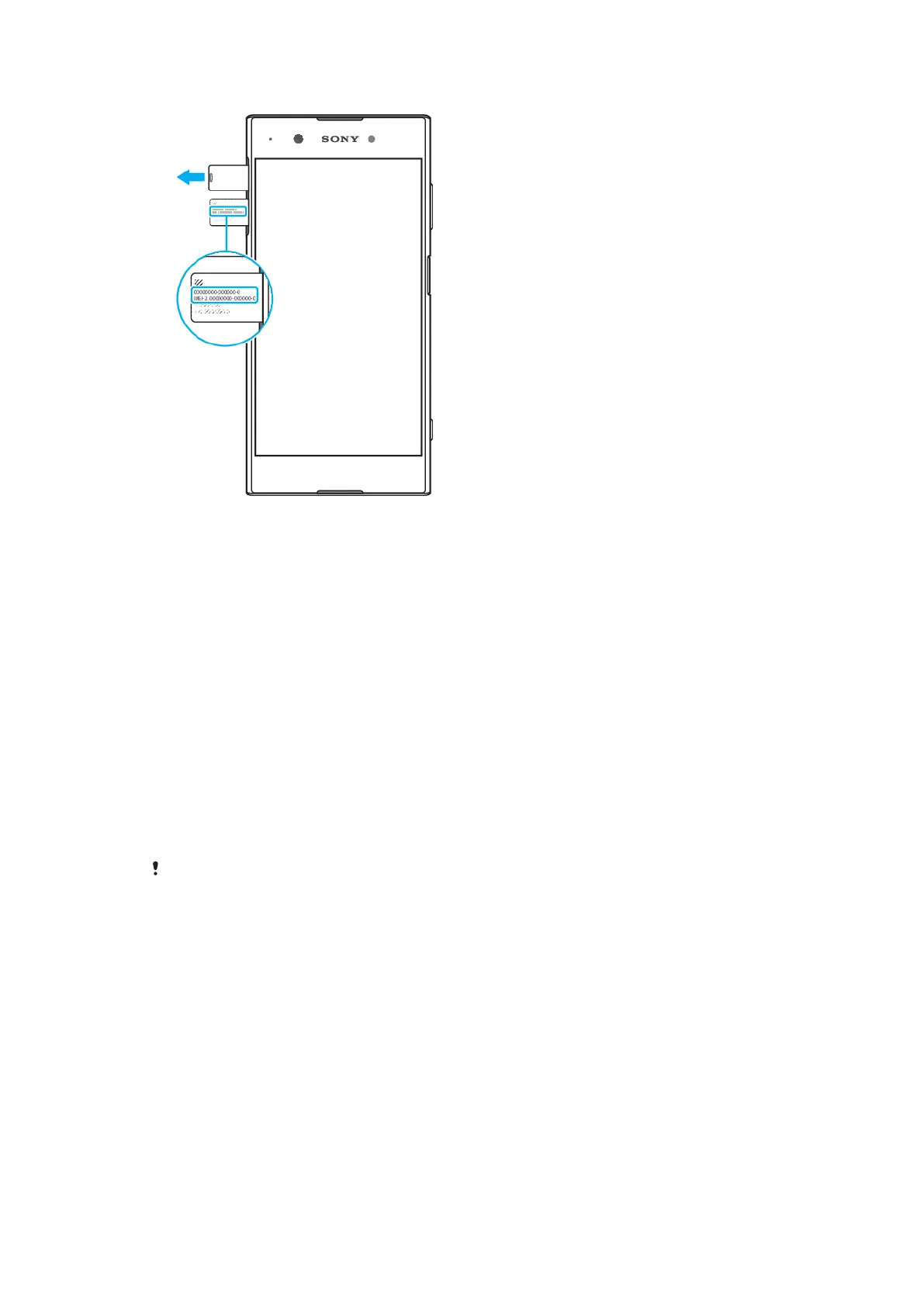
To view your IMEI number(s) on the label strip
1 Drag out the nano SIM card tray.
2 Drag the strip outward using your fingernail. The strip displays the IMEI
number(s).
Finding, locking, or erasing a lost device
Google oers a location and security web service called Find my device. After you
have signed in to a Google account, Find my device is turned on by default. If you
lose your device, you can use Find my device to:
• Find and show where your device is located on a map.
• Lock your device and present a message on the lockscreen.
• Unlock your device and reset it by erasing its content.
• Activate the ringer, even if the sound is turned o.
Your device must be turned on, have an internet connection, and have the location
service activated. The Find my device service may not be available in all countries
or regions.
For additional information about Find my device, go to
https://www.support.google.com/
and search for “Find my device.”
If you erased the content on your device using Find my device, you must enter the
username and password for a Google account in order to use your device again. This can be
any Google account you have set up on your device as an owner. If you can’t provide this
information during the setup, you won’t be able to use your device at all after a reset.
To verify that your device can be found
• Go to
https://www.google.com/android/find
and sign in using your Google
account.
Using location services
Location services allows applications such as Maps and the camera to determine
your location using Wi-Fi and GPS (Global Positioning System). If you're not within
clear sight to GPS satellites, your location can be determined using the Wi-Fi
function. And if you're not within range of a network, your device can determine
your location using your cellular network.
16
This is an internet version of this publication. © Print only for private use.



 To Next Page