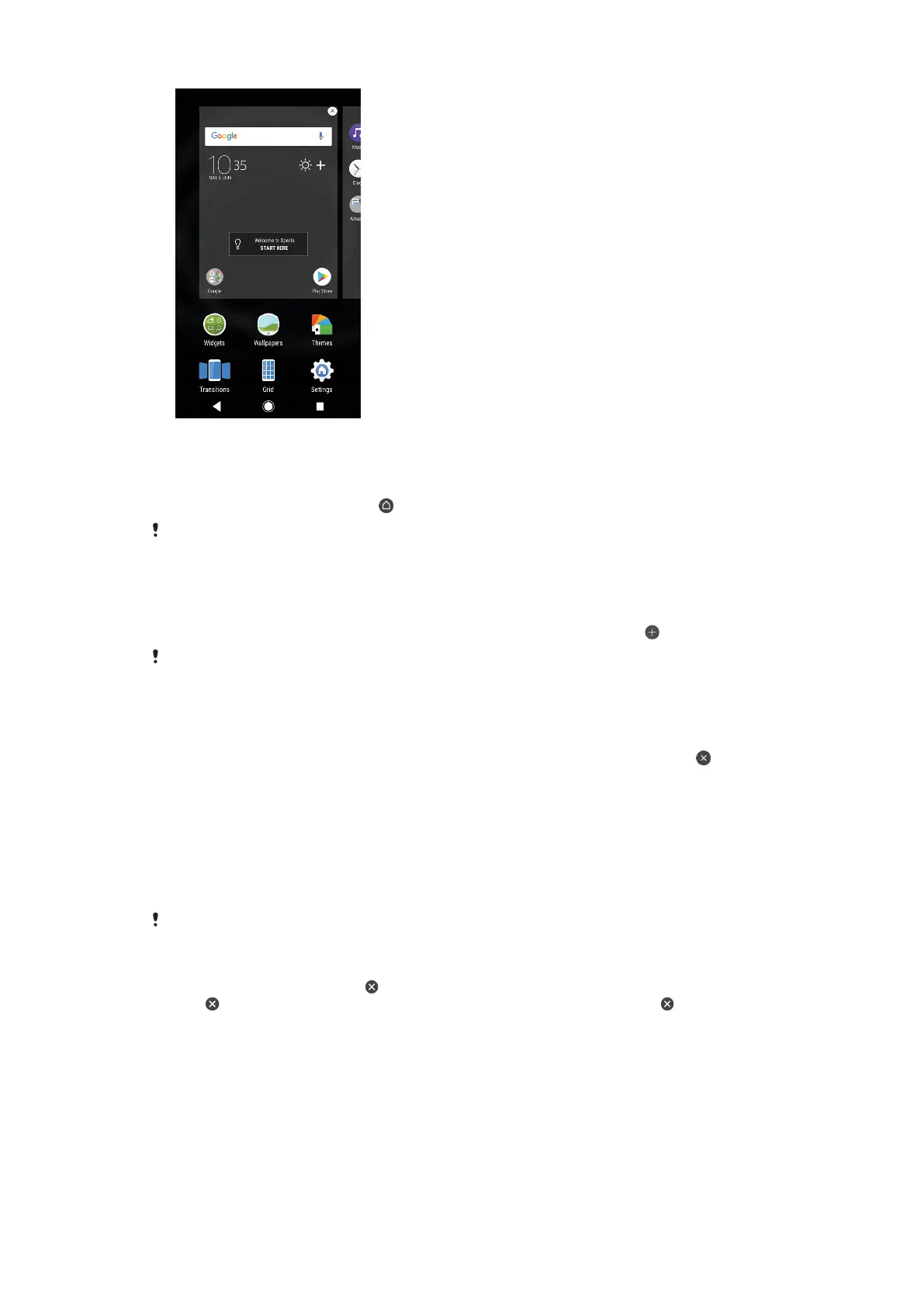
To set a pane as the main Homescreen pane
1 Touch and hold an empty area on your Homescreen until the device vibrates.
2 Flick left or right to browse to the pane that you want to set as your main
Homescreen pane, then tap
.
When Google Feed is enabled, the left-most pane is reserved for this service and the main
Homescreen pane cannot be changed. For more information, see
Google Feed
on page 105.
To add a pane to your Homescreen
1 Touch and hold an empty area on your Homescreen until the device vibrates.
2 To browse the panes, flick all the way to the right or left, then tap
.
When Google Feed is enabled, the left-most pane is reserved for this service and additional
panes cannot be added to the left. For more information, see
Google Feed
on page 105.
To delete a pane from your Homescreen
1 Touch and hold an empty area on your Homescreen until the device vibrates.
2 Flick left or right to browse to the pane that you want to delete, then tap
in the upper right corner of the pane.
Homescreen settings
You can use the Settings shortcut to adjust some basic Homescreen settings. For
example, you can adjust the size of icons on your Homescreen.
To disable or uninstall an application from the Homescreen
Disabling a pre-installed app deletes all data, but the app can be enabled again from
Settings > Apps & notifications > App info. Only downloaded apps can be fully uninstalled.
1 Touch and hold the application you want to disable or uninstall. If it can be
disabled or uninstalled an
appears.
2 Tap > Disable if the app came pre-installed on your device or tap > OK if
the app was downloaded and you would like to uninstall it.
To adjust the grid size of the screen
1 Touch and hold an empty area on your Homescreen until the device vibrates.
2 Tap Grid, then select a size.
3 Tap APPLY.
22
This is an internet version of this publication. © Print only for private use.



 To Next Page