Help Guide
Shooting Grip With Wireless Remote Commander
GP-VPT2BT
Zooming the camera
Operate this unit that has a Bluetooth connection with a camera to zoom in/out the camera.
Note
The zoom speed varies depending on the camera or lens.
The zoom function works with a camera or lens featuring a built-in electronic power zoom. If the digital zoom function of the
camera is turned on, digital zooming will be performed.
Related Topic
Pairing the unit with the mounted camera
5-011-845-11(1) Copyright 2019 Sony Corporation
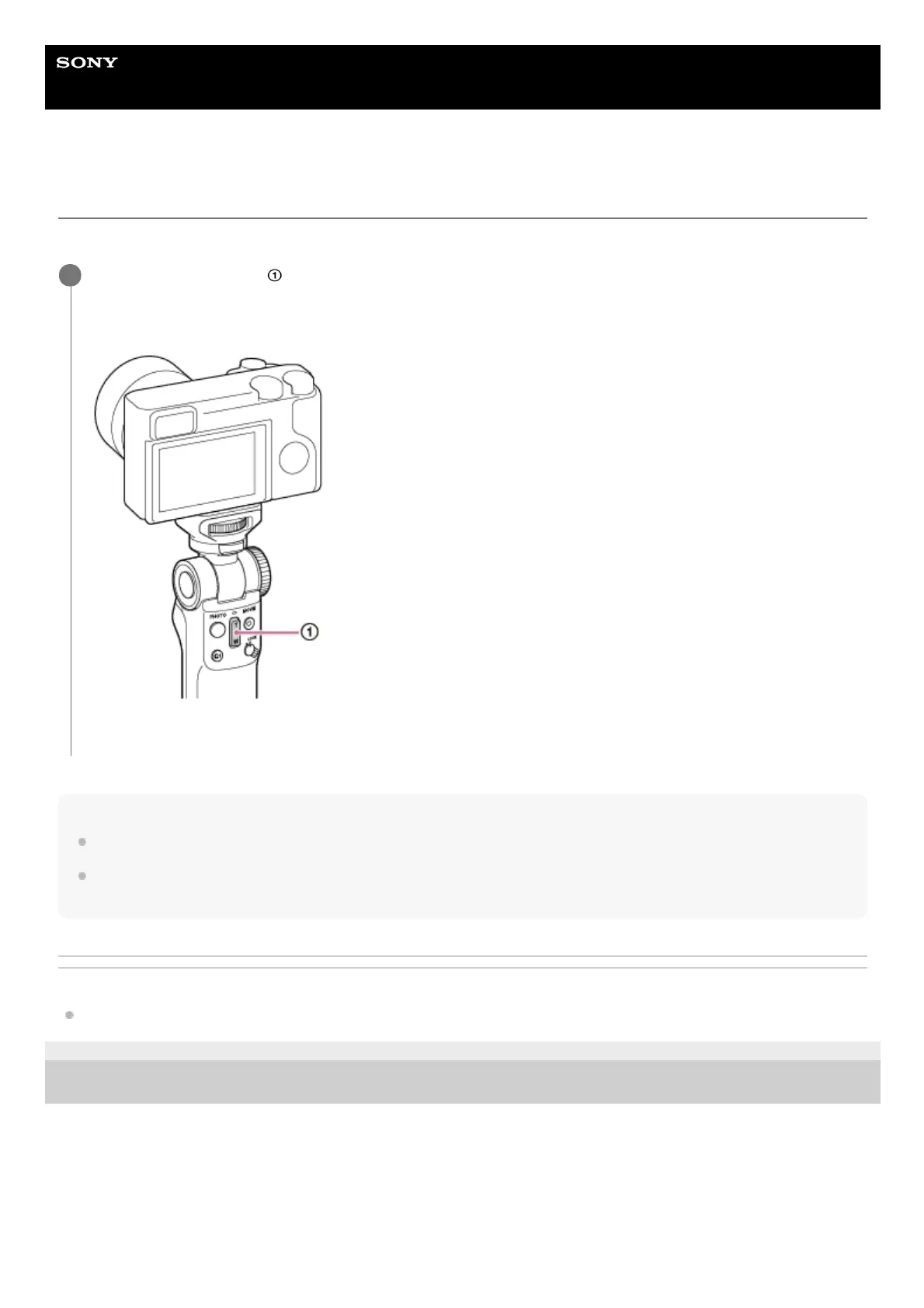
Press the zoom button (
).
Press the T (Telephoto) end of the button to zoom in on a subject.
Press the W (Wide-angle) end of the button to zoom out on a subject.
By pressing and holding either end of the zoom button, you can zoom in/out on a subject faster.
1



 To Next Page