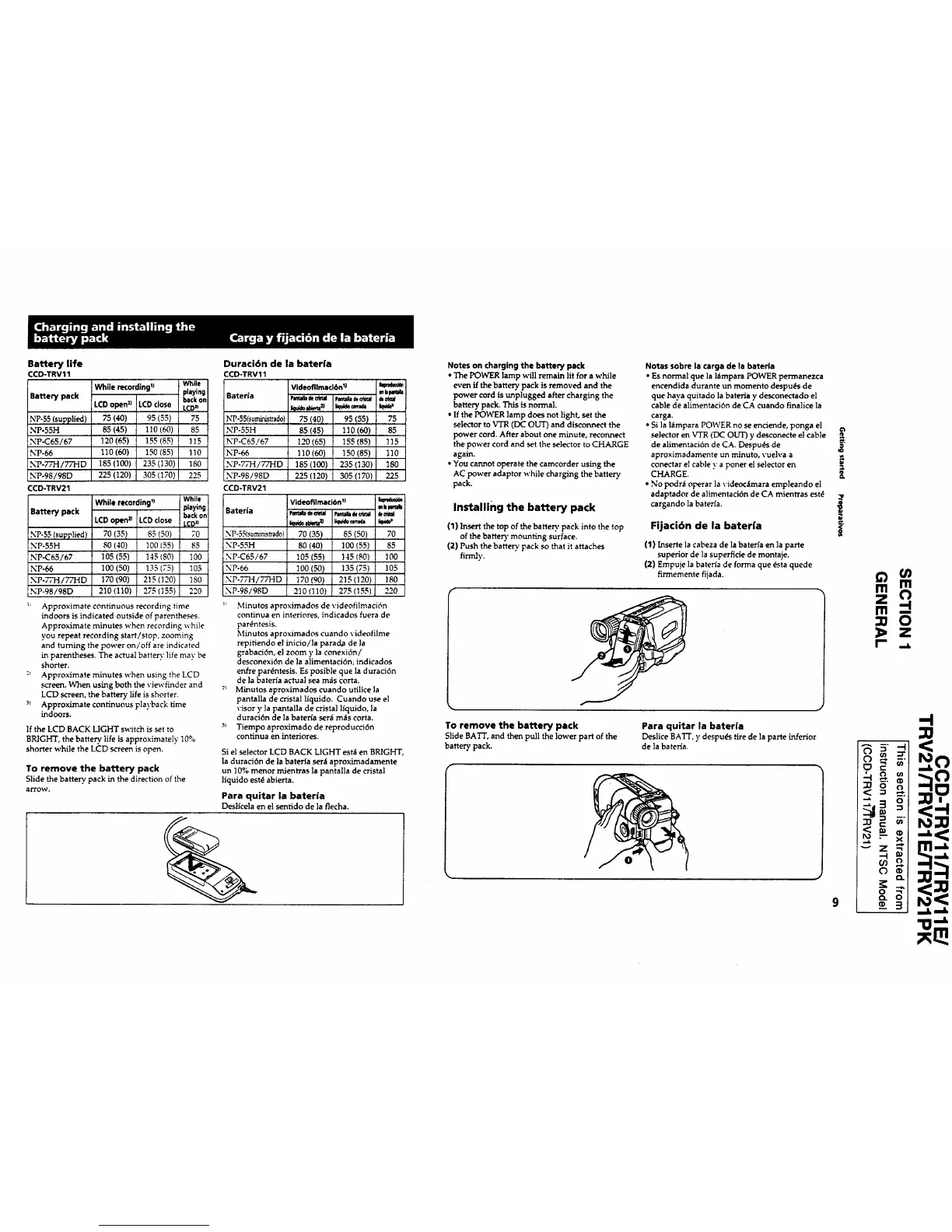
Battery life
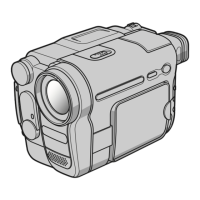
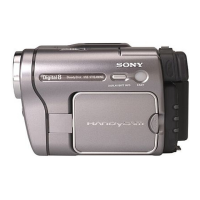
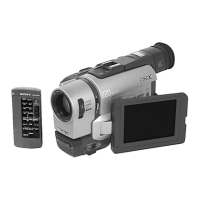
CCD-TRV11
• 1) While
While recording
playing
Battery pack backon
LCDopen2) LCDclose LCD"
NP-55 (supplied) 75 (40) 95 (55) 75
NP-55H 85 (45) 110 (60) 85
N_P-C65/67 120(65) 155(85) 1!5
NP-66 110 (60) 150 (85) 110
NP-77H/77HD 185 (100) 235 (130) 180
NP-98/98D 225 (120) 305 (170) 225
CCD-TRV21
While recording') While
Battery pack playing
backon
LCDopen_ LCD close _CDJ_
NP-55 (supplied) 70 (35) 85 (50) 70
NP-55H 80 (40) 100 (55) 85
NP-C65/67 105 (55) 145 (80) 100
NP-66 100 (50) 135 (75) 105
NP-7,7-I/77HD 170 (90) 215 (120) 180
NP-98/98D 210 (110) 275 (155) 220
_' Approximate continuous recording time
indoors is indicated outside of parentheses.
Approximate minutes when recording while
you repeat recording start/stop, zooming
and turning the power on/off are indicated
in parentheses. The actual batte_" life may be
shorter.
:_ Approximate minutes when using the LCD
screen. When using both the viewfinder and
LCD screen, the battery life is shorter.
-_> Approximate continuous playback time
indoors.
DuraciGn de la bateria
CCD-TRV11
Vide°fllmaci6nl) J,.b_m_
Baterla PJeu_dt_ _ _
NP-55(suministrado 75 (40) 95 (55) 75
NP-55H 85 (45) 110 (60) 85
NP-C65/67 120 (65) !55 (85) 115
NP-66 110 (60) 150 (85) 110
NP-77H/77HD 185 (100) 235 (130) 180
NP-98/98D 225 (120) 305 (170) 225
CCD-TRV21
Videofllmacibn_)
mbMmla
Bateria _ e_a_o_a _a_a
NP-55(suminisrrad0) 70 (35) 85 (50) 70
NP-55H 80 (40) 100 (55) 85
NP-C65/67 105 (55) 145 (80) 100
NP-66 100 (50) 135 (75) 105
NP-77H/77HD 170 (90) 215 (120) 180
NP-98/98D 2t0 (110) 275 (155) 220
If the LCD BACK LIGHT switch is set to
BRIGHT, the battery life is approximately 10%
shorter while the LCD screen is open.
To remove the battery pack
Slide the battery pack in the direction of the
arrow.
Minutos aproximados de videofilmaci6n
continua en interiores, indicados fuera de
par6ntesis.
Minutos aproximados cuando videofilme
repitiendo el inicio/la parad,a de ]a
grabaci6n, el zoom y la conexi6n/
desconexi6n de la alimentaci6n, indicados
enfre par4ntesis. Es posible que la duraci6n
de la baterla actual sea m_s corta.
Minutos aproximados cuando utilice la
pantalla de cristal liquido. Cuando use el
visor y ]a pantalla de crista] liquido, la
duraci6n de la bater_a ser_ m_s corta.
Tiempo aproximado de reproducci6n
continua en interiores.
Si el selector LCD BACK LIGHT est_ en BRIGHT,
la duraci6n de la baterta ser_l aproximadamente
un 10% menor mientras la pantalla de crista]
liquido est_ abierta.
Para quitar la bateria
Desllcela en el sentido de la flecha.
Notes on charging the battery pack
• The POWER lamp will remain lit for a while
even if the battery pack is removed and the
power cord is unplugged after charging the
battery pack. This is normal.
• If the POWER lamp does not light, set the
selector to VTR (DC OUT) and disconnect the
power cord. After about one minute, reconnect
the power cord and set the selector to CHARGE
again.
• You cannot operate the camcorder using the
AC power adaptor while charging the battery
pack.
Installing the battery pack
(1) Insertthe top of the battery pack into the top
of the batter), mounting surface.
(2) Push the battery"pack so thatit attaches
firmly.
Notas sobre la carga de la baterla
• Es normal que la l_mpara POWER permanezca
encendida durante un momento despu_s de
que haya quitado la bateria y desconectado el
cable de alimentaci6n de CA cuando finalice la
carga.
• Si ]a I_mpara POWER no se enciende, ponga el
selector en VTR (DC OUT) y desconecte el cable
de alimentaci6n de CA. Despu_s de
aproximadamente un minuto, vuelva a
conectar el cable y a poner el selector en
CHARGE.
• No podr_ operar ]a videoc_mara emp]eando el
adaptador de alimentaci6n de CA mientras est_
cargando ]a bateria.
Fijaci6n de la baterra
(1) Inserte la cabeza de la bateria en ]a parte
superior de la superficie de montaje.
(2) Empuje ]a bateria de forma que dsta quede
firmemente fijada.
To remove the battery pack
Slide BATT, and then pull the lower part of the
battery pack.
Para quitar la bateria
Deslice BA'I'T, y despu(._s tire de la parte inferior
de la baterla.
o
t
_1 tar_
m m
z O
F _.a.
:_ o" o
_'_
-I
-..L ---_



 To Next Page
 Loading...