
 Need help?
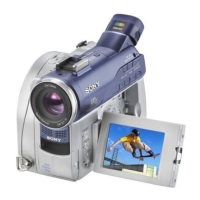
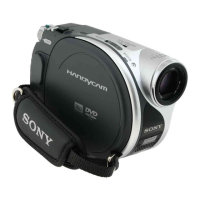
Do you have a question about the Sony Handycam DCR-DVD7 and is the answer not in the manual?
List of items included with the camcorder.
Procedure for charging the camcorder's battery pack.
Simplified operation for beginners with automatic settings.
Instructions on how to begin recording movies or still images.
Instructions on how to start playing back recorded content.
Step-by-step guide to finalize recorded discs for playback.
How to format discs to erase all content and prepare for reuse.
Solutions for general operational problems and Easy Handycam issues.
 General
| Effective Pixels (Video) | 680K |
|---|---|
| Optical Zoom | 10x |
| Digital Zoom | 800x |
| Lens | Carl Zeiss Vario-Tessar |
| Focus | Auto/Manual |
| Viewfinder | Color |
| Recording Format | MPEG2 |
| Video Signal | NTSC |
| USB | Yes |
| Type | Camcorder |
| Recording Media | DVD-RW, DVD+RW |
| Image Sensor | CCD |
| Image Sensor Size | 1/5.5" |
| LCD Screen Size | 2.5 inch |
| Microphone | Stereo |
| Image Sensor Pixels | 680, 000 pixels |





 To Next Page