EasyManua.ls Logo

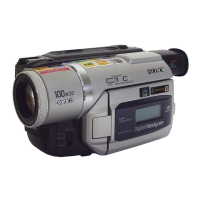
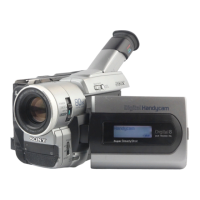
Sony Handycam Digital8 DCR-TRV239E - User Manual

Sony Handycam Digital8 DCR-TRV239E
268 pages
Print Icon
To Next Page IconTo Next Page
Loading...
SERIES
TM
©2002 Sony Corporation
Operating Instructions
Before operating the unit, please read this manual thoroughly, and retain
it for future reference.
Инструкция по эксплуатации
Перед эксплуатацией аппарата внимательно прочтите, пожалуйста,
данное руководство и сохраните его для дальнейших справок.
3-072-653-11 (1)
DCR-TRV238E/TRV239E/TRV340E
Digital
Video Camera
Recorder
DCR-TRV340E

Table of Contents

Question and Answer IconNeed help?

Do you have a question about the Sony Handycam Digital8 DCR-TRV239E and is the answer not in the manual?

Summary

Operating Instructions

Инструкция по эксплуатации

Russian version of the operating instructions.

Welcome!

Congratulations on your purchase of this Sony Handycam.

Introduces the Handycam and its benefits.

WARNING

ATTENTION

Main features

Recording moving or still images, and playing them back

Lists features for recording and playback on tape.

Capturing images on your computer

Describes transferring images to a computer.

Other uses

Covers various additional functions and applications.

Quick Start Guide

Getting Started

Step 1 Preparing the power supply

Instructions for preparing and connecting the power supply.

Step 2 Setting the date and time

Procedure for setting the camcorder's date and time.

Step 3 Inserting a cassette

Instructions for inserting a video cassette.

Recording - Basics

Recording a picture

Step-by-step guide to recording a picture.

Shooting backlit subjects

Specific instruction for backlight shooting.

Shooting in the dark

Features for shooting in the dark.

Self-timer recording

Instructions for recording using the self-timer.

Checking recordings

Instructions for checking recorded content.

Playback - Basics

Playing back a tape

Step-by-step guide for playing back recorded tapes.

Viewing recordings on TV

Instructions for connecting and viewing recordings on a TV.

Advanced Recording Operations

Recording still images on a tape

Capturing still images onto tape.

Using the PROGRAM AE function

Guide to using the automatic exposure program AE function.

Focusing manually

Instructions for manual focus adjustment.

Advanced Playback Operations

Playing back tapes with picture effects

Playing back tapes with applied picture effects.

Enlarging recorded images

Zooming in on recorded tape images.

Searching a recording by date

Searching recordings by date.

Editing

Dubbing a tape

Instructions for dubbing tapes using an A/V cable.

Dubbing only desired scenes

Editing selected scenes onto tape.

Viewing images recorded on a tape on your computer (Windows users only)

Connecting with USB cable and viewing images on your computer

Steps to connect and view images via USB.

Installing the USB driver

Steps to install the USB driver.

Customizing Your Camcorder

Changing the menu settings

Guide to changing various camcorder menu settings.

Troubleshooting

Types of trouble and how to correct trouble

General troubleshooting guide for common issues.

Additional Information

Digital8 system, recording and playback

Explanation of the Digital8 system features.

About the “InfoLITHIUM” battery pack

Information and precautions for the InfoLITHIUM battery.

About i.LINK

Explanation of the i.LINK standard and its features.

Maintenance information and precautions

General care and safety guidelines for the camcorder.

Specifications

Quick Reference

Identifying parts and controls

Identifies camcorder parts and controls.

Sony Handycam Digital8 DCR-TRV239E Specifications

General IconGeneral
Video FormatDigital8
Optical Zoom20x
Image SensorCCD
ViewfinderColor
Image StabilizationElectronic
MicrophoneStereo
LCD Screen2.5 inches
ConnectivityUSB
Image Sensor Size1/4 inch
Input/Output PortsA/V, USB
Battery TypeInfoLithium

Related product manuals