HBD-E190/E290/E490/E690
23
3. Service Mode Menu (Top Menu)
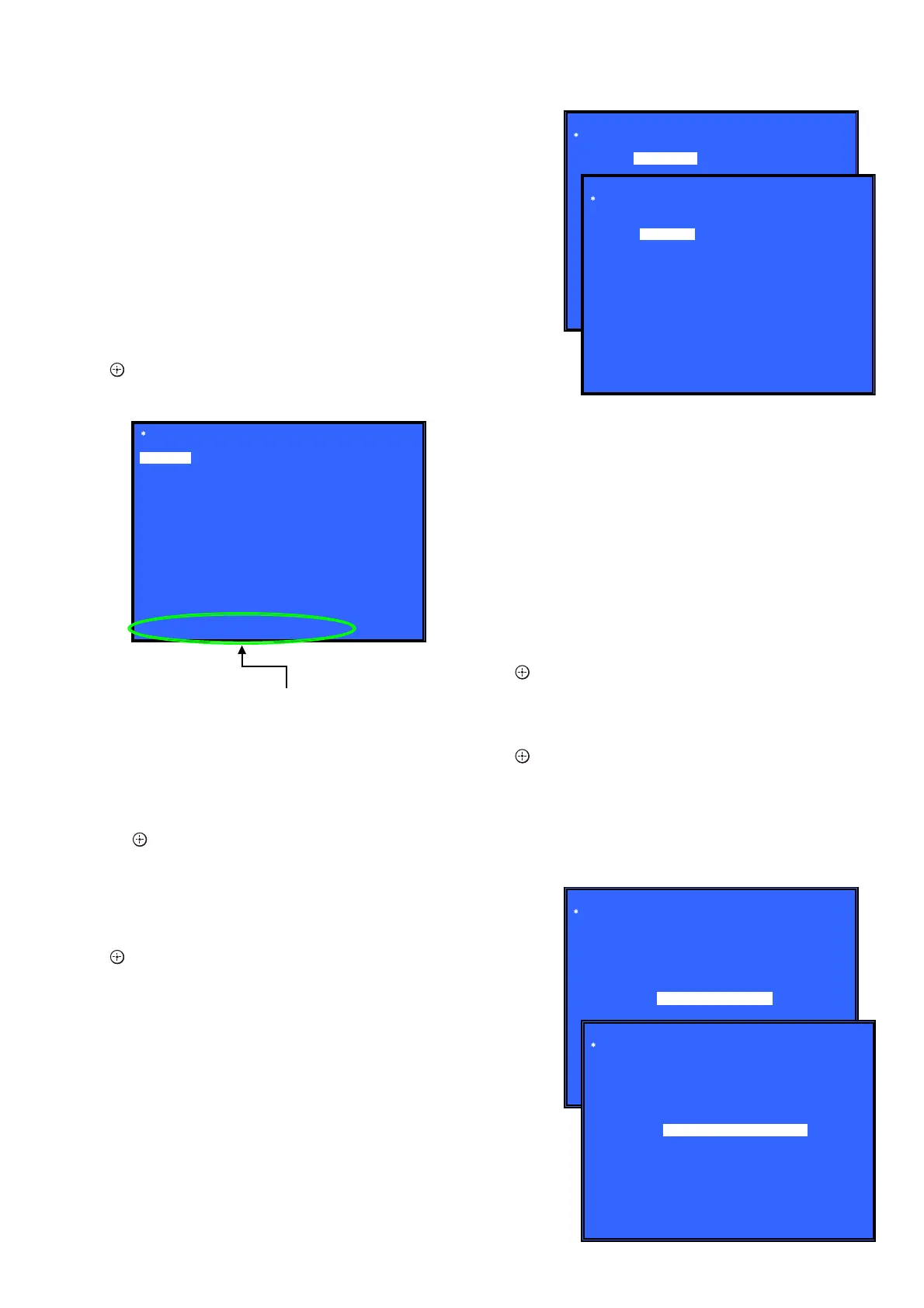
This is the top menu of service mode.
Each function is accessed from this screen.
Operation:
[1] Moves to Diag screen
[2] Moves to Log screen
[3] Moves to Factory Initialize screen
[4] Moves to Network screen
[5] Moves to Version Up (DISC version update) screen (Not
used)
[6] Moves to System Information screen
[7] Moves to EMC test mode screen (Not used)
[8] Moves to Drive screen
[9] Moves to HDD mode (Not used)
[
M
]/[
m
] Moves the cursor
[ ] Moves to the screen of the item selected with the cursor
* Cursor is not displayed when the menu is fi rst displayed.
4. Diag (Device Test)
This screen is used to test devices mounted on the board.
Screen 1: Selects the test category
Operation:
[
<
]/[
,
] Selects the category
[
m
]/[ ] Moves to the selected category
[RETURN] Returns to the service top menu
Screen 2: Device test
Selects the device to test after selecting Device Test in screen 1.
Operation:
[
<
]/[
,
] Selects the device to test
[ ] Executes the test
[
M
] Returns to selection of test category
[RETURN] Returns to selection of test category
• List of test categories
Device Test
Video Test
Audio Test
Audio Input Test
Wireless LAN Test (Not used)
Mic Test (Not used)
HDMI Input Test (Not used)
Transcorder Test (Not used)
• Device Test: List of devices
USB Host : USB media check (front). Only one time.
D/A Converter : DAC write check (non-verifi cation).
Ifcon : Not used in this unit.
MIC : Only Karaoke Model used
MFI : MFI read/write Check
IPC : Not used
External HDMI : Not used
Transcorder : Not used
5. Diag (Video/Audio Test)
This screen performs video and audio tests.
Screen 1: When video test category is selected
Operation:
[
] Shows/hides the color bar
[
M
]/[RETURN] Returns to the selection of test category
Screen 2: When audio test category is selected
Operation:
[ ] Plays back/stops the tone sound
[
M
]/[RETURN] Returns to the selection of test category
• Video test:
Outputs a color bar (composite & HDMI).
• Audio test:
TONE sound output (speaker & HDMI).
Service Mode Menu
[1] Diag
[2] Log
[3] Factory Initialize
[4] Network
[5] Version Up
[6] System Information
[7] EMC Test Mode
[8] Drive
[9] HDD mode
HELP : [UP] [DOWN] [ENT] [NUM]
HELP (currently available keys, etc.) is displayed
[1] Diag
Diag
Category:
Diag
Category: Device Test
Device:
Front USB Media check ... OK
Checking...
HELP: [RIGHT] [UP] [ENT] [RET]
USB Host
Device Test
(Screen 1)
(Screen 2)
Diag
Category: Video Test
HELP: [UP][ENT][RET]
Diag
Category: Audio Test
HELP: [UP] [ENT] [RET]
[ENT] Show Color Bar
[ENT] Generate TONE Sound
(Screen 1)
(Screen 2)



 To Next Page