OPERATING INSTRUCTIONS
LOCATION AND FUNCTION OF CONTROLS
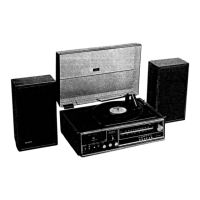
Before attempting to operate your HP-319, take a few minutes to
learn the location and function of the controls and other parts men-
tioned in the operating instructions.
o
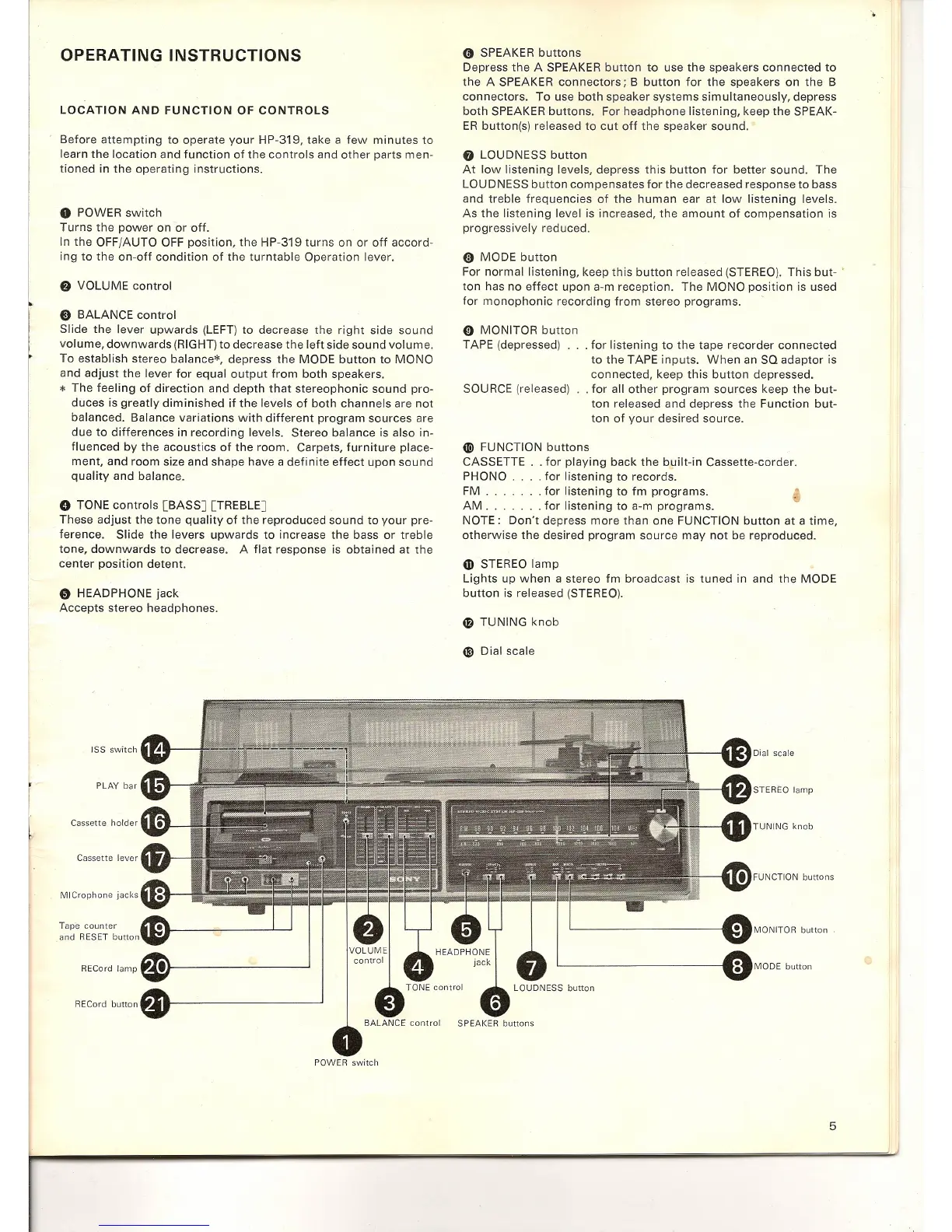
POWER switch
Turns the power on or off.
In the OFF/AUTO OFF position, the HP-319 turns on or off accord-
ing to the on-off condition of the turntable Operation lever.
f)
VOLUME control
e
BALANCE control
Slide the lever upwards (LEFT) to decrease the right side sound
volume, downwards (RIGHT) to decrease the left side sound volume.
To establish stereo balance=, depress the MODE button to MONO
and adjust the lever for equal output from both speakers.
*
The feeling of direction and depth that stereophonic sound pro-
duces is greatly diminished if the levels of both channels are not
balanced. Balance variations with different program sources are
due to differences in recording levels. Stereo balance is also in-
fluenced by the acoustics of the room. Carpets, furniture place-
ment, and room size and shape have a definite effect upon sound
quality and balance.
o
TONE controls [BASS] [TREBLE]
These adjust the tone quality of the reproduced sound to your pre-
ference. Slide the levers upwards to increase the bass or treble
tone, downwards to decrease. A flat response is obtained at the
center position detent.
o
HEADPHONE jack
Accepts stereo headphones.
ISS switch
PLAY bar
Cassette holder
Cassette lever
MICrophone jacks
Tape counter
and RESET button
RECord lamp
RECord button
o
SPEAKER buttons
Depress the A SPEAKER button to use the speakers connected to
the A SPEAKER connectors; B button for the speakers on the B
connectors. To use both speaker systems simultaneously, depress
both SPEAKER buttons. For headphone listening, keep the SPEAK-
ER button(s) released to cut off the speaker sound.
o
LOUDNESS button
At low listening levels, depress this button for better sound. The
LOUDNESS button compensates for the decreased response to bass
and treble frequencies of the human ear at low listening levels.
As the listening level is increased, the amount of compensation is
progressively reduced.
e
MODE button
For normal listening, keep this button released (STEREO). This but- •
ton has no effect upon a-m reception. The MONO position is used
for monophonic recording from stereo programs.
o
MONITOR button
TAPE (depressed) ... for listening to the tape recorder connected
to the TAPE inputs. When an SQ adaptor is
connected, keep this button depressed.
SOURCE (released) .. for all other program sources keep the but-
ton released and depress the Function but-
ton of your desired source.
4D>
FUNCTION buttons
CASSETTE .. for playing back the built-in Cassette-corder.
PHONO . . for listening to records.
FM for listening to fm programs.
AM for listening to a-m programs.
NOTE: Don't depress more than one FUNCTION button at a time,
otherwise the desired program source may not be reproduced.
Gl
STEREO lamp
Lights up when a stereo fm broadcast is tuned in and the MODE
button is released (STEREO).
o
TUNING knob
e
Dial scale
Dial scale
STEREO lamp
TUNING knob
MODE button
MONITOR button
BALANCE control SPEAKER buttons
POWER switch
5


 To Next Page